

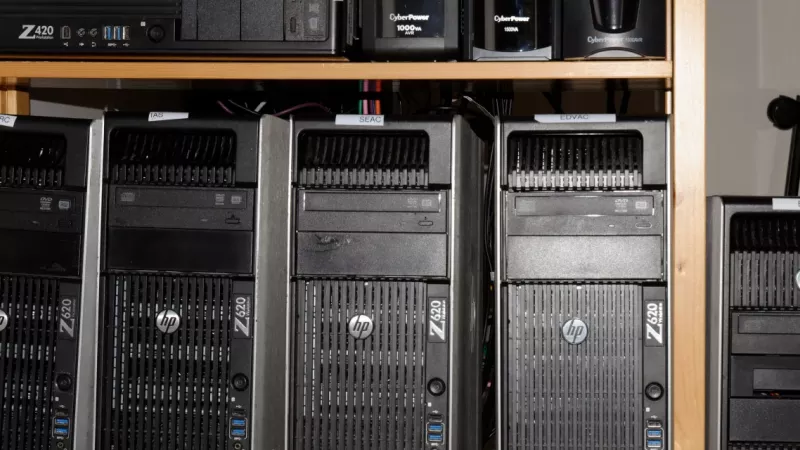
A workstation looks like an ordinary tower PC from the outside, and many online listings use the words desktop and workstation as if they meant the same thing. They do not. A workstation is built and certified for professional software, runs demanding jobs for hours without slowing down, protects your data with error-correcting memory and can take far more RAM, storage and graphics power than a typical office or gaming PC. It also costs more, which is why buying one when you do not need it wastes money, while buying a gaming PC for serious engineering work can cost far more in crashes, lost time and missed deadlines.
This guide explains the difference between a workstation and a desktop PC in practical terms: what makes a machine a workstation, who actually needs one, how to choose the processor platform, how much memory and which graphics card suit CAD, rendering, video and AI work, why storage, networking and power protection matter in South African offices, and whether to buy a branded workstation or a custom build. At the end you will find the most common mistakes, a buying checklist and answers to frequent questions.
What makes a workstation different from a desktop PC
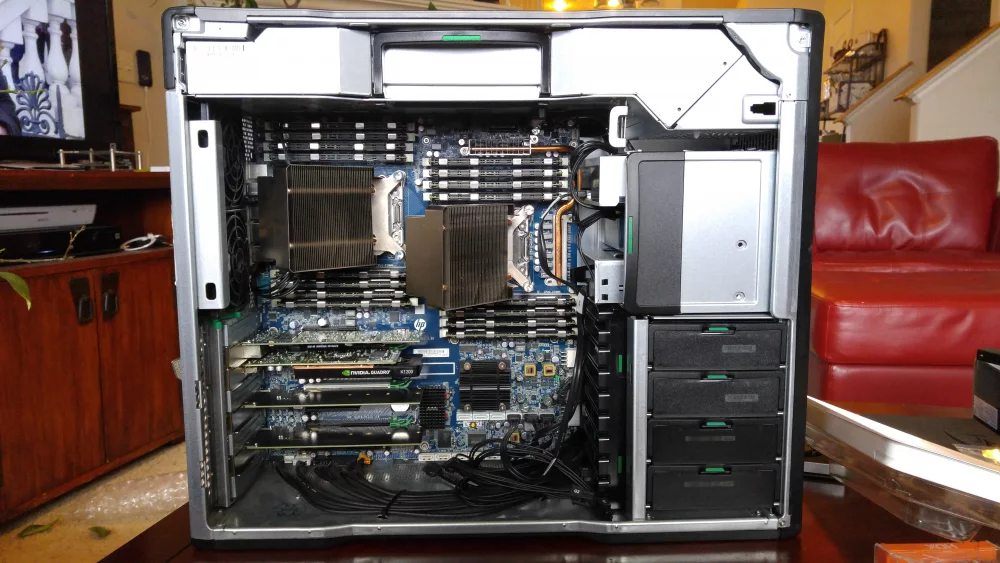
There is no single component that turns a PC into a workstation. The difference comes from a combination of certified hardware, reliability features and headroom for professional workloads.
Certified for professional software
Professional applications such as SolidWorks, Autodesk Revit, Inventor, Siemens NX and many others are tested by their developers on specific hardware and drivers. This is called ISV certification, after the independent software vendors who run the tests. Workstation manufacturers publish which models and graphics cards are certified; Lenovo, for example, maintains a dedicated range of ISV-certified ThinkStation workstations. Certification matters most when something goes wrong: software support teams expect certified hardware and drivers before they investigate a problem.
ECC memory and reliability
Error-correcting code memory, usually shortened to ECC, detects and corrects the most common kind of memory error before it corrupts data. On a gaming PC, a rare bit flip might crash a game. On a workstation that runs a 12-hour simulation or holds a large engineering model in memory, the same error can silently damage results or corrupt a project file. ECC requires support from the processor, the motherboard and the memory modules themselves.
Professional graphics cards
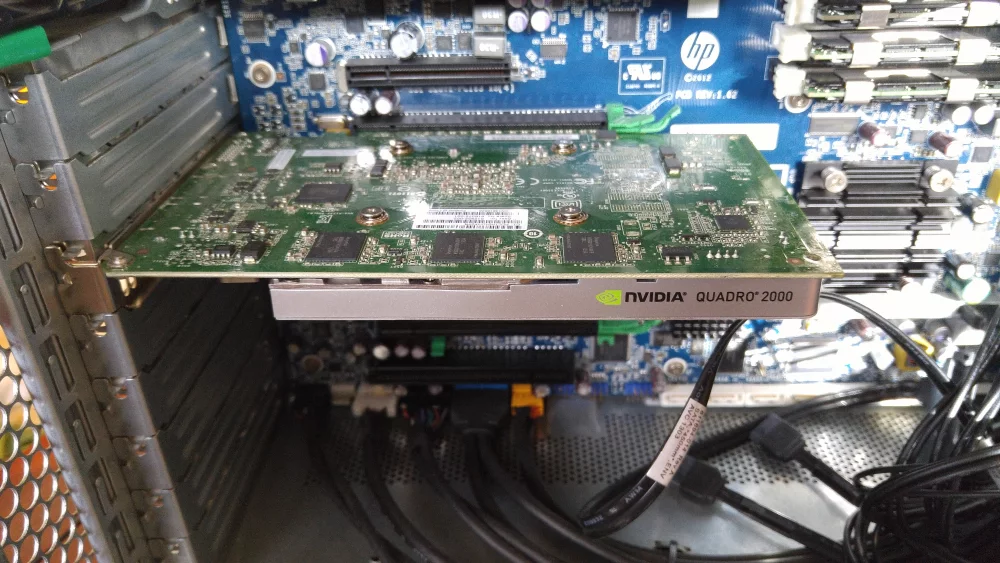
Workstation graphics cards use drivers tested for professional applications, often have far more video memory than gaming cards and in many cases support ECC on the graphics memory too. They are optimised for accuracy and stability in viewport work, rendering and compute, not for the highest frame rate in games.
Built for sustained load
A gaming PC is designed for bursts of heavy load. A workstation is designed to run at full load for hours or days: larger coolers, more carefully designed airflow, higher-quality power supplies, more memory slots, more PCIe lanes for graphics cards and fast storage, and components rated for continuous operation.
| Feature | Office desktop | Gaming PC | Workstation |
|---|---|---|---|
| Main goal | Low cost, quiet office work | Maximum frame rate in games | Stability and performance in professional software |
| ECC memory | Rarely | No | Usually yes |
| Maximum RAM | Moderate | High | Very high, up to terabytes on top platforms |
| Graphics | Integrated | Gaming GPU | Professional or high-end GPU, sometimes several |
| ISV certification | No | No | Yes, for major CAD and design software |
| Sustained 24/7 load | Not designed for it | Limited | Designed for it |
Who actually needs a workstation
The honest answer is: fewer people than workstation marketing suggests, but more than those who try to run professional software on a cheap office PC. The type of work decides.
CAD and mechanical engineering
Parametric CAD applications such as SolidWorks and Inventor spend much of their time on operations that use only one or a few processor cores. For them, high clock speed matters more than a huge core count, and a certified professional graphics card gives a stable, supported viewport. A mainstream workstation with a fast desktop-class processor, 32 to 64 GB of ECC memory and a mid-range professional graphics card is often the sweet spot.
3D rendering, visual effects and video
Rendering and video exports scale with more cores and, increasingly, with more graphics power. Renderers that run on the GPU need enough video memory to hold the whole scene; when a scene does not fit, the job either fails or slows down dramatically. Here, more GPU memory and more CPU cores translate directly into time saved.
Data science, AI and simulation
Training and running local AI models, large simulations and data analysis need large amounts of system memory and GPU memory, fast storage and, for long jobs, ECC throughout. This is where high-end platforms with many memory channels and multiple graphics cards make sense.
Architecture, BIM and GIS
Building information models and large GIS datasets grow quickly and need plenty of RAM, a capable graphics card for navigation and fast storage for large project files. Teams sharing central models also benefit from fast networking to the file server or NAS.
When a good desktop is enough
Office work, accounting, web development, photo editing and occasional light video editing run perfectly well on a good business desktop from our desktops and workstations range. If your software is not certified-hardware sensitive and your projects are not very large, a well-configured desktop gives better value.
Buy a workstation for the software you run and the cost of downtime, not for the badge. If a crash costs you a day of engineering work, reliability features pay for themselves quickly.
Processor: single-thread speed versus core count
The processor platform decides more than raw speed. It sets how much memory you can install, whether ECC works and how many graphics cards and fast drives the system can feed.
Desktop-class processors with ECC support
Modern desktop processors offer the highest clock speeds, which is ideal for CAD modelling. Entry workstations use them together with workstation chipsets: Intel's W880 chipset, for example, enables ECC memory with Core Ultra 200S processors, as shown on workstation boards such as the ASUS Pro WS W880-ACE SE. This combination delivers fast single-thread performance with ECC protection at a moderate price.
Intel Xeon W
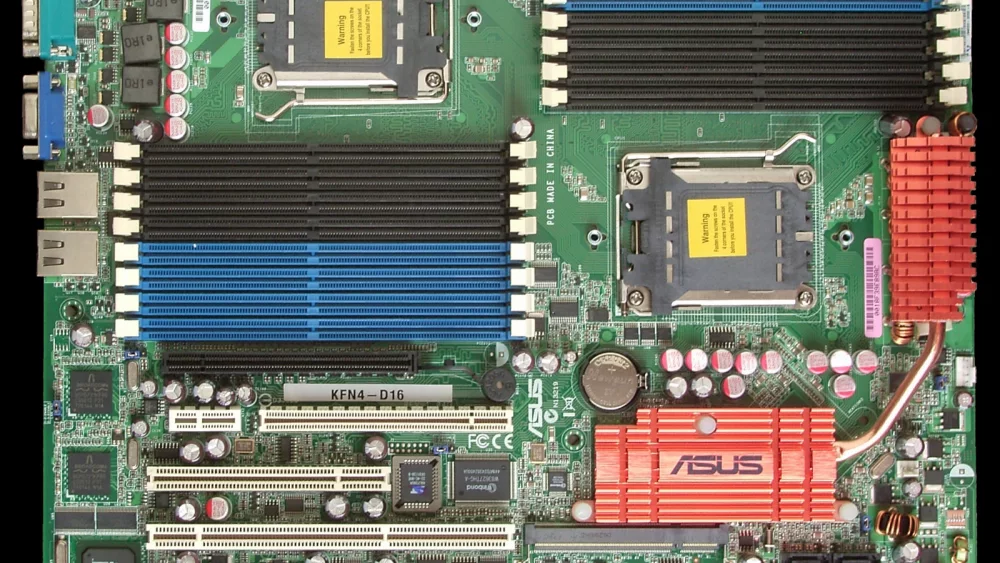
Xeon W processors add more cores, more memory channels, larger memory capacity and many more PCIe lanes than desktop chips. They suit users who need more memory or several graphics cards but still value reasonable clock speeds.
AMD Ryzen Threadripper PRO
At the top end, the AMD Ryzen Threadripper PRO 9000 WX-Series offers up to 96 cores, eight-channel DDR5 ECC memory and 128 PCIe 5.0 lanes on the WRX90 platform. It is built for heavy rendering, simulation and multi-GPU AI work, and it is overkill for pure CAD modelling.
Workstation processors and motherboards are also available separately in our workstation processors and workstation motherboards categories for integrators and upgrades.
| Platform | Strength | Memory | Expansion | Best for |
|---|---|---|---|---|
| Desktop CPU + workstation chipset | Highest clock speed | Dual-channel, ECC UDIMM | One main GPU | CAD, BIM, general design |
| Intel Xeon W | Balance of clocks and cores | More channels, ECC RDIMM | Several GPUs and NVMe drives | Mixed CAD, rendering, simulation |
| AMD Threadripper PRO | Maximum cores and lanes | Eight-channel DDR5 ECC | 128 PCIe 5.0 lanes | Rendering farms, AI, large simulations |
Memory: capacity first, ECC for peace of mind
Running out of memory is the fastest way to make an expensive workstation feel slow. When RAM fills up, the system starts swapping to disk and everything grinds to a halt.
How much RAM do you need?
For CAD and BIM, 32 GB is a sensible minimum and 64 GB gives comfortable headroom for larger assemblies and multitasking. Rendering, video and photogrammetry benefit from 64 to 128 GB. Simulation, data science and local AI can use 256 GB or more. Check the memory use of your largest current project and add a generous margin for growth.
ECC UDIMM or RDIMM
Desktop-class workstation platforms use unbuffered ECC modules, while Xeon W and Threadripper PRO platforms use registered ECC modules, which allow far higher capacities. The two types are not interchangeable, so always buy memory that matches the platform. We stock a wide selection of server and workstation memory for upgrades.
Memory prices in 2026
Demand from AI data centres has pushed memory prices sharply higher in 2026, and analysts at IDC expect higher prices for PCs as a result. For workstation buyers, the practical conclusion is simple: configure enough memory at purchase, leave free slots for expansion and avoid planning on cheap upgrades later.
Graphics: gaming card or professional GPU
The graphics card is often the most expensive part of a workstation and the one where the choice depends most on your software.
Professional graphics cards
Professional cards come with certified drivers, more video memory and features such as ECC on the graphics memory. At the top of the current range, the NVIDIA RTX PRO 6000 Blackwell Workstation Edition carries 96 GB of GDDR7 memory for massive scenes and AI models. Smaller professional cards cover typical CAD and design work at much lower cost. See our professional and enterprise graphics cards.
Video memory decides what fits
For GPU rendering and AI, video memory is often more important than raw speed. A faster card with too little memory cannot render a scene that does not fit, while a slightly slower card with more memory finishes the job. Estimate the size of your largest scenes or models before choosing.
When a GeForce card is fine
Many creative applications, such as Blender and DaVinci Resolve, run very well on consumer graphics cards, and for freelancers they offer excellent value. The public results on Blender Open Data are a good way to compare real rendering performance. If your main software requires certified drivers for support, however, stay with a professional card.
Storage, networking and expansion
Fast processors and graphics cards waste their potential if projects load slowly from storage or across the network.
Plan storage in tiers
A practical layout uses a fast NVMe drive for the operating system and applications, a second large NVMe drive for active projects, cache and scratch files, and a NAS or server for archives and backups. Separating the working drive from the system drive keeps performance consistent and simplifies backups.
Networking for teams
Teams that open large models and video files from a central NAS benefit greatly from 10 Gigabit Ethernet. Many workstation motherboards include it, and it can be added with a network card. Make sure the switch and the NAS support the same speed, otherwise the upgrade will not deliver.
PCIe lanes and future upgrades
Each graphics card and NVMe drive needs PCIe lanes. Desktop-class platforms have enough for one graphics card and a few drives; high-end platforms can feed several graphics cards, many NVMe drives and fast network cards simultaneously. If you expect to add a second GPU or more storage, choose the platform with room to grow.
Power, cooling and South African conditions
A workstation that runs heavy jobs for hours needs clean, stable power and effective cooling. Local conditions make both even more important.
Power supply quality
Choose a high-quality power supply with enough headroom for the processor and graphics card under full load, plus spare capacity for future upgrades. A cheap or undersized power supply is a common cause of random shutdowns during long renders.
UPS and power protection
Power cuts, dips and surges can corrupt files and interrupt jobs that have been running for hours. An online or line-interactive UPS sized for the workstation and monitors gives time to save work and shut down safely, and protects expensive components from surges. For long simulations, configure the software to save checkpoints regularly.
Heat and dust
Summer temperatures in many parts of South Africa push cooling systems hard, and dust builds up quickly in offices and workshops. Place the workstation where air can flow freely, clean the filters regularly and monitor temperatures during the first long jobs.
A UPS costs a fraction of a workstation and protects both the hardware and the work in progress. For a machine that renders overnight, it is not an optional extra.
Branded workstation or custom build
Both routes can produce an excellent workstation. The right choice depends on your software, your IT support and how much flexibility you need.
Branded workstations
Dell, HP and Lenovo offer workstation lines with ISV certifications, tested cooling and business support. Dell has replaced its Precision brand with Dell Pro Max, as DEVELOP3D reported, while HP continues its Z range, such as the HP Z2 Tower, and Lenovo its ThinkStation models. These are the safest choice when your software vendor expects certified hardware.
Custom and system-integrator builds
A custom workstation lets you pick exactly the processor, graphics card and storage your workflow needs, often at a better price for the performance. It suits studios and freelancers who know their software well. Workstation barebone systems offer a middle ground with a tested chassis, motherboard and power supply.
Refurbished workstations
Refurbished workstations from well-known brands can be excellent value for students, training rooms and smaller CAD workloads. Check the processor generation, memory expandability and whether the graphics card is still supported by current drivers.
| Workload | Processor | RAM | Graphics | Storage |
|---|---|---|---|---|
| 2D CAD, office design | Fast desktop-class CPU | 32 GB | Entry professional GPU | 1 TB NVMe |
| 3D CAD and BIM | Fast desktop-class CPU or Xeon W | 64 GB ECC | Mid-range professional GPU | 2 × NVMe (system + projects) |
| Rendering and video | High core count | 64–128 GB | High-end GPU with large VRAM | Fast NVMe scratch + NAS |
| AI and simulation | Threadripper PRO or Xeon W | 256 GB+ ECC | One or more GPUs with large VRAM | Several NVMe drives + 10GbE |
Start from the software requirements and the size of your biggest project, then choose the platform. Picking the most expensive processor first is how budgets disappear without making the work faster.
The most common mistakes when buying a workstation
- Buying a gaming PC for certified software. It may run, but support teams may not help when problems appear.
- Choosing core count over clock speed for CAD. Many modelling tasks use only a few cores.
- Too little memory. Swapping to disk makes any workstation feel slow.
- Too little GPU memory for rendering or AI. Scenes that do not fit cannot render efficiently.
- Mixing memory types. ECC UDIMM and RDIMM are not interchangeable.
- Skipping the UPS. One power cut during an overnight job can cost more than the UPS.
- Ignoring the monitor. A colour-accurate, high-resolution monitor is part of the workstation.
Buying checklist
- List your main applications and check their certified hardware and system requirements.
- Measure the memory and GPU memory used by your largest current project.
- Choose the platform: desktop-class with ECC, Xeon W or Threadripper PRO.
- Configure enough RAM now and leave free slots for growth.
- Pick the graphics card by software support and required video memory.
- Plan storage in tiers and connect to the NAS at a suitable network speed.
- Add a quality power supply, a UPS and good airflow.
- Decide between a branded, custom or refurbished workstation based on support needs.
Frequently asked questions
Is a workstation faster than a gaming PC?
Not always. In games and some creative applications, a gaming PC can be just as fast. A workstation wins in certified professional software, very large projects, multi-GPU work and long jobs where stability matters.
Do I really need ECC memory?
If your work involves long simulations, large models or data that must be correct, ECC is valuable insurance. For office work and gaming it is not necessary.
Can I use a gaming graphics card in a workstation?
Yes, for applications that do not require certified drivers, such as many rendering and video tools. For CAD software with strict support requirements, a professional card is the safer choice.
How long does a workstation last?
A well-specified workstation typically stays productive for many years, especially if it has free memory slots, PCIe expansion and a power supply with headroom for a future graphics card.
Is a mobile workstation a good alternative?
Mobile workstations are excellent for engineers who work on site or travel, but for the same price a tower offers more performance, better cooling and easier upgrades.
Planning a workstation for CAD, rendering, video or AI work? In the DistriNode catalogue you will find workstations and business desktops from leading brands, workstation processors and motherboards, professional graphics cards, ECC memory, monitors and UPS systems. Tell us which software you use and how large your projects are, and we will help you choose the right configuration: distrinode.co.za.
Leave a comment