Account Contact
Your Cart
Pay the courier with no extra fees.
Need help? DistriNode AI can handle any task on our site.

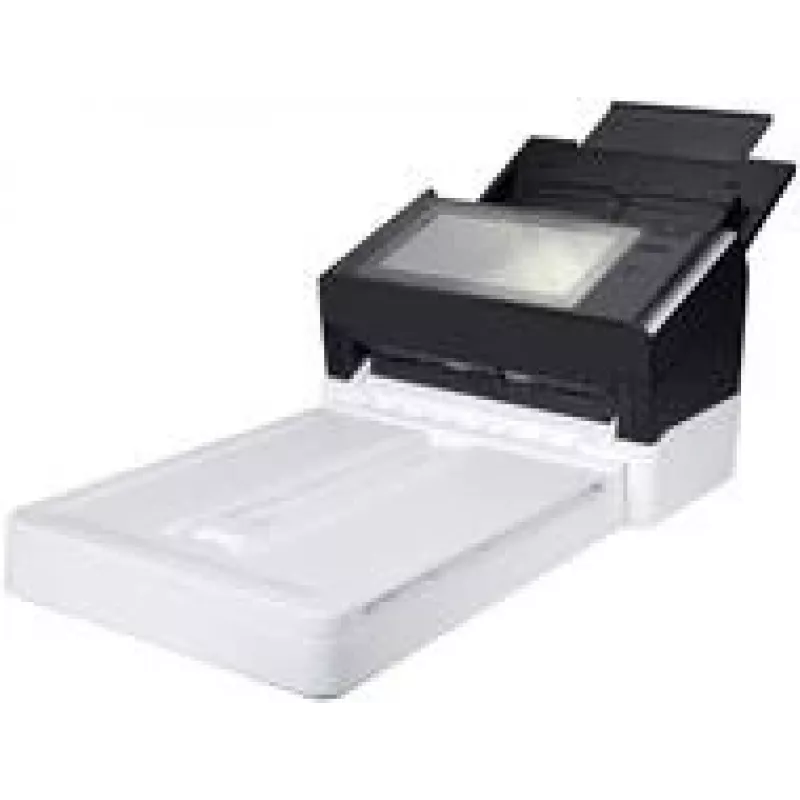
Avision Document Scanner AN360FW — 60 ppm, 600 dpi, duplex, sheet-fed

Avision Document Scanner AN360FW — 60 ppm, 600 dpi, duplex, sheet-fed
R25,066
The Avision Document Scanner AN360FW is a sheet-fed duplex scanner designed for high-volume office environments. It delivers up to 60 pages per minute and an optical resolution of up to 600 dpi to digitize documents, invoices and forms quickly. Built for continuous use, this model supports two-sided... Read More
Stock 2 Code 1729997 Brand AVISION Model 000-0950-07G Warranty 2 Years

Shipping & Returns

Estimated delivery Tuesday, September 29
You will be kept updated through our detailed tracking system
Payment options
EFTPayFastBank CardSnapScanZapperGoogle PayApple PayMobicredMoreTymePay on Arrival

The Avision Document Scanner AN360FW is a sheet-fed duplex scanner designed for high-volume office environments. It delivers up to 60 pages per minute and an optical resolution of up to 600 dpi to digitize documents, invoices and forms quickly. Built for continuous use, this model supports two-sided scanning in a single pass and aims to reduce manual handling time while maintaining image quality suitable for archiving, OCR and electronic workflows.

Advantages

This scanner combines high throughput with 600 dpi optical resolution to preserve detail when scanning text and graphics. Duplex, sheet-fed scanning minimizes the need to flip documents and reduces processing time for multi-page jobs. The compact footprint and robust paper handling are intended to integrate into busy office workflows, improving productivity and lowering the time spent on manual scanning tasks.

Suitable for

  • High-volume document digitization in offices
  • Processing invoices, receipts and multi-page forms
  • Preparing documents for OCR and archiving
  • Departments requiring fast duplex scanning for workflows

Key specifications

  • Scan speed: up to 60 pages per minute (single-sided speed reference)
  • Optical resolution: up to 600 dpi
  • Duplex: two-sided scanning in a single pass
  • Feeding method: sheet-fed automatic document feeder
  • Designed use: continuous office scanning and workflow integration

How to use

Place a stack of documents into the automatic document feeder, adjust any guides to align paper, and select the desired resolution and duplex settings in the scanner software. Start the scan job from the scanner control panel or from a connected computer application. Monitor the output to ensure pages are being scanned in order and check scanned images for legibility before saving to the chosen file format or sending to an OCR or document management system.

Recommendations

Use recommended paper sizes and remove staples or heavy paper clips before scanning to avoid jams. For best image quality with text and mixed-content pages, select optical resolution up to 300–600 dpi depending on the required detail and OCR accuracy. Regularly clean feed rollers according to maintenance instructions to preserve reliable paper handling and consistent scan quality.

Key Highlights
  • High-volume document digitization in offices
  • Processing invoices, receipts and multi-page forms
  • Preparing documents for OCR and archiving
  • Departments requiring fast duplex scanning for workflows
  • Scan speed: up to 60 pages per minute (single-sided speed reference)
  • Optical resolution: up to 600 dpi
  • Duplex: two-sided scanning in a single pass
  • Feeding method: sheet-fed automatic document feeder
  • Designed use: continuous office scanning and workflow integration
Price history over the last 6 months
Avision Document Scanner AN360FW — 60 ppm, 600 dpi, duplex, sheet-fed
Current
R25,066
Lowest
R21,191
Highest
R25,419
Change 24H
+R3,265   +15%
Week
+R3,501   +16%
Month
+R3,875   +18%

Popular products in this category

WhatsApp
Hi, I’m DistriNode’s AI assistant. I can help you find products, compare options, create quote PDFs, or open support requests.