Account Contact
Your Cart
Pay the courier with no extra fees.
Need help? DistriNode AI can handle any task on our site.

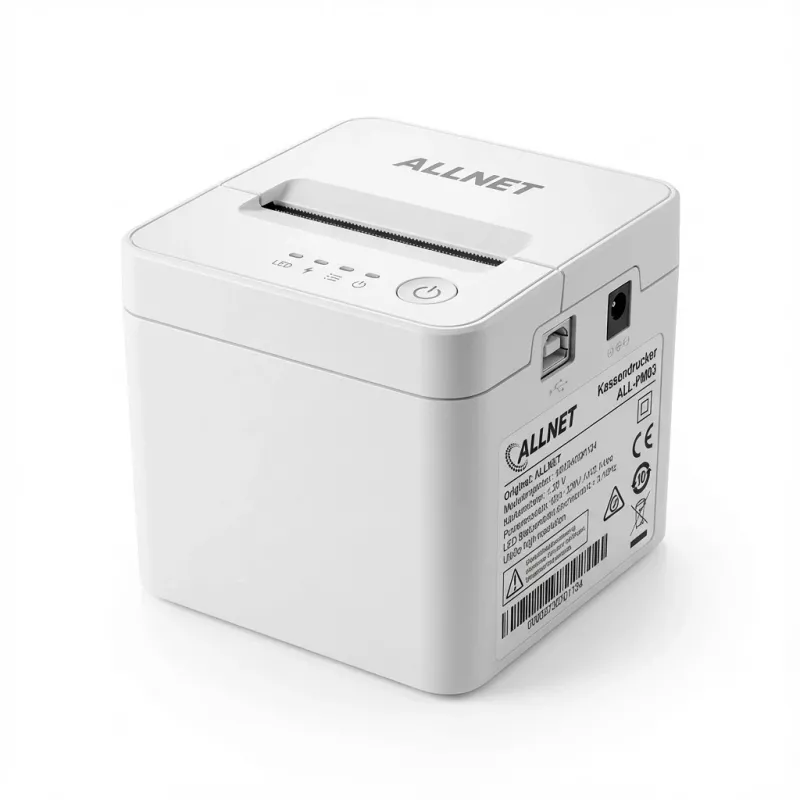
Thermal Mobile Printer ALLNET ALL-PM03 USB Bluetooth 58 mm black

Thermal Mobile Printer ALLNET ALL-PM03 USB Bluetooth 58 mm black
R2,115
The ALLNET ALL-PM03 is a compact thermal mobile printer designed for 58 mm paper rolls. This black portable device supports USB and Bluetooth connectivity, enabling quick on-site receipt and ticket printing without ink cartridges. Its small footprint and lightweight construction make it suitable for... Read More
Stock 25 Code 1394287 Brand ALLNET Model ALL_POS_ALL-PM03-UB-B Warranty 2 Years

Shipping & Returns

Estimated delivery Thursday, October 1
You will be kept updated through our detailed tracking system
Payment options
EFTPayFastBank CardSnapScanZapperGoogle PayApple PayMobicredMoreTymePay on Arrival

The ALLNET ALL-PM03 is a compact thermal mobile printer designed for 58 mm paper rolls. This black portable device supports USB and Bluetooth connectivity, enabling quick on-site receipt and ticket printing without ink cartridges. Its small footprint and lightweight construction make it suitable for mobile point-of-sale operations, field service tasks, and temporary installations where fast, reliable thermal output is required.

Advantages

The ALLNET ALL-PM03 delivers immediate thermal printing with no ink or toner, reducing running costs and maintenance. Dual connectivity via Bluetooth and USB provides flexible integration with smartphones, tablets and laptops. Its compact design and straightforward paper loading mechanism simplify transportation and operation in tight spaces. The printer supports common 58 mm receipt formats and provides adequate print speed for retail and hospitality workflows.

Suitable for

  • Mobile point-of-sale terminals and market stalls
  • Receipts and tickets for hospitality and events
  • Field service reports and delivery confirmations
  • Temporary checkout and mobile vendor operations

Key specifications

  • Paper width: 58 mm thermal paper rolls
  • Connectivity: USB and Bluetooth wireless interface
  • Print technology: direct thermal printing (no ink)
  • Color: black housing
  • Designed for portable, battery-powered use (battery sold separately where applicable)

How to use

Install a 58 mm thermal paper roll into the printer following the paper-feed orientation indicated on the device. Charge or connect the printer via USB before initial use, or pair it with a smartphone or tablet over Bluetooth using the device settings and any required driver or POS application. Select the printer in your POS or ticketing app, set the paper size to 58 mm, and send print jobs. For reliable results, allow the printer to complete each job before initiating the next and avoid pulling the paper during printing.

Recommendations

Use standard 58 mm thermal paper with compatible thickness and temperature sensitivity for best print contrast and longevity. Store the printer and paper rolls away from direct sunlight, high humidity and heat sources. When connecting via Bluetooth, ensure the printer firmware and the POS application are updated to the latest versions for stable operation.
Key Highlights
  • Mobile point-of-sale terminals and market stalls
  • Receipts and tickets for hospitality and events
  • Field service reports and delivery confirmations
  • Temporary checkout and mobile vendor operations
  • Paper width: 58 mm thermal paper rolls
  • Connectivity: USB and Bluetooth wireless interface
  • Print technology: direct thermal printing (no ink)
  • Color: black housing
  • Designed for portable, battery-powered use (battery sold separately where applicable)
Price history over the last 6 months
Thermal Mobile Printer ALLNET ALL-PM03 USB Bluetooth 58 mm black
Current
R2,115
Lowest
R1,991
Highest
R2,250
Change 24H
+R89   +4%
Week
+R108   +5%
Month
+R104   +5%

Popular products in this category

WhatsApp
Hi, I’m DistriNode’s AI assistant. I can help you find products, compare options, create quote PDFs, or open support requests.