Account Contact
Your Cart
Pay the courier with no extra fees.
Need help? DistriNode AI can handle any task on our site.

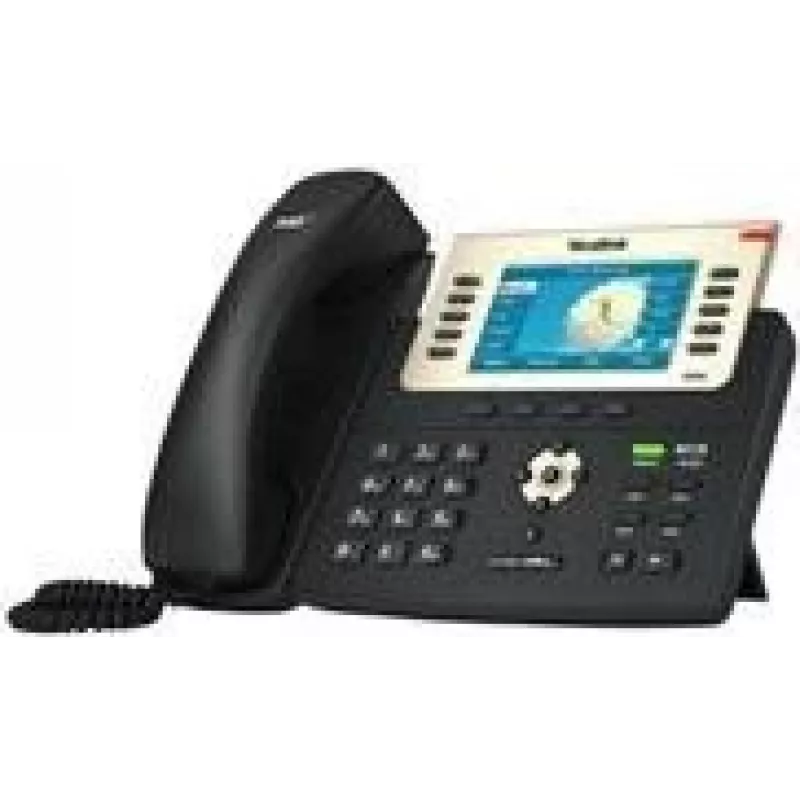
Yealink T29G wall mount bracket for VoIP phone

Yealink T29G wall mount bracket for VoIP phone
R661
Yealink Wall Mount T29G is a business VoIP phone designed for wall or desk installation. It supports SIP-based HD voice calling and Power over Ethernet (PoE) to reduce cable clutter. The phone provides multiple line support and programmable keys for common tasks, delivering a compact, reliable IP te... Read More
Stock 3 Code 2245643 Brand Yealink Model T29G Wallmount Warranty 2 Years

Shipping & Returns

Estimated delivery Tuesday, October 6
You will be kept updated through our detailed tracking system
Payment options
EFTPayFastBank CardSnapScanZapperGoogle PayApple PayMobicredMoreTymePay on Arrival

Yealink Wall Mount T29G is a business VoIP phone designed for wall or desk installation. It supports SIP-based HD voice calling and Power over Ethernet (PoE) to reduce cable clutter. The phone provides multiple line support and programmable keys for common tasks, delivering a compact, reliable IP telephony solution for reception areas, offices and corridors where wall mounting or space-saving placement is required.

Advantages

The Yealink T29G wall-mountable unit combines the clarity of SIP HD voice with PoE support to simplify infrastructure and deployment. Its compact design adapts to wall or desk mounting without compromising access to multiple lines and programmable function keys. The device is built for continuous office use, offering a straightforward user interface and compatibility with common SIP environments.

Suitable for

  • Reception desks and foyers where wall mounting saves surface space
  • Corridors, narrow workspaces and shared areas with limited desk space
  • Office workstations requiring multiple SIP lines and programmable keys
  • Environments that prefer Power over Ethernet to avoid separate power adapters

Key specifications

  • Installation: wall mount or desk installation
  • Voice: SIP HD voice support
  • Power: Power over Ethernet (PoE) support
  • Lines and keys: multiple line support with programmable function keys
  • Form factor: compact design suitable for constrained spaces

How to use

Mount the Yealink T29G on a compatible wall bracket or place it on a desk surface according to the included installation instructions. Connect the Ethernet cable to a PoE-enabled switch or injector for network connectivity and power, or use an external power source if PoE is not available. Register the handset to your SIP server using the on-screen menus and configure accounts, line appearances and programmable keys to match workflow needs. Verify audio settings and test inbound and outbound calls to confirm successful registration and voice quality.

Recommendations

For stable operation, connect the phone to a managed network that prioritizes VoIP traffic (VLAN and QoS settings). Use PoE where possible to simplify cabling in wall-mounted installations. Assign programmable keys for frequently used features such as line appearance, transfer and voicemail to streamline daily tasks.

Key Highlights
  • Reception desks and foyers where wall mounting saves surface space
  • Corridors, narrow workspaces and shared areas with limited desk space
  • Office workstations requiring multiple SIP lines and programmable keys
  • Environments that prefer Power over Ethernet to avoid separate power adapters
  • Installation: wall mount or desk installation
  • Voice: SIP HD voice support
  • Power: Power over Ethernet (PoE) support
  • Lines and keys: multiple line support with programmable function keys
  • Form factor: compact design suitable for constrained spaces
Price history over the last 6 months
Yealink T29G wall mount bracket for VoIP phone
Current
R661
Lowest
R650
Highest
R751
Change 24H
+R9   +1%
Week
-R54   -8%
Month
-R54   -8%

Popular products in this category

WhatsApp
Hi, I’m DistriNode’s AI assistant. I can help you find products, compare options, create quote PDFs, or open support requests.