Account Contact
Your Cart
Pay the courier with no extra fees.
Need help? DistriNode AI can handle any task on our site.

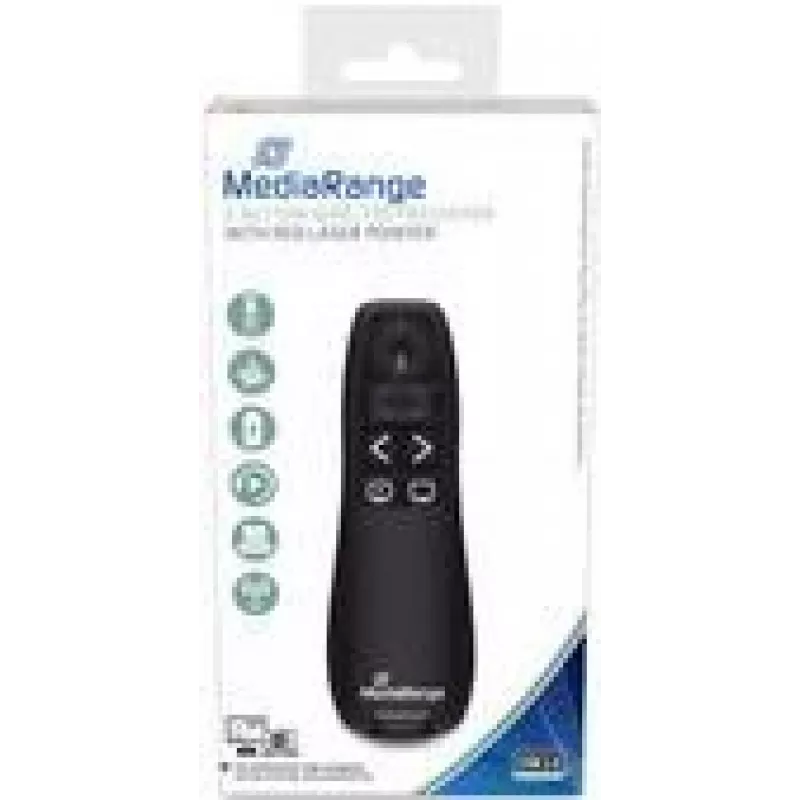
Wireless Presenter MediaRange MROS220

Wireless Presenter MediaRange MROS220
R276
MediaRange MROS220 wireless presenter with red laser pointer and five navigation buttons provides a compact, plug-and-play solution for controlling slides during lectures, meetings and classroom presentations. The device connects via the included USB RF receiver (2.407–2.463 GHz) and lets you move u... Read More
Stock 18 Code 1458455 Brand MEDIARANGE Model MROS220 Warranty 2 Years

Shipping & Returns

Estimated delivery Tuesday, September 29
You will be kept updated through our detailed tracking system
Payment options
EFTPayFastBank CardSnapScanZapperGoogle PayApple PayMobicredMoreTymePay on Arrival

MediaRange MROS220 wireless presenter with red laser pointer and five navigation buttons provides a compact, plug-and-play solution for controlling slides during lectures, meetings and classroom presentations. The device connects via the included USB RF receiver (2.407–2.463 GHz) and lets you move up to 15 m from the computer while pointing and switching slides. Powered by AAA batteries, the presenter has a slim black housing for comfortable handling.

Advantages

The presenter uses RF wireless technology for reliable connection without line-of-sight restrictions, includes a visible red laser pointer for easy highlighting, and offers five dedicated buttons for slide navigation and control. Its plug-and-play USB receiver requires no driver installation, and the lightweight compact design makes it easy to carry and operate during presentations.

Suitable for

  • Business presentations and meetings
  • University lectures and classroom teaching
  • Workshops and training sessions
  • Auditorium and conference talks

Key specifications

  • Model: MediaRange MROS220
  • Wireless technology: RF (2.407–2.463 GHz)
  • Range: up to 15 m
  • Pointer: red laser
  • Buttons: 5 navigation buttons
  • Power supply: AAA batteries
  • Dimensions (W×D×H): 27 × 115 × 37 mm
  • Weight: 0.045 kg
  • Colour: Black
  • Includes: USB RF receiver (Plug & Play)

How to use

Insert the required AAA batteries, plug the included USB RF receiver into your computer and wait for the system to recognise the device. Stand within the effective range (up to 15 m) and use the navigation buttons to move forward or backward through slides; use the red laser pointer to highlight details on the screen. No driver installation is necessary for most operating systems.

Recommendations

For stable performance, keep the USB receiver free from metal obstructions and replace batteries when pointer brightness or button responsiveness decreases. Comply with local laser safety regulations and avoid pointing the laser at people’s eyes.

Key Highlights
  • Business presentations and meetings
  • University lectures and classroom teaching
  • Workshops and training sessions
  • Auditorium and conference talks
  • Model: MediaRange MROS220
  • Wireless technology: RF (2.407–2.463 GHz)
  • Range: up to 15 m
  • Pointer: red laser
  • Buttons: 5 navigation buttons
  • Power supply: AAA batteries
  • Dimensions (W×D×H): 27 × 115 × 37 mm
  • Weight: 0.045 kg
  • Colour: Black
  • Includes: USB RF receiver (Plug & Play)
Specifications
Battery type
AAA
Buttons quantity
5
Depth
115 mm
Frequency band
2.407 - 2.463
Height
37 mm
Laser class
2
Laser pointer colour
Red
Laser wave power
1.991 mW
Number of batteries supported
2
Package type
Box
Plug and Play
Yes
Presenter functions
Laser pointer
Product colour
Black
Wavelength range
650 - 650
Weight
0.045 kg
Width
27 mm
Wireless range
15 m
Wireless receiver interface
USB
Wireless technology
RF

Leaflet

Open Leaflet
Price history over the last 6 months
Wireless Presenter MediaRange MROS220
Current
R276
Lowest
R248
Highest
R287
Change 24H
+R26   +10%
Week
+R28   +11%
Month
+R21   +8%

Popular products in this category

WhatsApp
Hi, I’m DistriNode’s AI assistant. I can help you find products, compare options, create quote PDFs, or open support requests.