Account Contact
Your Cart
Pay the courier with no extra fees.
Need help? DistriNode AI can handle any task on our site.

Wireless Optical Mouse MediaRange MROS257 USB

Wireless Optical Mouse MediaRange MROS257 USB
R353
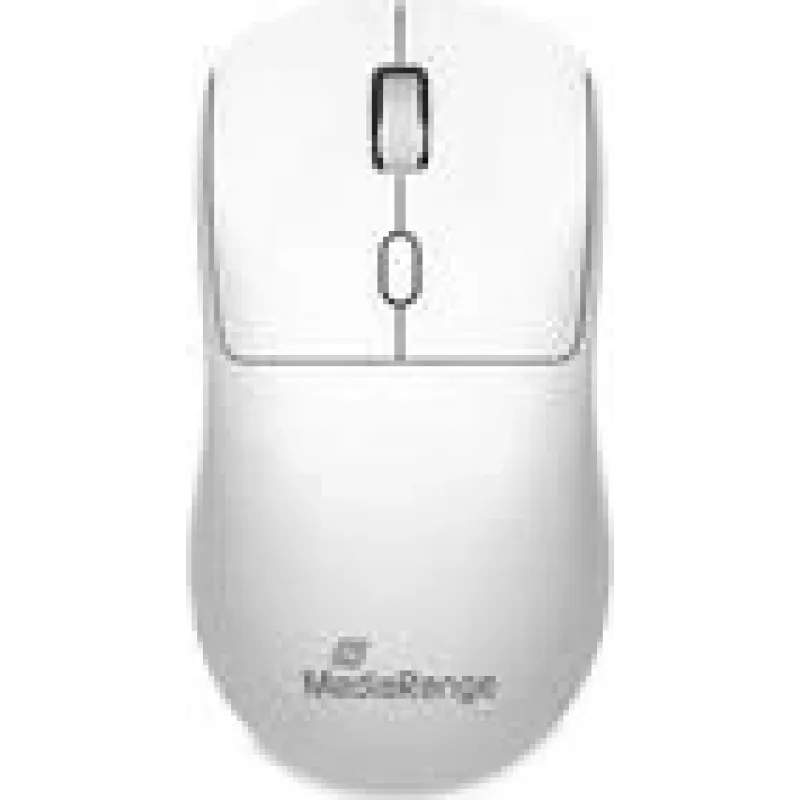
The MediaRange MROS257 wireless optical mouse provides a symmetrical, ambidextrous design with four buttons and USB connectivity. It uses an optical sensor to deliver precise cursor control for everyday computing tasks. The compact shape and balanced weight support comfortable use for both left- and... Read More
Stock 20 Code 2219554 Brand MEDIARANGE Model MROS257 Warranty 2 Years

Shipping & Returns

Estimated delivery Tuesday, October 6
You will be kept updated through our detailed tracking system
Payment options
EFTPayFastBank CardSnapScanZapperGoogle PayApple PayMobicredMoreTymePay on Arrival

The MediaRange MROS257 wireless optical mouse provides a symmetrical, ambidextrous design with four buttons and USB connectivity. It uses an optical sensor to deliver precise cursor control for everyday computing tasks. The compact shape and balanced weight support comfortable use for both left- and right-handed users, and plug-and-play USB connection ensures simple setup without additional drivers on most modern operating systems.

Advantages

The symmetrical form factor allows comfortable handling by either hand while the optical tracking gives consistent pointer accuracy on a variety of surfaces. Four-click functionality covers standard left/right clicks, a middle button or scroll-click, plus an additional programmable or back/forward button depending on host system support. Wireless operation removes cable clutter and the USB receiver provides a straightforward wireless link with low-latency response for typical office and home applications.

Suitable for

  • General office productivity tasks such as document editing and spreadsheet navigation
  • Everyday home computer use including web browsing and email
  • Users who prefer an ambidextrous mouse for left- or right-handed use
  • Portable setups where a compact, USB-connected wireless mouse is needed

Key specifications

  • Connection type: wireless USB receiver
  • Sensor: optical tracking for reliable cursor movement
  • Buttons: four-button configuration including middle/scroll click
  • Design: symmetrical ambidextrous shape suitable for both hands
  • Compatibility: works with common desktop and laptop operating systems without additional drivers in most cases

How to use

Insert the USB receiver into an available USB port on the computer and allow the system to recognize the device. If the operating system installs drivers automatically, the mouse will be ready to use within moments. Place the mouse on a flat surface and move it to control the cursor; use the left and right buttons for selection and the middle/scroll button for scrolling or middle-click actions. If the mouse includes a detachable receiver storage or power switch, use those features to conserve battery during transport or storage.

Recommendations

For best tracking performance, use the mouse on a non-reflective, flat surface or a desktop mouse pad. Replace batteries according to the manufacturer’s guidance to maintain consistent wireless performance and avoid placing the USB receiver directly adjacent to metal obstructions or crowded USB hubs to reduce signal interference.

Key Highlights
  • General office productivity tasks such as document editing and spreadsheet navigation
  • Everyday home computer use including web browsing and email
  • Users who prefer an ambidextrous mouse for left- or right-handed use
  • Portable setups where a compact, USB-connected wireless mouse is needed
  • Connection type: wireless USB receiver
  • Sensor: optical tracking for reliable cursor movement
  • Buttons: four-button configuration including middle/scroll click
  • Design: symmetrical ambidextrous shape suitable for both hands
  • Compatibility: works with common desktop and laptop operating systems without additional drivers in most cases
Price history over the last 6 months
Wireless Optical Mouse MediaRange MROS257 USB
Current
R353
Lowest
R343
Highest
R353
Change 24H
+R9   +3%
Week
—   
Month
—   

Popular products in this category

WhatsApp
Hi, I’m DistriNode’s AI assistant. I can help you find products, compare options, create quote PDFs, or open support requests.