Account Contact
Your Cart
Pay the courier with no extra fees.
Need help? DistriNode AI can handle any task on our site.

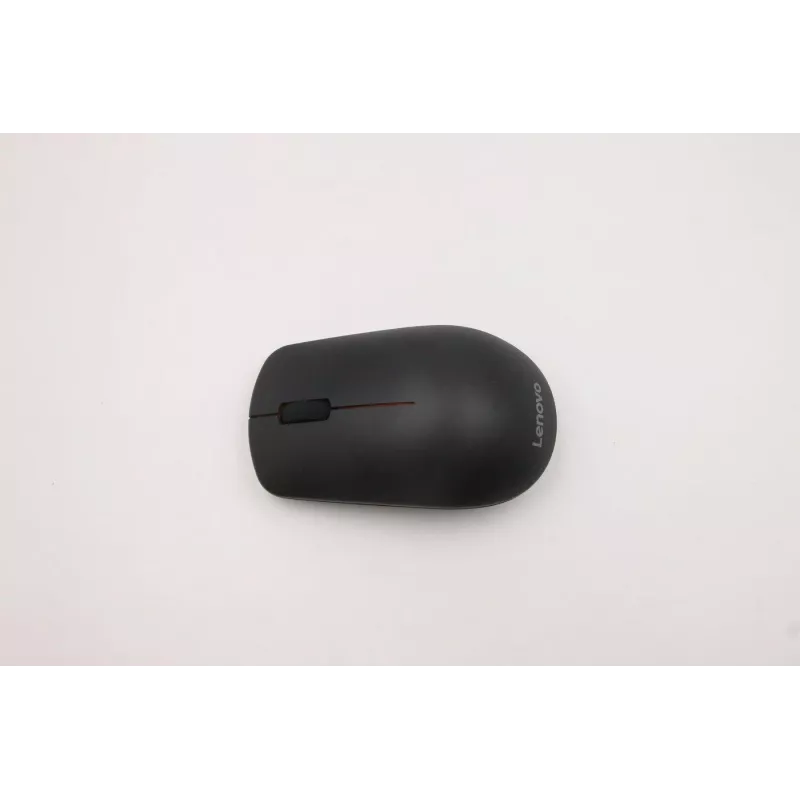
Wireless optical mouse Lenovo 01FJ247 1600 DPI ergonomic design, USB receiver

Wireless optical mouse Lenovo 01FJ247 1600 DPI ergonomic design, USB receiver
R987
Lenovo 01FJ247 is a wireless optical mouse with 1600 DPI sensitivity and an ergonomic shape designed for everyday use. It connects via a compact USB receiver and provides precise cursor control for office tasks, web browsing and light gaming. The compact, lightweight body and simple plug-and-play op... Read More
Stock 38 Code 2364443 Brand LENOVO Model 01FJ247 Warranty 2 Years

Shipping & Returns

Estimated delivery Tuesday, October 6
You will be kept updated through our detailed tracking system
Payment options
EFTPayFastBank CardSnapScanZapperGoogle PayApple PayMobicredMoreTymePay on Arrival

Lenovo 01FJ247 is a wireless optical mouse with 1600 DPI sensitivity and an ergonomic shape designed for everyday use. It connects via a compact USB receiver and provides precise cursor control for office tasks, web browsing and light gaming. The compact, lightweight body and simple plug-and-play operation make it suitable for laptop users and desktop setups where ease of use and reliability are important.

Advantages

The mouse combines a 1600 DPI optical sensor with an ergonomic profile that supports a natural hand position during extended use. A compact USB receiver ensures a stable wireless connection without the need for pairing software, while the lightweight construction supports portability. Low power consumption and standard on/off control extend battery life for prolonged use between replacements.

Suitable for

  • Office work and productivity software
  • Web browsing and email
  • Mobile and laptop use while traveling
  • Home computing and casual gaming
  • Basic graphic navigation and document editing

Key specifications

  • Sensor type: optical
  • Maximum sensitivity: 1600 DPI
  • Connection: wireless via compact USB receiver (2.4 GHz)
  • Buttons: left, right, scroll wheel (middle click)
  • Design: ergonomic, right-handed-friendly profile
  • Power: battery-powered with on/off switch
  • Form factor: compact and lightweight for portability

How to use

Insert the required battery into the mouse and switch it on. Plug the included USB receiver into an available USB port on the computer; the device should be recognized automatically for plug-and-play operation. Move the mouse on a suitable surface to control the cursor, use the scroll wheel for vertical navigation and the main buttons for selection and clicking. Adjust pointer speed and button settings in the operating system if necessary to match personal preference.

Recommendations

For consistent tracking and longer battery life, use the mouse on a clean, non-reflective surface and remove the USB receiver only when not in use or during transport. If pointer movement feels too fast or slow, change the sensitivity in system settings to better fit the 1600 DPI range. Replace batteries before they become fully depleted to avoid connection interruptions during important tasks.

Key Highlights
  • Office work and productivity software
  • Web browsing and email
  • Mobile and laptop use while traveling
  • Home computing and casual gaming
  • Basic graphic navigation and document editing
  • Sensor type: optical
  • Maximum sensitivity: 1600 DPI
  • Connection: wireless via compact USB receiver (2.4 GHz)
  • Buttons: left, right, scroll wheel (middle click)
  • Design: ergonomic, right-handed-friendly profile
  • Power: battery-powered with on/off switch
  • Form factor: compact and lightweight for portability
Price history over the last 6 months
Wireless optical mouse Lenovo 01FJ247 1600 DPI ergonomic design, USB receiver
Current
R987
Lowest
R972
Highest
R987
Change 24H
+R12   +1%
Week
—   
Month
—   

Popular products in this category

WhatsApp
Hi, I’m DistriNode’s AI assistant. I can help you find products, compare options, create quote PDFs, or open support requests.