Account Contact
Your Cart
No Upfront Payments. We deliver first, you pay on arrival.
14-Day Returns. No questions asked.
Need help? DistriNode AI can handle any task on our site.

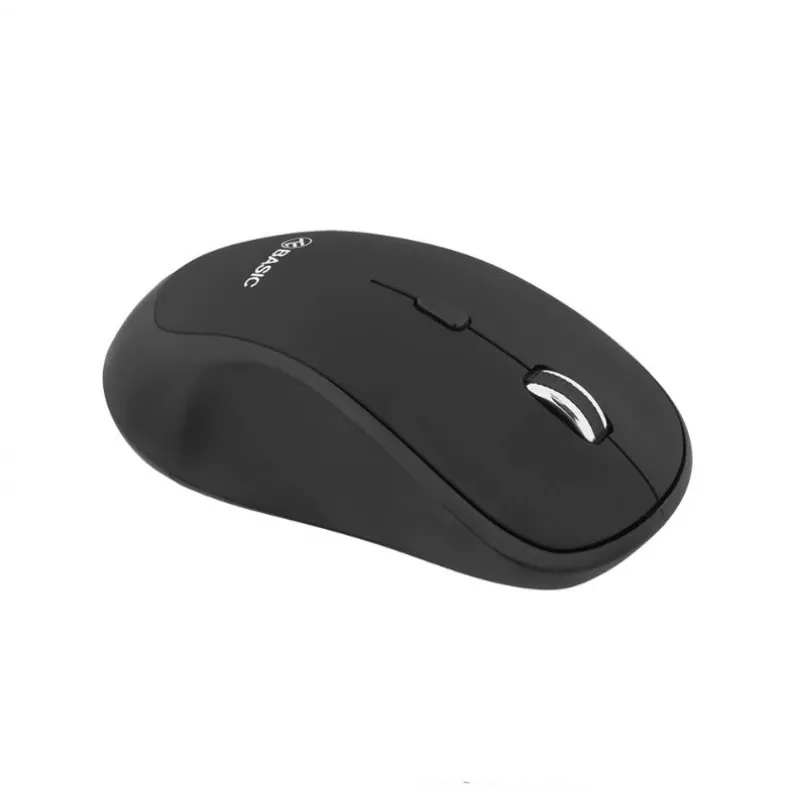
Wireless Mouse Tellur Basic Regular Black

Wireless Mouse Tellur Basic Regular Black
R221
Wireless Mouse Tellur Basic Regular Black provides a lightweight, classic design for everyday computer control. The mouse connects via a nano USB receiver with plug-and-play installation and no additional software required. It offers ergonomic comfort for prolonged use and adjustable DPI settings (8... Read More
Stock 9 Code 1192999 Brand TELLUR Model TLL491021 Warranty 2 Years

Shipping & Returns

Estimated delivery by Wednesday, 01 July
You will be kept updated through our advanced order tracking system
Payment options
EFT PayFast Bank Card SnapScan Zapper Google Pay Apple Pay Mobicred MoreTyme Pay on Arrival

Wireless Mouse Tellur Basic Regular Black provides a lightweight, classic design for everyday computer control. The mouse connects via a nano USB receiver with plug-and-play installation and no additional software required. It offers ergonomic comfort for prolonged use and adjustable DPI settings (800/1200/1600) for different activities.

Advantages

The Tellur Basic Regular Black delivers a reliable wireless connection and precise tracking suitable for general tasks. Its nano receiver can remain inserted in the USB port to avoid loss, and the mouse’s compact, lightweight construction supports comfortable long-term use. Three DPI levels let you adapt cursor sensitivity to your needs.

Suitable for

  • Everyday office work and web browsing
  • Home computing and study tasks
  • Portable use with laptops

Key specifications

  • Connection: Wireless via nano USB receiver (plug-and-play)
  • DPI: 800 / 1200 / 1600 (adjustable)
  • Color: Black
  • Compatibility: Compatible with common operating systems (no special software required)

How to use

Insert the nano USB receiver into an available USB port on your computer. Power the mouse on (insert batteries if required) and it will be recognized automatically without needing extra drivers. Use the DPI button to switch between 800, 1200, and 1600 sensitivity levels to match your activity.

Recommendations

For best performance, keep the nano receiver plugged into the same USB port and replace batteries according to the manufacturer’s guidance. Use lower DPI for precise pointer control and higher DPI for faster cursor movement.
Key Highlights
  • Everyday office work and web browsing
  • Home computing and study tasks
  • Portable use with laptops
  • Connection: Wireless via nano USB receiver (plug-and-play)
  • DPI: 800 / 1200 / 1600 (adjustable)
  • Color: Black
  • Compatibility: Compatible with common operating systems (no special software required)
Price history over the last 6 months
Wireless Mouse Tellur Basic Regular Black
Current
R221
Lowest
R221
Highest
R221
Change 24H
R0   0%
Week
—   
Month
—   
WhatsApp
Hi, I’m DistriNode’s AI assistant. I can help you find products, compare options, create quote PDFs, or open support requests.