Account Contact
Your Cart
Pay the courier with no extra fees.
Need help? DistriNode AI can handle any task on our site.

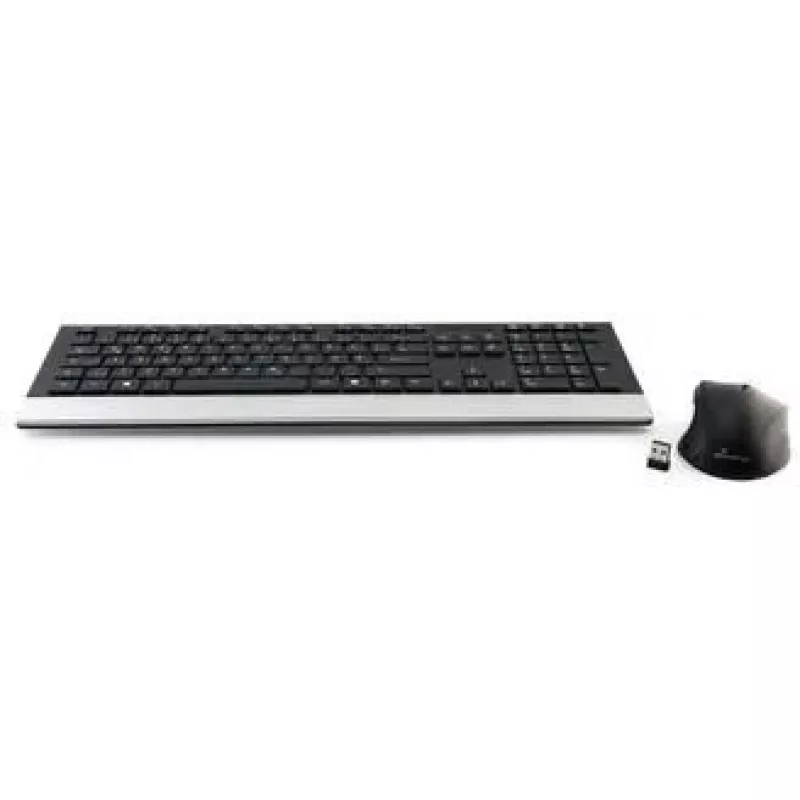
Wireless keyboard MediaRange MROS105-YU QWERTZ Black — compact wireless QWERTZ layout

Wireless keyboard MediaRange MROS105-YU QWERTZ Black — compact wireless QWERTZ layout
R704
MediaRange MROS105-YU is a compact wireless keyboard in black with a QWERTZ layout designed for everyday typing and general computer use. The keyboard connects via a USB wireless receiver to provide a clutter-free workspace and includes standard alphanumeric keys, shortcut keys and media control fun... Read More
Stock 6 Code 2571753 Brand MEDIARANGE Model MROS105-YU Warranty 2 Years

Shipping & Returns

Estimated delivery Thursday, October 8
You will be kept updated through our detailed tracking system
Payment options
EFTPayFastBank CardSnapScanZapperGoogle PayApple PayMobicredMoreTymePay on Arrival

MediaRange MROS105-YU is a compact wireless keyboard in black with a QWERTZ layout designed for everyday typing and general computer use. The keyboard connects via a USB wireless receiver to provide a clutter-free workspace and includes standard alphanumeric keys, shortcut keys and media control functions where available. Its reduced footprint preserves desk space while offering a familiar QWERTZ key arrangement for users in regions that use this layout.

Advantages

The compact design reduces desktop clutter and makes the keyboard suitable for smaller work areas while maintaining commonly used keys. Wireless connectivity through a USB receiver eliminates the need for cables and enables flexible placement. The QWERTZ layout provides native input for users accustomed to this arrangement and the black finish offers a neutral appearance that matches most office and home setups.

Suitable for

  • Everyday office and home typing tasks
  • Basic multimedia control and shortcut use
  • Small desks and shared workstations
  • Users who prefer a QWERTZ keyboard layout

Key specifications

  • Layout: QWERTZ
  • Connection: wireless via USB receiver
  • Color: black
  • Form factor: compact standard keyboard
  • Key set: full alphanumeric keys with shortcut and media keys where supported

How to use

Insert the USB wireless receiver into an available USB port on your computer. If required, install any drivers prompted by the operating system or follow on-screen instructions; many systems will recognise the device automatically. Place the keyboard within wireless range of the receiver and start typing. Use the designated media and shortcut keys for basic volume and playback control when supported by your operating system and applications.

Recommendations

For reliable wireless performance, place the USB receiver in a direct line of sight where possible and avoid long metal obstructions. Keep the keyboard at a comfortable typing distance and consider a compact desk layout to benefit from the smaller footprint. Replace batteries or recharge according to the manufacturer’s guidance to maintain uninterrupted operation.

Key Highlights
  • Everyday office and home typing tasks
  • Basic multimedia control and shortcut use
  • Small desks and shared workstations
  • Users who prefer a QWERTZ keyboard layout
  • Layout: QWERTZ
  • Connection: wireless via USB receiver
  • Color: black
  • Form factor: compact standard keyboard
  • Key set: full alphanumeric keys with shortcut and media keys where supported
Price history over the last 6 months
Wireless keyboard MediaRange MROS105-YU QWERTZ Black — compact wireless QWERTZ layout
Current
R704
Lowest
R677
Highest
R1,040
Change 24H
+R9   +1%
Week
+R16   +2%
Month
+R14   +2%

Popular products in this category

WhatsApp
Hi, I’m DistriNode’s AI assistant. I can help you find products, compare options, create quote PDFs, or open support requests.