Account Contact
Your Cart
Pay on delivery – no extra fees
Need help? Ask our AI

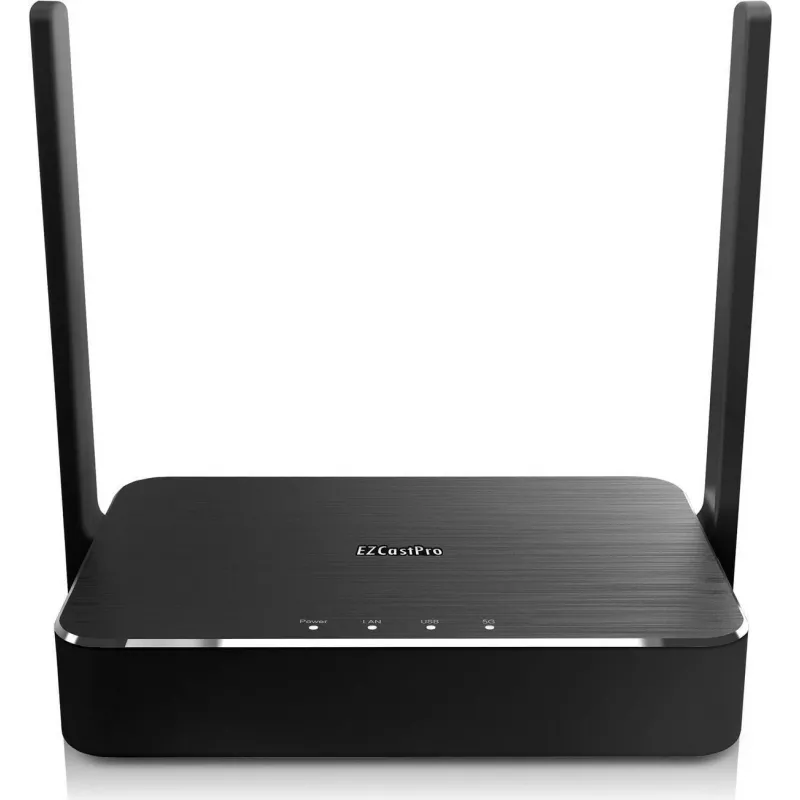
Wireless HDMI presentation system EZCast Pro Box II (EZCAST PRO BOX IIB11) — EZCast

Wireless HDMI presentation system EZCast Pro Box II (EZCAST PRO BOX IIB11) — EZCast
R8,409
EZCast Pro Box II is a wireless HDMI presentation system designed to stream screens and media to HDMI-equipped displays and projectors. The device connects to meeting-room or classroom displays and receives mirrored or extended content from laptops, tablets and smartphones. It supports multi-device ... Read More
Stock Out Of StockNo Stock Code 2177016 Brand EZCAST Model EZCAST PRO BOX IIB11 Warranty 2 Years

Shipping & Returns

EZCast Pro Box II is a wireless HDMI presentation system designed to stream screens and media to HDMI-equipped displays and projectors. The device connects to meeting-room or classroom displays and receives mirrored or extended content from laptops, tablets and smartphones. It supports multi-device presentations and centralised control, enabling quick connection without running cables between presenter devices and the main screen.

Advantages

The EZCast Pro Box II provides a cable-free presentation workflow and reduces setup time by enabling wireless screen mirroring and media streaming. It supports cross-platform connectivity so users can share content from Windows, macOS, Android and iOS devices. The system is suitable for environments that require simple device switching, centralised management and stable HDMI output to projectors and large displays.

Suitable for

  • Conference rooms and meeting spaces for presentations and video calls
  • Lecture halls and classrooms for teacher-led content sharing
  • Collaboration areas where multiple participants need to present from different devices
  • Reception or digital signage setups that require remote content updates

Key specifications

  • Wireless screen mirroring and media streaming to HDMI displays
  • Compatibility with Windows, macOS, Android and iOS devices
  • Single HDMI output for connection to displays and projectors
  • Support for multi-device presentation switching and central control
  • Compact form factor suitable for fixed installation or portable use

How to use

Connect the EZCast Pro Box II to the display or projector via the HDMI port and power the unit according to the manufacturer instructions. Install or open the compatible client app on the source device, join the EZCast wireless network or use the device’s discovery function, then start screen mirroring or stream media. Use the central management interface, when available, to switch presenters, arrange connection permissions and control output resolution and audio settings.

Recommendations

Place the EZCast Pro Box II near the display’s HDMI input and ensure stable network connectivity for smoother streaming. For best results in meeting and classroom environments, verify device compatibility ahead of presentations and test video and audio output resolution before the session begins.

Key Highlights
  • Conference rooms and meeting spaces for presentations and video calls
  • Lecture halls and classrooms for teacher-led content sharing
  • Collaboration areas where multiple participants need to present from different devices
  • Reception or digital signage setups that require remote content updates
  • Wireless screen mirroring and media streaming to HDMI displays
  • Compatibility with Windows, macOS, Android and iOS devices
  • Single HDMI output for connection to displays and projectors
  • Support for multi-device presentation switching and central control
  • Compact form factor suitable for fixed installation or portable use
Price history over the last 6 months
Wireless HDMI presentation system EZCast Pro Box II (EZCAST PRO BOX IIB11) — EZCast
Current
R8,409
Lowest
R7,938
Highest
R8,673
Change 24H
-R59   -1%
Week
+R81   +1%
Month
+R123   +1%

Popular products in this category

WhatsApp
Hi, I’m DistriNode’s AI assistant. I can help you find products, compare options, create quote PDFs, or open support requests.