Account Contact
Your Cart
Pay the courier with no extra fees.
Need help? DistriNode AI can handle any task on our site.

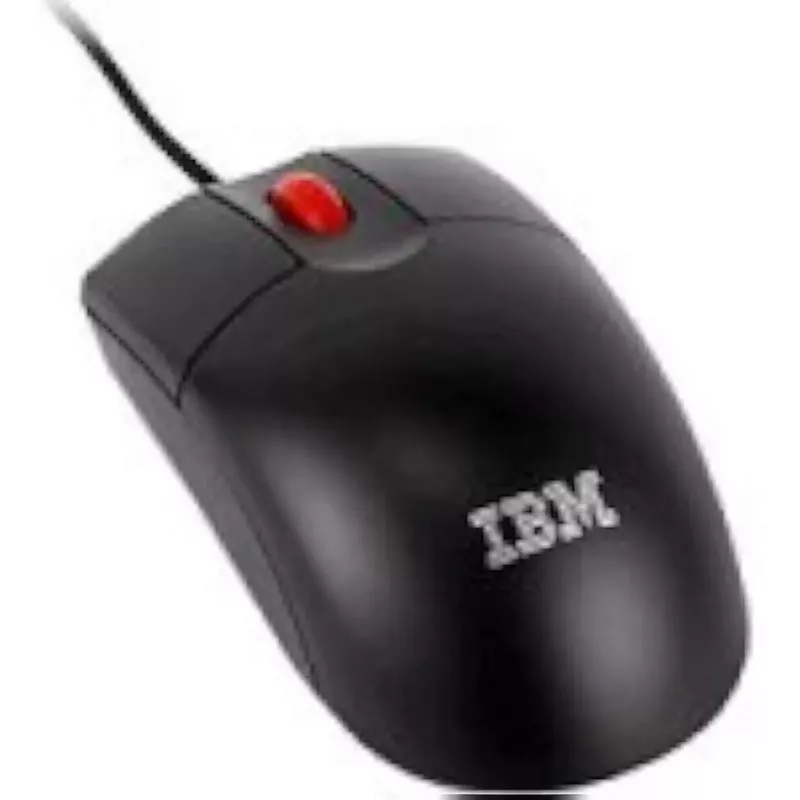
Wired Optical Mouse IBM 3-Button USB model 45J44881

Wired Optical Mouse IBM 3-Button USB model 45J44881
R423
Wired IBM optical mouse with three buttons and USB connection, model 45J44881. Designed for basic desktop and laptop use, the device provides optical tracking, standard left and right buttons plus a middle button, and plug-and-play USB connectivity for immediate operation without additional drivers.... Read More
Stock 6 Code 2573847 Brand IBM Model 45J44881 Warranty 2 Years

Shipping & Returns

Estimated delivery Tuesday, October 6
You will be kept updated through our detailed tracking system
Payment options
EFTPayFastBank CardSnapScanZapperGoogle PayApple PayMobicredMoreTymePay on Arrival

Wired IBM optical mouse with three buttons and USB connection, model 45J44881. Designed for basic desktop and laptop use, the device provides optical tracking, standard left and right buttons plus a middle button, and plug-and-play USB connectivity for immediate operation without additional drivers. The compact wired design is intended for reliable everyday performance in office environments, home workstations and public terminals.

Advantages

The IBM 45J44881 offers a simple, no-configuration setup via USB and consistent optical tracking suitable for general pointer control. Its three-button layout supports standard left/right clicking and a middle click for applications that use a third button or scroll-wheel functions. The wired connection provides stable data transmission without battery dependency, making it practical for continuous use.

Suitable for

  • Office productivity tasks (text editing, spreadsheets)
  • Web browsing and online research
  • Basic point-and-click applications and menu navigation
  • Public terminals and kiosk installations

Key specifications

  • Connection: USB wired plug-and-play
  • Button count: three buttons (left, right, middle)
  • Tracking technology: optical sensor
  • Form factor: right- and left-usable compact desktop mouse
  • Power: powered via USB connection (no batteries)

How to use

Connect the USB plug to an available USB-A port on your computer. The operating system should detect the mouse automatically and make it available for immediate use. Use the left and right buttons for primary and secondary clicks, and the middle button for actions such as opening links in a new tab or other application-specific functions. Move the mouse over a flat surface suitable for optical tracking for consistent cursor movement.

Recommendations

For optimal tracking, use a non-reflective mouse pad or a matte surface. Avoid exposing the optical sensor to dust and debris; if cursor movement becomes inconsistent, clean the sensor area gently. For long-term reliability, route the cable to avoid sharp bends or pinching.

Key Highlights
  • Office productivity tasks (text editing, spreadsheets)
  • Web browsing and online research
  • Basic point-and-click applications and menu navigation
  • Public terminals and kiosk installations
  • Connection: USB wired plug-and-play
  • Button count: three buttons (left, right, middle)
  • Tracking technology: optical sensor
  • Form factor: right- and left-usable compact desktop mouse
  • Power: powered via USB connection (no batteries)
Price history over the last 6 months
Wired Optical Mouse IBM 3-Button USB model 45J44881
Current
R423
Lowest
R408
Highest
R434
Change 24H
+R8   +2%
Week
+R14   +3%
Month
+R10   +2%

Popular products in this category

WhatsApp
Hi, I’m DistriNode’s AI assistant. I can help you find products, compare options, create quote PDFs, or open support requests.