Account Contact
Your Cart
Pay on delivery – no extra fees
Need help? Ask our AI

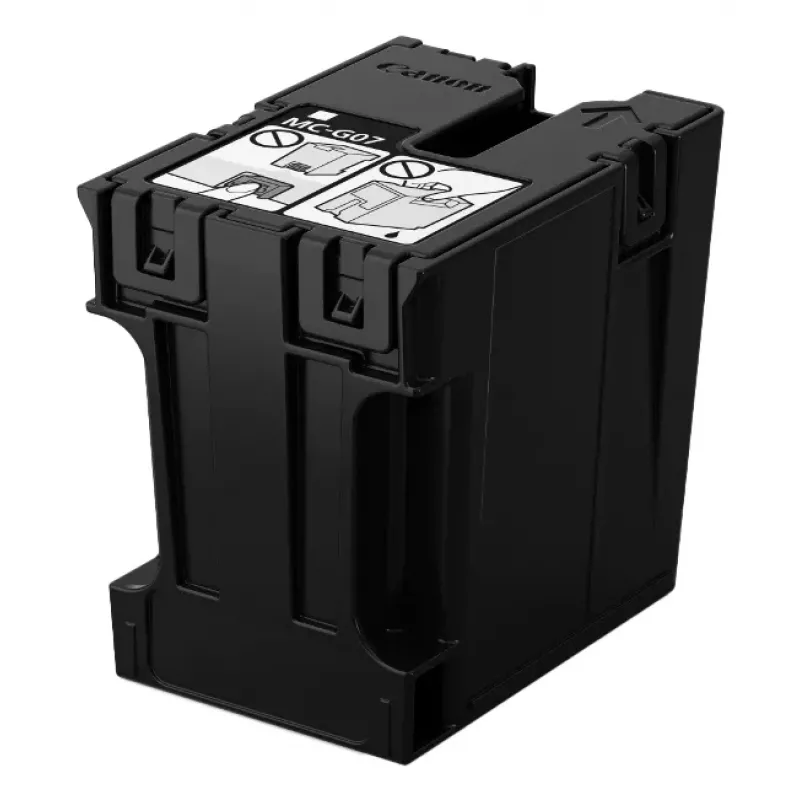
Waste ink tank Canon MC-G07 6799C001 for compatible Canon printers

Waste ink tank Canon MC-G07 6799C001 for compatible Canon printers
R410
The Waste ink tank Canon MC-G07 6799C001 for compatible Canon printers is a dedicated replacement container designed to collect and store excess ink generated during cleaning cycles and normal printing operations. Installed in the printer's waste-ink management system, this tank prevents used ink fr... Read More
Stock 1 Code 1219995 Brand Canon Model 6799C001 Warranty 2 Years

Shipping & Returns

Estimated delivery Wednesday, November 4
You will be kept updated through our detailed tracking system
Payment options
EFTPayFastBank CardSnapScanZapperGoogle PayApple PayMobicredMoreTymePay on Arrival

The Waste ink tank Canon MC-G07 6799C001 for compatible Canon printers is a dedicated replacement container designed to collect and store excess ink generated during cleaning cycles and normal printing operations. Installed in the printer's waste-ink management system, this tank prevents used ink from contaminating internal components and helps maintain stable print quality and reliable operation over time.

Advantages

This waste ink tank provides a straightforward service solution for capturing residual ink, reducing the risk of internal leaks and staining. It is designed for compatibility with specified Canon models, offering secure fitment and predictable capacity for routine maintenance. Using a designated waste ink container simplifies disposal procedures and helps keep the printer's interior and surrounding area cleaner during extended use.

Suitable for

  • Replacement during scheduled printer maintenance
  • Repair and service operations performed by technicians
  • Environments where regular printhead cleaning is performed
  • Workflows that require minimizing ink contamination inside the device

Key specifications

  • Function: collection of waste and residual ink from printer maintenance cycles
  • Compatibility: designed for use with compatible Canon inkjet printers requiring this tank type
  • Material: ink-resistant plastic construction suitable for containing liquid inks
  • Mounting: designed for direct installation in the printer's waste ink receptacle area

How to use

Install the waste ink tank in accordance with the printer manufacturer's service instructions or the device's maintenance guide. Power off the printer and follow safe handling procedures before accessing internal components. Remove the filled or old tank carefully to avoid contact with used ink, then insert the replacement unit until it seats securely. After replacement, reset any service counters or indicators if required by the printer model and run a test cleaning cycle to confirm correct installation.

Recommendations

Handle the used tank with disposable gloves and place it in a sealed container for proper disposal according to local regulations. Avoid disassembling the tank or pouring out its contents. Use only compatible replacement tanks specified for your Canon printer model to ensure correct fit and function.

Key Highlights
  • For use with PIXMA G3290 and G4280 printers
  • The MC-G07 Maintenance Cartridge is a replacement for the Maintenance Cartridge installed in select Canon MegaTank printers
  • Designed to be easily replaceable by users
  • Printer cleaning cartridge
  • Print technology: Inkjet
  • Brand compatibility: Canon
  • Black
  • 1 pc(s)
Specifications
Brand compatibility
Canon
Compatibility
PIXMA G4280, PIXMA G3290
Print technology
Inkjet
Product colour
Black
Product type
Printer cleaning cartridge
Quantity per pack
1 pc(s)

Leaflet

Open Leaflet
Price history over the last 6 months
Waste ink tank Canon MC-G07 6799C001 for compatible Canon printers
Current
R410
Lowest
R374
Highest
R495
Change 24H
+R36   +10%
Week
+R35   +9%
Month
+R35   +9%

Popular products in this category

WhatsApp
Messenger
Hi, I’m DistriNode’s AI assistant. I can help you find products, compare options, create quote PDFs, or open support requests.