Account Contact
Your Cart
Pay on delivery – no extra fees
Need help? Ask our AI

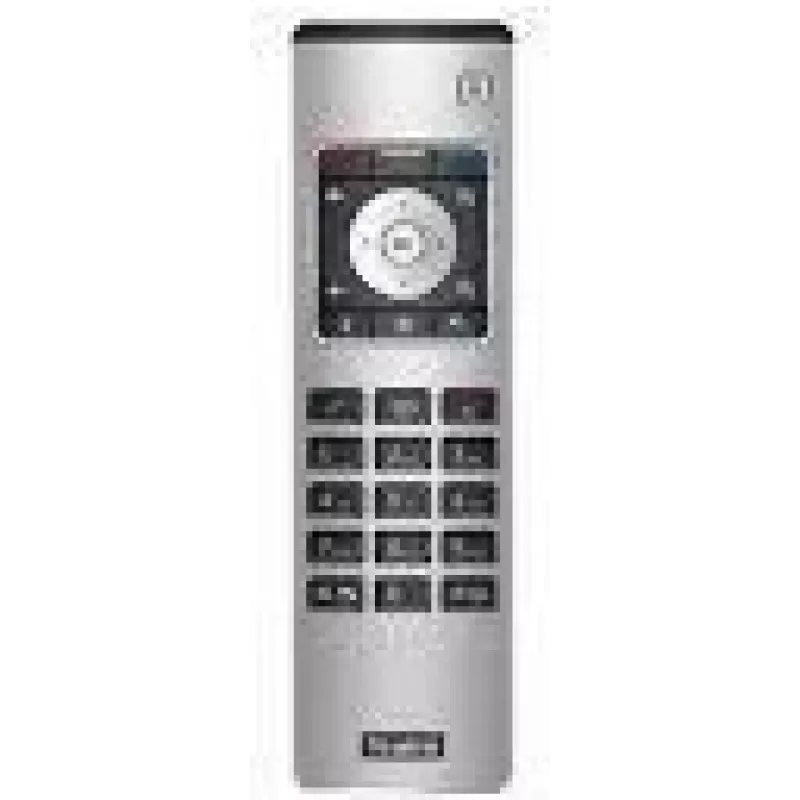
Video conference remote control Yealink VCR11 with easy-access buttons

Video conference remote control Yealink VCR11 with easy-access buttons
R2,919
The Yealink VCR11 video conference remote control provides a compact, straightforward way to manage video meetings from a distance. Designed for compatibility with Yealink video devices, the remote places frequently used controls at your fingertips — call answer/end, navigation, volume and basic set... Read More
Stock Out Of StockNo Stock Code 2197577 Brand Yealink Model 1303081 Warranty 2 Years

Shipping & Returns

The Yealink VCR11 video conference remote control provides a compact, straightforward way to manage video meetings from a distance. Designed for compatibility with Yealink video devices, the remote places frequently used controls at your fingertips — call answer/end, navigation, volume and basic settings — so participants can operate meetings without approaching the codec or touch panel. The lightweight form and tactile buttons make it suitable for meeting rooms, huddle spaces and training environments where quick, reliable control is required.

Advantages

The Yealink VCR11 remote simplifies meeting interaction by grouping common functions into easy-access buttons, reducing the need to navigate on-screen menus. Its ergonomic layout and responsive keys support quick operation during active discussions. Battery-powered portability allows the controller to be used anywhere in the room without additional cabling, and its compatibility with Yealink video systems ensures predictable behavior and seamless integration with supported conference endpoints.

Suitable for

  • Small and medium meeting rooms
  • Huddle spaces and collaboration areas
  • Training sessions and classrooms
  • Boardrooms where quick remote control of calls and settings is needed

Key specifications

  • Dedicated keys for call answer/end and mute
  • Navigation pad for menu and on-screen control
  • Volume adjustment buttons
  • Compact, handheld form factor
  • Battery-powered operation for cordless use
  • Designed for compatibility with Yealink video conferencing devices

How to use

Point the remote towards the Yealink video device and press the appropriate buttons to answer or end calls, mute/unmute the microphone, navigate menus and adjust volume. For initial setup, insert the required batteries and follow the pairing or device recognition steps as described in the Yealink device documentation. During a meeting, use the navigation pad to move through on-screen options and confirm selections with the center key.

Recommendations

Place the remote on an accessible surface within the meeting area and keep spare batteries on hand. Avoid exposing the unit to moisture or extreme temperatures. Use the remote in conjunction with the room’s primary camera and audio settings to ensure consistent meeting control and predictable behavior with Yealink video endpoints.

Key Highlights
  • Small and medium meeting rooms
  • Huddle spaces and collaboration areas
  • Training sessions and classrooms
  • Boardrooms where quick remote control of calls and settings is needed
  • Dedicated keys for call answer/end and mute
  • Navigation pad for menu and on-screen control
  • Volume adjustment buttons
  • Compact, handheld form factor
  • Battery-powered operation for cordless use
  • Designed for compatibility with Yealink video conferencing devices
Specifications
Battery technology
Alkaline
Battery type
AAA
Battery voltage
1.5 V
Brand compatibility
Yealink
Built-in display
No
Compatible products
MeetingEye 500
Country of origin
China
Input type
Press buttons
Manual
Yes
Number of batteries supported
2
Package depth
80 mm
Package height
33 mm
Package weight
194 g
Package width
246 mm
Product colour
Black, Silver
Quantity per pack
1 pc(s)
Remote control proper use
VCR
Weight
157 g

Leaflet

Open Leaflet
Price history is not available yet
We are still collecting enough daily price data for this product.

Popular products in this category

WhatsApp
Hi, I’m DistriNode’s AI assistant. I can help you find products, compare options, create quote PDFs, or open support requests.