Account Contact
Your Cart
Pay on delivery – no extra fees
Need help? Ask our AI

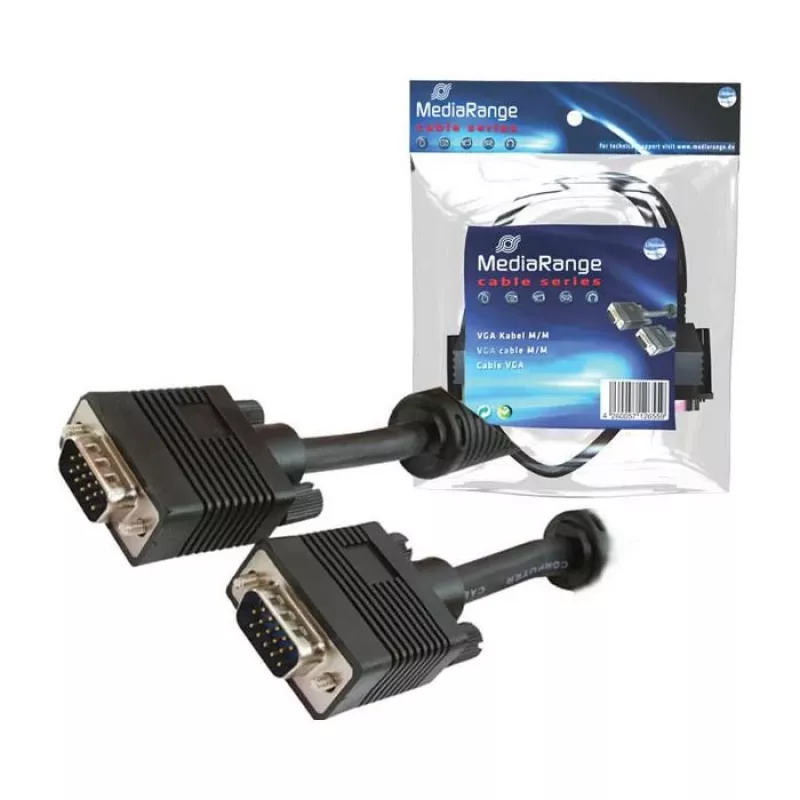
VGA cable MediaRange MRCS106 5 m

VGA cable MediaRange MRCS106 5 m
R497
PDF
PDF
Stock 21 Code 1205412 Model MRCS106 Warranty 2 Years

Shipping & Returns

Estimated delivery Thursday, November 26
You will be kept updated through our detailed tracking system
Payment options
EFTPayFastBank CardSnapScanZapperGoogle PayApple PayMobicredMoreTymePay on Arrival

Description

The MediaRange MRCS106 5 m VGA cable is a standard analog video cable with two VGA (D-Sub) connectors designed to transmit RGB video signals between compatible devices. With a five-metre length and a black outer sheath, the cable provides extended reach for connecting desktop computers, laptop docking stations, monitors, multimedia projectors and other display equipment that supports a VGA interface.

Advantages

The cable offers a reliable wired connection using two VGA (D-Sub) connectors that are widely compatible with legacy and many current display devices. Its 5 m length allows flexible placement of screens and projectors without the need for signal extenders in typical home and office setups. The black outer jacket provides a discreet appearance and basic protection for the internal conductors, while the standard VGA pin configuration ensures predictable image delivery for resolutions supported by analog VGA links.

Suitable for

  • Connecting desktop PCs and CRT or LCD monitors with VGA ports
  • Linking laptops or docking stations to VGA projectors for presentations
  • Extending the distance between video sources and displays in classrooms or meeting rooms
  • Replacing worn VGA cables in home entertainment or office workstations

Key specifications

  • Cable length: 5 m
  • Connector type: VGA (D-Sub) to VGA (D-Sub)
  • Signal type: Analog RGB video
  • Colour: Black
  • Application: Video transmission between VGA-compatible devices

How to use

Power off both devices before connecting the cable to avoid hot-plugging issues on older equipment. Insert each VGA (D-Sub) connector firmly into the corresponding VGA port on the source and the display, and secure the connectors by tightening the thumbscrews by hand until snug. After connection, power on the display and the source device. Configure the display output settings on the source device as needed to match the display resolution and refresh rate supported by the monitor or projector.

Recommendations

Use the cable within its 5 m length without excess bending or sharp kinks to maintain signal integrity. For high-resolution or long-distance runs beyond typical VGA capability, consider using signal boosters, active adapters, or switching to digital interfaces such as HDMI or DisplayPort where supported. Keep the cable away from strong electromagnetic sources (large motors, unshielded power cables) to reduce the risk of interference in analogue signals.

Key Highlights
  • Connecting desktop PCs and CRT or LCD monitors with VGA ports
  • Linking laptops or docking stations to VGA projectors for presentations
  • Extending the distance between video sources and displays in classrooms or meeting rooms
  • Replacing worn VGA cables in home entertainment or office workstations
  • Cable length: 5 m
  • Connector type: VGA (D-Sub) to VGA (D-Sub)
  • Signal type: Analog RGB video
  • Colour: Black
  • Application: Video transmission between VGA-compatible devices

Specifications

Specifications
Cable length
5 m
Connector 1
VGA (D-Sub)
Connector 2
VGA (D-Sub)
Product colour
Black
Price history over the last 6 months
VGA cable MediaRange MRCS106 5 m
Current
R497
Lowest
R449
Highest
R821
Change 24H
+R0   +0%
Week
+R43   +9%
Month
+R40   +9%

Write a review

Rating *
Your name will be shown publicly – you can use a nickname. We invite buyers to write reviews; we check reviews before publishing and publish critical ones too.

More MEDIARANGE products in this category

8

Popular products in this category

8
WhatsApp
Messenger
Hi, I’m DistriNode’s AI assistant. I can help you find products, compare options, create quote PDFs, or open support requests.
All categories