
Account Contact
Your Cart
Pay the courier with no extra fees.
Need help? DistriNode AI can handle any task on our site.

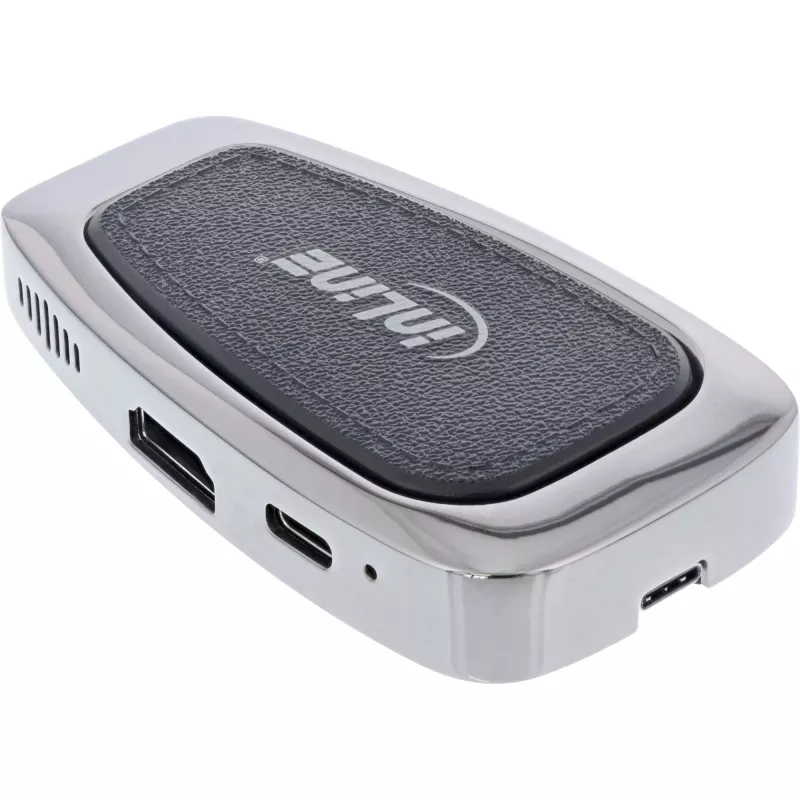
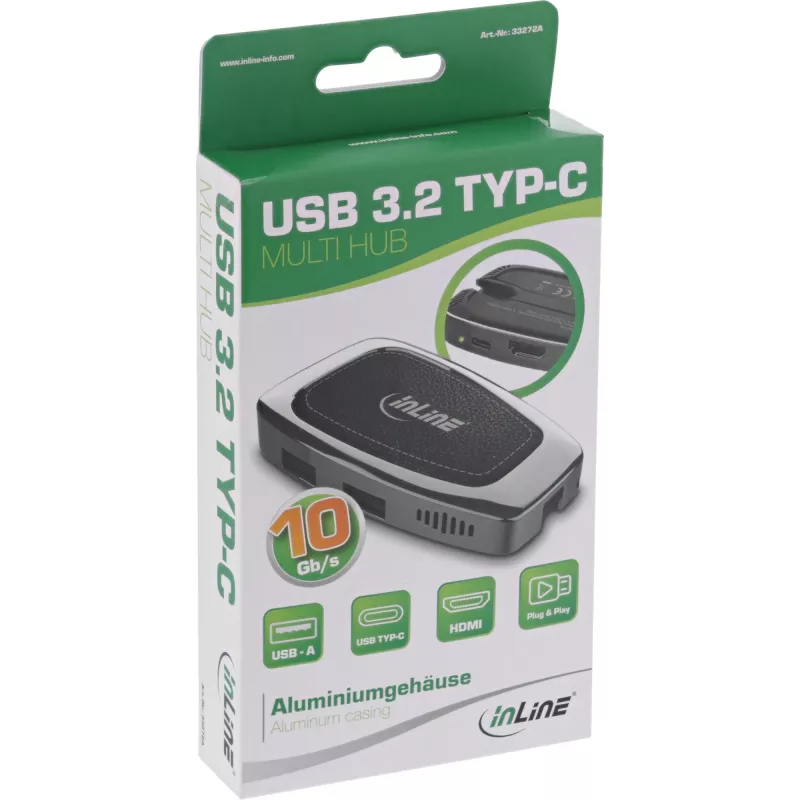
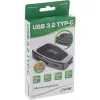
USB Hub InLine USB 3.2 Gen. 2 Multi Hub (2xUSB-A + 1xHDMI + 1xUSB-C)

USB Hub InLine USB 3.2 Gen. 2 Multi Hub (2xUSB-A + 1xHDMI + 1xUSB-C)
R1,047
The InLine USB 3.2 Gen. 2 Multi Hub expands a single USB Type-C port into two USB Type-A ports, one USB Type-C port and one HDMI output. This compact hub supports data transfer rates up to 10 Gbps, HDMI video output up to 4K at 60 Hz, and power delivery up to 100 W. The aluminum housing stores the c... Read More
Stock 852 Code 975877 Brand INLINE Model 33272A Warranty 2 Years

Shipping & Returns

Estimated delivery Tuesday, October 6
You will be kept updated through our detailed tracking system
Payment options
EFTPayFastBank CardSnapScanZapperGoogle PayApple PayMobicredMoreTymePay on Arrival

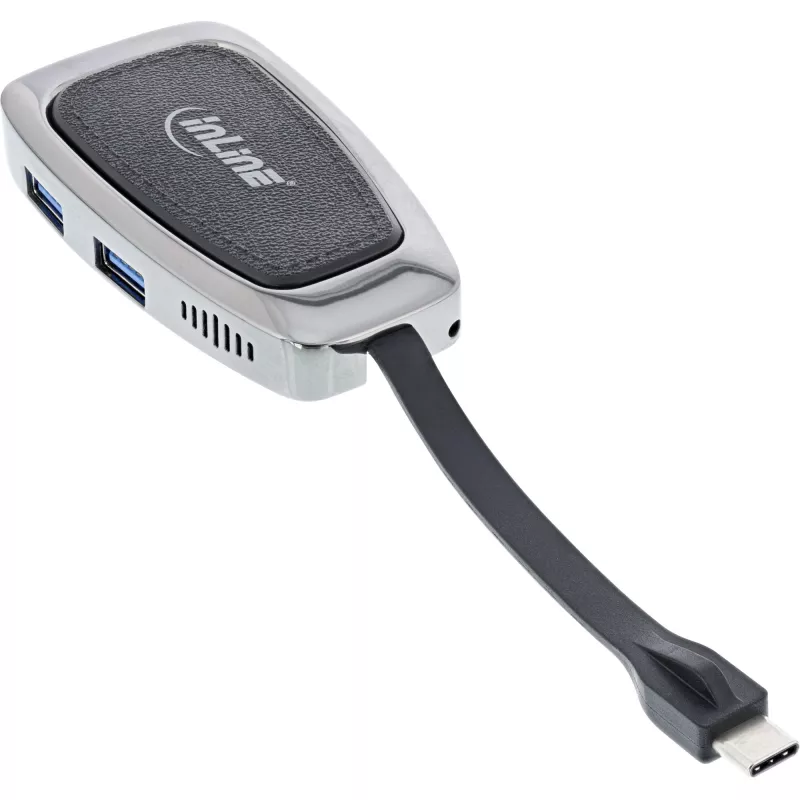
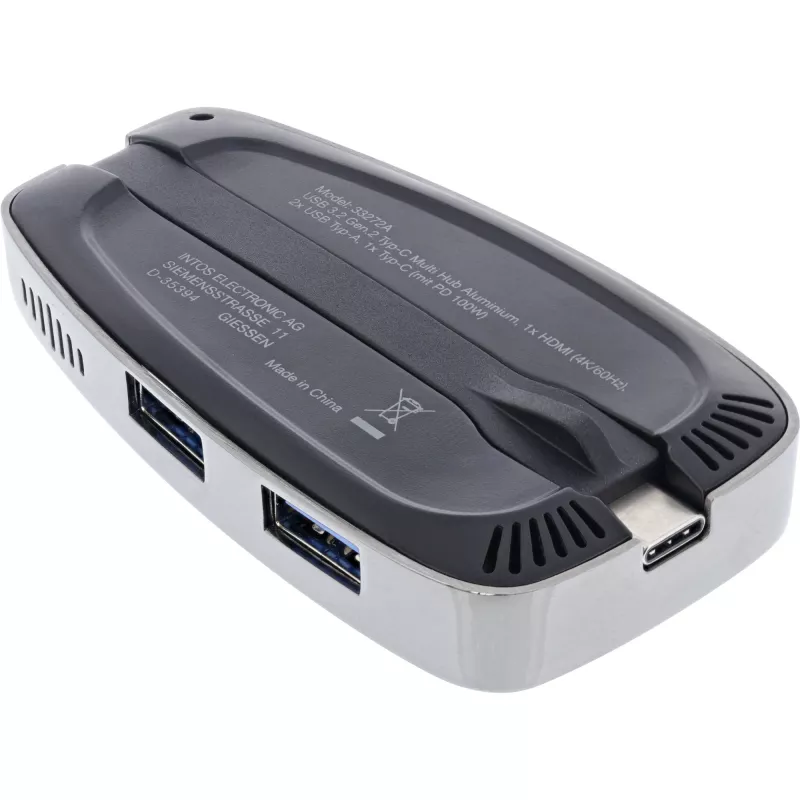
The InLine USB 3.2 Gen. 2 Multi Hub expands a single USB Type-C port into two USB Type-A ports, one USB Type-C port and one HDMI output. This compact hub supports data transfer rates up to 10 Gbps, HDMI video output up to 4K at 60 Hz, and power delivery up to 100 W. The aluminum housing stores the connection cable under the housing and the robust, lightweight construction makes the hub suited for mobile use with macOS and Windows systems as well as Thunderbolt 3 connections in alternate mode.

Advantages

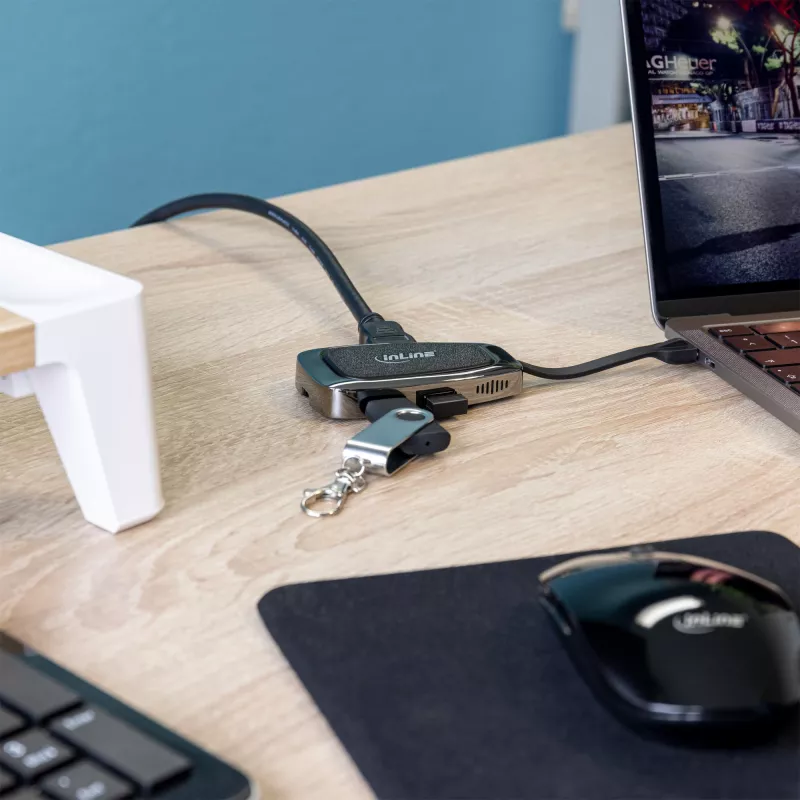
The hub offers a small form factor with multiple interfaces — two USB-A, one USB-C and one HDMI — enabling simultaneous data transfer, video output and device charging. It supports USB 3.2 Gen 2 speeds (10 Gbps) and 4K@60Hz HDMI output while providing up to 100 W power delivery. The aluminum housing stores the integrated cable and contributes to durability and heat dissipation. The device is plug-and-play compatible with Mac and Windows and works with Thunderbolt 3 ports in alternate mode.

Suitable for

  • Connecting external monitors via HDMI (up to 3840 x 2160 @ 60 Hz)
  • Attaching peripherals such as external drives, keyboards and mice via USB-A
  • Charging or powering laptops and devices using the USB-C PD input (up to 100 W)
  • Expanding ports on ultrabooks and laptops with a single USB-C or Thunderbolt 3 port

Key specifications

  • Host interface: USB 3.2 Gen 2 (Type-C)
  • Data transfer rate: up to 10 Gbps
  • HDMI output: up to 4K (3840 x 2160) at 60 Hz
  • Power delivery: up to 100 W
  • Ports: 2x USB-A (USB 3.2 Gen 2), 1x USB-C (USB 3.2 Gen 2), 1x HDMI
  • Dimensions: 46.5 mm x 85.5 mm x 16 mm
  • Colour: Silver

How to use

Connect the hub to a computer or compatible device using the integrated USB-C cable. Use the HDMI port to connect an external monitor or TV and configure the display settings in your operating system. Plug USB-A devices such as external hard drives, keyboards or mice into the USB-A ports. If required, connect a USB-C power adapter to the hub to supply power delivery to a connected laptop or to charge USB-C devices; ensure the power adapter supports the desired wattage (up to 100 W).

Recommendations

For reliable 4K@60Hz output and full data throughput, use quality HDMI cables and a USB-C power adapter rated for the necessary power. Avoid heavy mechanical stress on the integrated cable and store it under the aluminum housing when transporting the hub.
Key Highlights
  • suitable for mobile use, e.g. on a laptop or tablet.
  • System requirements: device that supports DisplayPort over USB Type-C (DP Alt Mode)
  • Input: USB 3.2 Gen.2 USB Type-C Male (10 Gbps)
  • Chipset: Realtek RTS5423 & Parade PS186
  • Polished aluminum casing with stylish design
  • Outputs: 2x USB 3.2 Gen.2 Type-A (10 Gbps data transfer), 1x USB 3.2 Gen.2 Type-C (10 Gbps data transfer & PD 100W pass-through charging), 1x HDMI 2.0 (4K@60Hz)
  • Dimensions (LxWxH): ca. 85.5 x 46.5 x 16 mm
  • Plug & Play + LED indicator
  • Host interface: USB 3.2 Gen 2 (3.1 Gen 2) Type-C
  • Hub interfaces: HDMI, USB 3.2 Gen 2 (3.1 Gen 2) Type-A, USB 3.2 Gen 2 (3.1 Gen 2) Type-C
  • Ports quantity: 2
  • 10000 Mbit/s HD type: 4K Ultra HD
  • USB Power Delivery (USB PD)
  • Silver Aluminium
Specifications
AC adapter included
No
Chipset
Realtek RTS5423, Parade PS186
Data transfer rate
10000 Mbit/s
Depth
85 mm
Dimensions (WxDxH)
48 x 85 x 16 mm
HD type
4K Ultra HD
HDMI ports quantity
1
HDMI version
2.0
Height
16 mm
Host interface
USB 3.2 Gen 2 (3.1 Gen 2) Type-C
Housing material
Aluminium
Hub interfaces
HDMI, USB 3.2 Gen 2 (3.1 Gen 2) Type-A, USB 3.2 Gen 2 (3.1 Gen 2) Type-C
LED indicators
Yes
Mac operating systems supported
Yes
Maximum resolution (HDMI)
3840 x 2160 pixels
Package depth
180 mm
Package height
25 mm
Package type
Hanging box
Package weight
116 g
Package width
90 mm
Plug and Play
Yes
Ports quantity
2
Product colour
Silver
Quantity per pack
1 pc(s)
USB 3.2 Gen 2 (3.1 Gen 2) Type-A ports quantity
2
USB 3.2 Gen 2 (3.1 Gen 2) Type-C ports quantity
1
USB Power Delivery (USB PD)
Yes
USB Power Delivery up to
100 W
USB Type-C DisplayPort Alternate Mode
Yes
Weight
76 g
Width
48 mm
Windows operating systems supported
Yes

Leaflet

Open Leaflet
Price history over the last 6 months
USB Hub InLine USB 3.2 Gen. 2 Multi Hub (2xUSB-A + 1xHDMI + 1xUSB-C)
Current
R1,047
Lowest
R970
Highest
R1,146
Change 24H
+R25   +2%
Week
+R36   +4%
Month
-R65   -6%

Popular products in this category

WhatsApp
Hi, I’m DistriNode’s AI assistant. I can help you find products, compare options, create quote PDFs, or open support requests.