Account Contact
Your Cart
Pay the courier with no extra fees.
Need help? DistriNode AI can handle any task on our site.

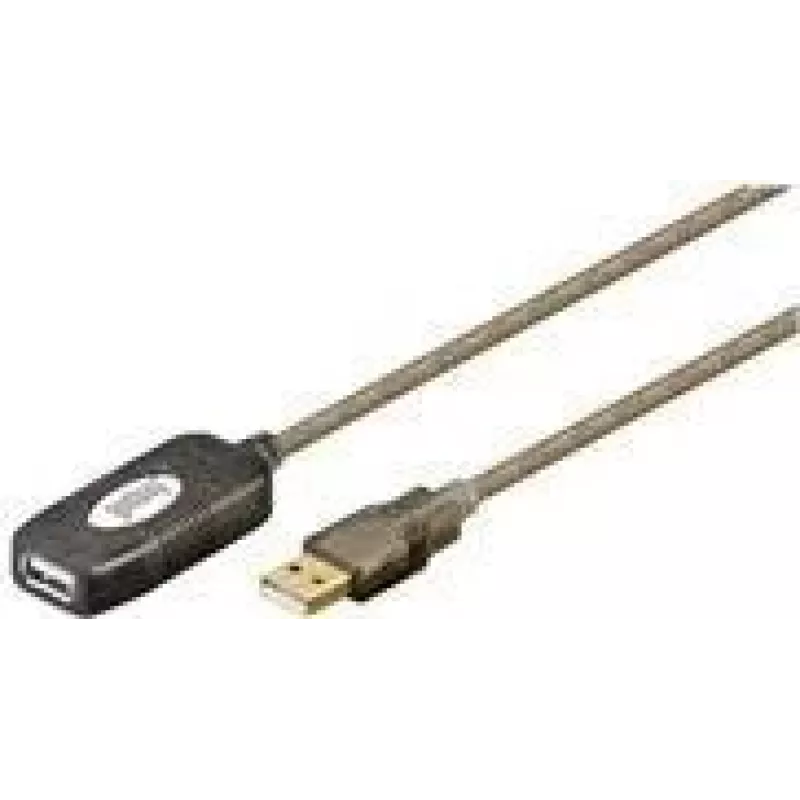
USB Cable Goobay 5m USB 2.0 A to A Male/Female

USB Cable Goobay 5m USB 2.0 A to A Male/Female
R323
The Goobay 5m USB 2.0 A to A Male/Female cable by WENTRONIC provides a 5-metre extension for USB A connections. Designed for applications that require additional reach, this USB 2.0 cable supports up to 0.48 Gbit/s data transfer and is suitable for connecting printers, external storage devices, and ... Read More
Stock 5 Code 1726989 Brand GOOBAY Model 95439 Warranty 2 Years

Shipping & Returns

Estimated delivery Tuesday, October 6
You will be kept updated through our detailed tracking system
Payment options
EFTPayFastBank CardSnapScanZapperGoogle PayApple PayMobicredMoreTymePay on Arrival

The Goobay 5m USB 2.0 A to A Male/Female cable by WENTRONIC provides a 5-metre extension for USB A connections. Designed for applications that require additional reach, this USB 2.0 cable supports up to 0.48 Gbit/s data transfer and is suitable for connecting printers, external storage devices, and other USB peripherals where a longer cable run is needed.

Advantages

This 5 m USB 2.0 A to A cable offers stable USB 2.0 performance at the specified transfer rate and reduces the need for intermediary adapters by providing a direct male-to-female extension. The cable construction is intended to maintain signal integrity over the longer distance, and the standard USB A connectors ensure broad compatibility with many computers and peripherals. Its length supports flexible placement of devices without relocating equipment.

Suitable for

  • Extending the reach of desktop or laptop USB A ports
  • Connecting printers located away from a computer
  • Linking external hard drives or USB hubs at greater distances
  • Temporary or semi-permanent setups in home or office environments

Key specifications

  • Interface: USB 2.0 A to A (male to female)
  • Cable length: 5 metres
  • Maximum data transfer rate: up to 0.48 Gbit/s (USB 2.0 specification)
  • Connector types: USB A male and USB A female
  • Intended use: data transfer and device extension for USB peripherals

How to use

Connect the USB A male end to the host device (such as a computer or USB hub) and attach the USB A male plug of the peripheral to the USB A female end of the extension cable. Ensure connectors are fully inserted to establish a proper connection. For devices that draw power from the USB port, verify that the host provides sufficient current; if not, use a powered hub or the device's external power supply if available.

Recommendations

For reliable data transfer over 5 metres, avoid running the cable parallel to high-voltage power lines or sources of strong electromagnetic interference. If using power-hungry peripherals, consider a powered USB hub near the device to maintain stable operation. Inspect connectors before use and replace the cable if physical damage or degraded performance is observed.

Key Highlights
  • Extending the reach of desktop or laptop USB A ports
  • Connecting printers located away from a computer
  • Linking external hard drives or USB hubs at greater distances
  • Temporary or semi-permanent setups in home or office environments
  • Interface: USB 2.0 A to A (male to female)
  • Cable length: 5 metres
  • Maximum data transfer rate: up to 0.48 Gbit/s (USB 2.0 specification)
  • Connector types: USB A male and USB A female
  • Intended use: data transfer and device extension for USB peripherals
Specifications
Cable length
5 m
Connector 1
USB A
Connector 1 gender
Male
Connector 2
USB A
Connector 2 gender
Female
Maximum data transfer rate
0.48 Gbit/s
Quantity per pack
1 pc(s)
USB version
USB 2.0
Price history over the last 6 months
USB Cable Goobay 5m USB 2.0 A to A Male/Female
Current
R323
Lowest
R211
Highest
R323
Change 24H
+R10   +3%
Week
+R13   +4%
Month
+R111   +52%

Popular products in this category

WhatsApp
Hi, I’m DistriNode’s AI assistant. I can help you find products, compare options, create quote PDFs, or open support requests.