Account Contact
Your Cart
Pay on delivery – no extra fees
Need help? Ask our AI

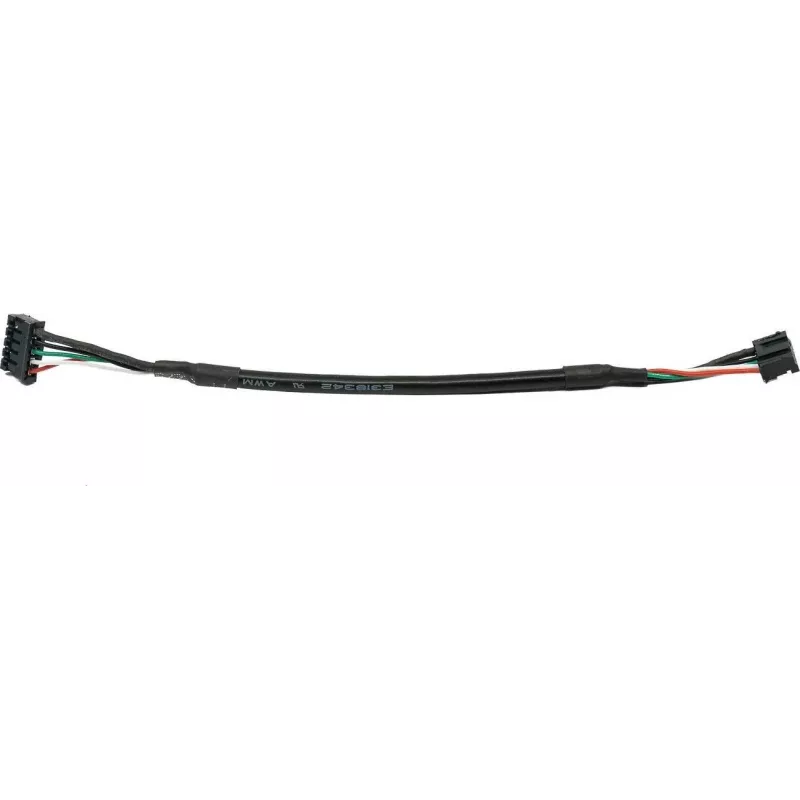
USB cable for Flashforge 3D printer accessory model 40001611002 — data and power connection

USB cable for Flashforge 3D printer accessory model 40001611002 — data and power connection
R448
PDF
PDF
Stock 40 Code 1500823 Model 40001611002 Warranty 2 Years

Shipping & Returns

Estimated delivery Tuesday, November 24
You will be kept updated through our detailed tracking system
Payment options
EFTPayFastBank CardSnapScanZapperGoogle PayApple PayMobicredMoreTymePay on Arrival

Description

USB cable for Flashforge 3D printer accessory model 40001611002 provides a wired connection for data transfer and power between a computer and compatible Flashforge hardware. The cable is intended to maintain stable communication for firmware updates, transferring print jobs, and controlling the printer directly during 3D printing workflows.

Advantages

The cable offers a direct and reliable connection that reduces interruptions during data transmission and supports device power delivery over USB. Its construction is designed to ensure steady signal integrity for tasks that require continuous communication with the printer. The cable’s compatibility with Flashforge accessories simplifies setup and removes the need for wireless pairing or intermediary adapters.

Suitable for

  • Firmware updates for Flashforge 3D printer accessories
  • Transferring print jobs from computer to printer
  • Direct control and monitoring of printer functions from a connected PC
  • Environments where a stable wired connection is preferred over wireless

Key specifications

  • Connection type: USB data and power interface suitable for Flashforge accessory
  • Functionality: supports both data transfer and device power delivery
  • Compatibility: designed for use with matching Flashforge 3D printer accessories
  • Cable purpose: reliable wired communication for printing workflows and firmware procedures

How to use

Connect one end of the USB cable to the computer’s USB port and the other end to the compatible Flashforge accessory on the 3D printer. Ensure both devices are powered on and, if required, select the correct communication port in the printer control software. For firmware updates or file transfers, follow the software prompts to initiate upload and verify completion before starting a print job.

Recommendations

Use a direct connection to reduce transfer errors: avoid USB hubs or long extension cables when performing firmware updates or sending large print files; when possible, secure connectors to prevent accidental disconnection during data-critical operations.
Key Highlights
  • Firmware updates for Flashforge 3D printer accessories
  • Transferring print jobs from computer to printer
  • Direct control and monitoring of printer functions from a connected PC
  • Environments where a stable wired connection is preferred over wireless
  • Connection type: USB data and power interface suitable for Flashforge accessory
  • Functionality: supports both data transfer and device power delivery
  • Compatibility: designed for use with matching Flashforge 3D printer accessories
  • Cable purpose: reliable wired communication for printing workflows and firmware procedures
Price history over the last 6 months
USB cable for Flashforge 3D printer accessory model 40001611002 — data and power connection
Current
R448
Lowest
R430
Highest
R925
Change 24H
R0   0%
Week
+R2   +0%
Month
+R1   +0%

Write a review

Rating *
Your name will be shown publicly – you can use a nickname. We invite buyers to write reviews; we check reviews before publishing and publish critical ones too.

Popular products in this category

WhatsApp
Messenger
Hi, I’m DistriNode’s AI assistant. I can help you find products, compare options, create quote PDFs, or open support requests.
All categories