Account Contact
Your Cart
Pay on delivery – no extra fees
Need help? Ask our AI

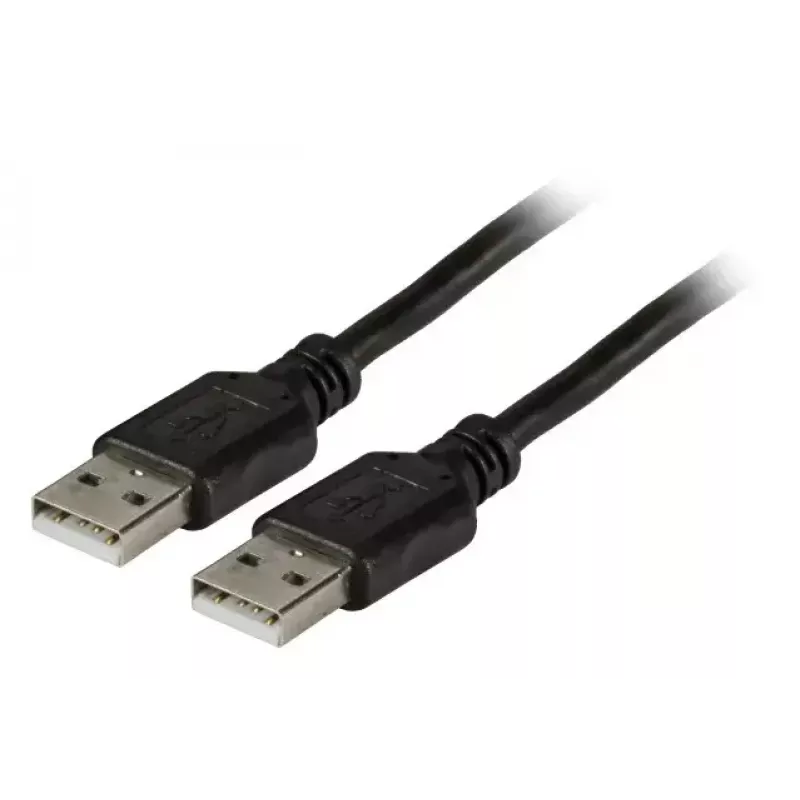
USB cable EFB Elektronik K5253SW.5

USB cable EFB Elektronik K5253SW.5
R306
PDF
PDF
Stock 8 Code 2566649 Model K5253SW.5 Warranty 2 Years

Shipping & Returns

Estimated delivery Thursday, November 26
You will be kept updated through our detailed tracking system
Payment options
EFTPayFastBank CardSnapScanZapperGoogle PayApple PayMobicredMoreTymePay on Arrival

Ask a question – the AI assistant answers instantly.

Description

The EFB Elektronik K5253SW.5 is a 5-meter USB 2.0 cable with USB A connectors on both ends. Designed for reliable wired connections, this black cable supports a maximum data transfer rate of 0.48 Gbit/s and provides sufficient length for flexible device placement in home, office, or workshop environments. The cable is suitable for connecting peripheral devices that use USB A ports, allowing straightforward data transfer and communication between compatible equipment.

Advantages

The cable's 5 m length enables placement of devices at greater distances without the need for extension adapters. USB 2.0 compliance ensures compatibility with a wide range of printers, scanners, external drives and other USB A devices. The straightforward USB A–USB A connector pairing simplifies installation and reduces compatibility issues with devices that accept standard A connectors. Its black outer jacket offers a neutral appearance that blends with most setups.

Suitable for

  • Connecting printers and scanners to a computer or POS system
  • Linking external hard drives or optical drives with USB A ports
  • Establishing wired connections for devices in offices, workshops, or home offices
  • Temporary setups where device placement requires extended cable reach

Key specifications

  • Connector type: USB A to USB A
  • USB version: USB 2.0
  • Maximum data transfer rate: 0.48 Gbit/s
  • Cable length: 5 m
  • Colour: Black

How to use

Insert one USB A connector into the host device's USB A port and the other connector into the peripheral device's USB A port. Ensure both devices are powered on if required by the peripheral. The cable requires no driver installation; data transfer and device recognition depend on the operating system and the connected hardware's drivers. Route the cable to avoid sharp bends and keep it away from sources of electromagnetic interference for stable communication.

Recommendations

For reliable performance, avoid routing the cable near high-power electrical cables or strong electromagnetic sources. Use the cable for data and communication tasks within the USB 2.0 speed limits; for higher-speed requirements consider cables and devices that support newer USB standards. Coil excess length loosely rather than bending tightly to prolong cable life.

Key Highlights
  • Connecting printers and scanners to a computer or POS system
  • Linking external hard drives or optical drives with USB A ports
  • Establishing wired connections for devices in offices, workshops, or home offices
  • Temporary setups where device placement requires extended cable reach
  • Connector type: USB A to USB A
  • USB version: USB 2.0
  • Maximum data transfer rate: 0.48 Gbit/s
  • Cable length: 5 m
  • Colour: Black

Specifications

Specifications
Cable length
5 m
Connector 1
USB A
Connector 1 form factor
Straight
Connector 1 gender
Male
Connector 2
USB A
Connector 2 form factor
Straight
Connector 2 gender
Male
Harmonized System (HS) code
84733080
Maximum data transfer rate
0.48 Gbit/s
Product colour
Black
USB version
USB 2.0
Price history over the last 6 months
USB cable EFB Elektronik K5253SW.5
Current
R306
Lowest
R204
Highest
R306
Change 24H
+R0   +0%
Week
R0   0%
Month
+R98   +47%

Write a review

Rating *
Your name will be shown publicly – you can use a nickname. We invite buyers to write reviews; we check reviews before publishing and publish critical ones too.

Same series and alternatives

3

Popular products in this category

8
WhatsApp
Messenger
Hi, I’m DistriNode’s AI assistant. I can help you find products, compare options, create quote PDFs, or open support requests.
All categories