Account Contact
Your Cart
Pay on delivery – no extra fees
Need help? Ask our AI

USB-C VGA Multiport Adapter Apple MJ1L2ZM/A

USB-C VGA Multiport Adapter Apple MJ1L2ZM/A
R1,725
PDF
PDF
Stock 11 Code 1183541 Model MJ1L2ZM/A Warranty 2 Years

Shipping & Returns

Estimated delivery Wednesday, December 2
You will be kept updated through our detailed tracking system
Payment options
EFTPayFastBank CardSnapScanZapperGoogle PayApple PayMobicredMoreTymePay on Arrival

Description

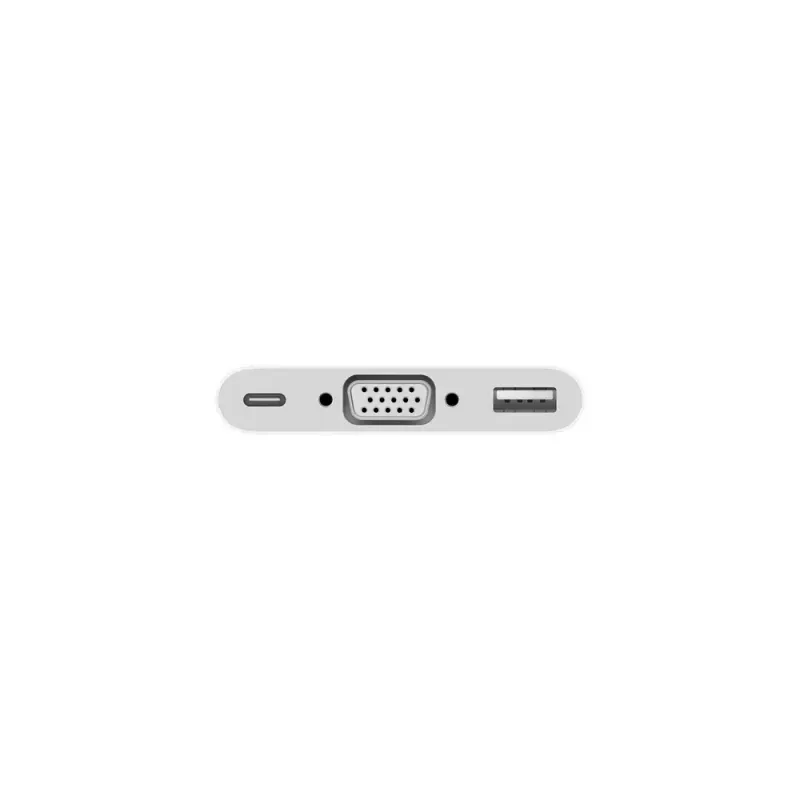
The USB-C VGA Multiport Adapter Apple MJ1L2ZM/A connects a USB-C MacBook to a VGA display while providing an additional USB-A port for standard peripherals and a USB-C port for charging. The compact white adapter supports video output to VGA-enabled displays and projectors at up to 1920 x 1080 (1080p) and is supplied as a single unit.

Advantages

This adapter enables mirror and video playback from a USB-C MacBook to a VGA display at full HD resolution. It provides a standard USB-A port for connecting flash drives, cameras or for syncing and charging iPhone/iPad/iPod, and a USB-C passthrough for charging the MacBook. Its compact, lightweight design makes it convenient for presentations and travel.

Suitable for

  • Connecting a MacBook with USB-C to VGA projectors or monitors
  • Presentations in meeting rooms and classrooms
  • Playing video content on VGA-enabled TVs or displays
  • Connecting USB-A peripherals such as flash drives and cameras

Key specifications

  • Model: Apple MJ1L2ZM/A
  • Ports: USB-C (input/charging), VGA (video output), USB-A (standard)
  • Maximum resolution: 1920 x 1080 (1080p)
  • Colour: White
  • Pack quantity: 1
  • Compatibility note: Not compatible with G-Technology G-DRIVE mobile USB 3.0 Hard Drive (Apple part HF4F2VC/A)

How to use

Connect the adapter to the USB-C port on your MacBook. Use a separate VGA cable (sold separately) to connect the adapter's VGA port to your display or projector. Attach a USB-A device to the standard USB port for data transfer or device charging. If needed, plug a USB-C charging cable into the adapter's USB-C port to supply power to your MacBook while using the adapter.

Recommendations

For best results, use a high-quality VGA cable and ensure your display is set to the correct input. Do not connect the adapter to unsupported external storage models listed by Apple (see compatibility note).
Key Highlights
  • Connecting a MacBook with USB-C to VGA projectors or monitors
  • Presentations in meeting rooms and classrooms
  • Playing video content on VGA-enabled TVs or displays
  • Connecting USB-A peripherals such as flash drives and cameras
  • Model: Apple MJ1L2ZM/A
  • Ports: USB-C (input/charging), VGA (video output), USB-A (standard)
  • Maximum resolution: 1920 x 1080 (1080p)
  • Colour: White
  • Pack quantity: 1
  • Compatibility note: Not compatible with G-Technology G-DRIVE mobile USB 3.0 Hard Drive (Apple part HF4F2VC/A)

Specifications

Specifications
Harmonized System (HS) code
84733020
Maximum resolution
1920 x 1080
Product colour
White
Quantity per pack
1 pc(s)
Price history over the last 6 months
USB-C VGA Multiport Adapter Apple MJ1L2ZM/A
Current
R1,725
Lowest 7d
R1,725
Highest 7d
R1,738
Change 24H
+R0   +0%
Change 7D
-R12   -1%
Change 30D
-R5   0%

Write a review

Rating *
Your name will be shown publicly – you can use a nickname. We invite buyers to write reviews; we check reviews before publishing and publish critical ones too.

More Apple products in this category

12

Popular products in this category

6
WhatsApp
Messenger
Hi, I’m DistriNode’s AI assistant. I can help you find products, compare options, create quote PDFs, or open support requests.
All categories