Account Contact
Your Cart
Pay the courier with no extra fees.
Need help? DistriNode AI can handle any task on our site.

USB-C to VGA Display Adapter HP P7Z54AA

USB-C to VGA Display Adapter HP P7Z54AA
R264
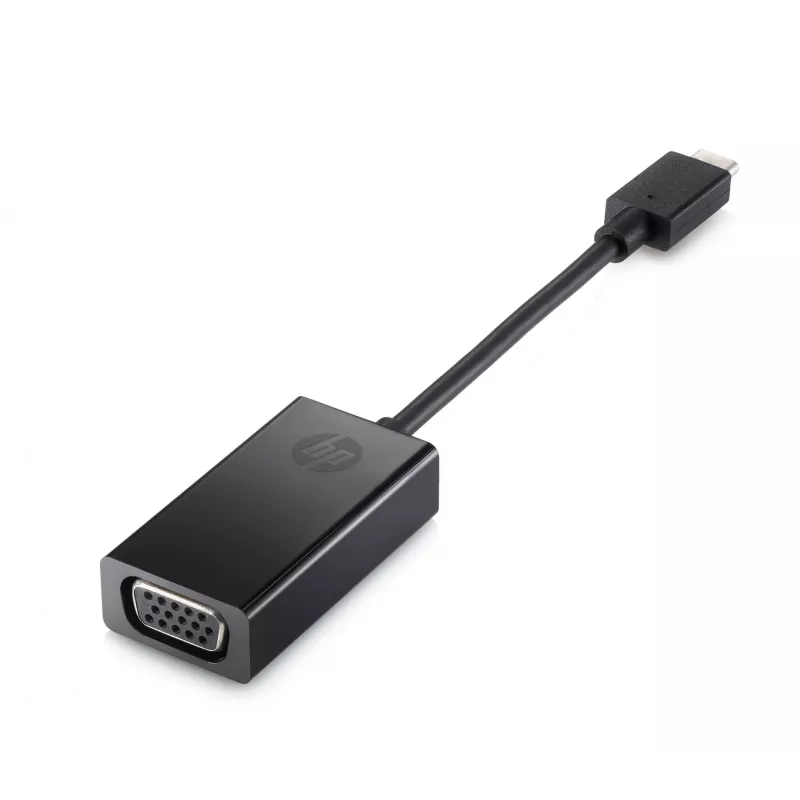
The USB-C to VGA Display Adapter HP P7Z54AA lets you connect a notebook, tablet or other USB-C equipped device to an external VGA monitor, TV or projector. Compact and lightweight, this adapter provides a simple wired video output solution for presentations, meetings or extending your workspace.Adva... Read More
Stock 100 Code 25439 Brand HP Model P7Z54AA#ABB Warranty 2 Years

Shipping & Returns

Estimated delivery Thursday, October 1
You will be kept updated through our detailed tracking system
Payment options
EFTPayFastBank CardSnapScanZapperGoogle PayApple PayMobicredMoreTymePay on Arrival

The USB-C to VGA Display Adapter HP P7Z54AA lets you connect a notebook, tablet or other USB-C equipped device to an external VGA monitor, TV or projector. Compact and lightweight, this adapter provides a simple wired video output solution for presentations, meetings or extending your workspace.

Advantages

One-cable connectivity enables video output from the device’s USB-C port to a VGA display without additional power. The adapter is small (0.076 m cable length) and lightweight (about 20 g), making it easy to carry with a laptop or tablet. HP provides a one-year limited warranty for manufacturer support.

Suitable for

  • Presentations on projectors in meeting rooms
  • Connecting laptops or tablets to VGA monitors or TVs
  • Temporary multi-display setups or workspace extension

Key specifications

  • Model: HP P7Z54AA
  • Connector A: USB Type-C
  • Connector B: VGA (D-Sub)
  • Cable length: 0.076 m
  • Weight: 0.02 kg
  • Colour: Black
  • Warranty: One-year limited

How to use

Connect the USB-C connector to a compatible device’s USB-C port that supports video output (DisplayPort over USB-C). Plug a VGA cable from the adapter’s VGA port to the external monitor, TV or projector. Select the appropriate input on the external display and configure the display settings (mirror or extend) from your device’s display options.

Recommendations

Ensure your source device supports video output over USB-C before use. Use a standard VGA cable and avoid excessive bending of the adapter cable. For optimal image quality, use the native resolution supported by the external display.

One-cable connectivity

Plug the adapter into your tablet or notebook’s USB-C™ port and send your work to a monitor, projector or TV through the VGA port.[1]

Take it to go

Store the small adapter with you in your device’s carrying case for quick projection wherever you work.
Key Highlights
  • Presentations on projectors in meeting rooms
  • Connecting laptops or tablets to VGA monitors or TVs
  • Temporary multi-display setups or workspace extension
  • Model: HP P7Z54AA
  • Connector A: USB Type-C
  • Connector B: VGA (D-Sub)
  • Cable length: 0.076 m
  • Weight: 0.02 kg
  • Colour: Black
  • Warranty: One-year limited
Specifications
Box contents
Adapter
Cable length
0.076 m
Connector 1
VGA (D-Sub)
Connector 1 form factor
Straight
Connector 1 gender
Female
Connector 2
USB Type-C
Connector 2 form factor
Straight
Connector 2 gender
Male
Country of origin
China
Depth
25.5 mm
Harmonized System (HS) code
84733020
Height
13 mm
HP segment
Home
Other operating systems supported
ChromeOS
Package depth
110 mm
Package height
35 mm
Package weight
100 g
Package width
245 mm
Product colour
Black
UNSPSC-code
26121630
Weight
20 g
Width
151 mm
Windows operating systems supported
Windows 10, Windows 11

Leaflet

Open Leaflet
Price history over the last 6 months
USB-C to VGA Display Adapter HP P7Z54AA
Current
R264
Lowest
R220
Highest
R1,170
Change 24H
+R43   +19%
Week
+R43   +20%
Month
-R132   -33%

Popular products in this category

WhatsApp
Hi, I’m DistriNode’s AI assistant. I can help you find products, compare options, create quote PDFs, or open support requests.