Account Contact
Your Cart
Pay the courier with no extra fees.
Need help? DistriNode AI can handle any task on our site.

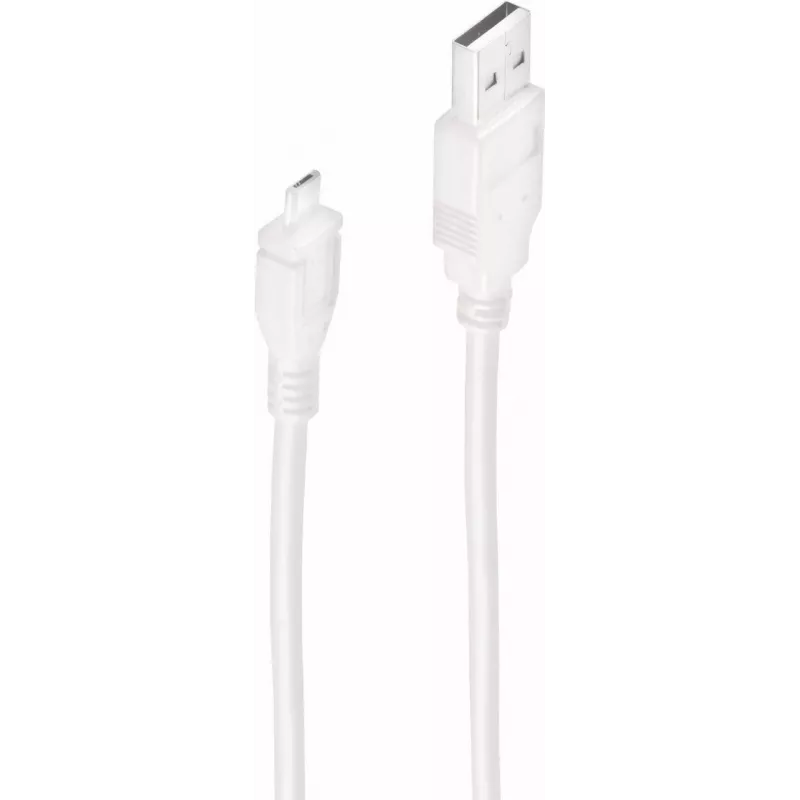
USB 2.0 cable ShiverPeaks BS77185 — USB A to USB B, 5 m, black

USB 2.0 cable ShiverPeaks BS77185 — USB A to USB B, 5 m, black
R303
ShiverPeaks BS77185 is a 5 m USB 2.0 cable with a USB A (host) connector on one end and a USB B (device) connector on the other. The cable supports USB 2.0 signalling at up to 0.48 Gbit/s and features nickel-plated contacts and a black outer jacket for standard data transmission between computers an... Read More
Stock 322 Code 2256271 Brand SHIVERPEAKS Model BS77185-W Warranty 2 Years

Shipping & Returns

Estimated delivery Tuesday, October 6
You will be kept updated through our detailed tracking system
Payment options
EFTPayFastBank CardSnapScanZapperGoogle PayApple PayMobicredMoreTymePay on Arrival

ShiverPeaks BS77185 is a 5 m USB 2.0 cable with a USB A (host) connector on one end and a USB B (device) connector on the other. The cable supports USB 2.0 signalling at up to 0.48 Gbit/s and features nickel-plated contacts and a black outer jacket for standard data transmission between computers and USB B peripherals.

Advantages

The cable provides a stable wired connection for legacy and current USB B devices, with shielding and conductor design suitable for USB 2.0 data rates. Nickel-plated contacts improve resistance to corrosion and ensure reliable connectivity. The 5 m length allows flexible device placement while maintaining a direct, low-latency link without drivers or configuration.

Suitable for

  • Connecting printers and multifunction devices to a computer
  • Linking scanners and barcode readers to host systems
  • Connecting external optical drives or backup drives with USB B ports
  • Temporary or permanent connections in offices, studios or home workstations

Key specifications

  • Connector A: USB A (male)
  • Connector B: USB B (male)
  • USB version: USB 2.0 (high-speed, up to 0.48 Gbit/s)
  • Cable length: 5 m
  • Product colour: Black
  • Contact plating: Nickel-plated contacts

How to use

Insert the USB A connector into an available USB port on the host computer and connect the USB B connector to the USB B port on the peripheral device. Ensure both ends are fully seated to establish a secure connection. The cable supports plug-and-play operation with devices and operating systems that support USB 2.0, requiring no additional software for basic data transfer and device recognition.

Recommendations

For optimal performance, avoid sharp bends and kinks in the cable and keep it away from sources of strong electromagnetic interference. If using long cable runs in environments with many electronic devices, route the cable away from power lines and large transformers. Inspect connectors periodically for dirt or damage and replace the cable if connectors become loose or corroded.

Key Highlights
  • Connecting printers and multifunction devices to a computer
  • Linking scanners and barcode readers to host systems
  • Connecting external optical drives or backup drives with USB B ports
  • Temporary or permanent connections in offices, studios or home workstations
  • Connector A: USB A (male)
  • Connector B: USB B (male)
  • USB version: USB 2.0 (high-speed, up to 0.48 Gbit/s)
  • Cable length: 5 m
  • Product colour: Black
  • Contact plating: Nickel-plated contacts
Specifications
Cable length
5 m
Cable shielding
Aluminum mylar foil
Connector 1
USB A
Connector 1 form factor
Straight
Connector 1 gender
Male
Connector 2
USB B
Connector 2 form factor
Straight
Connector 2 gender
Male
Connector contacts plating
Nickel
Maximum data transfer rate
0.48 Gbit/s
Product colour
Black
USB version
USB 2.0
Price history over the last 6 months
USB 2.0 cable ShiverPeaks BS77185 — USB A to USB B, 5 m, black
Current
R303
Lowest
R293
Highest
R303
Change 24H
+R10   +3%
Week
—   
Month
—   

Popular products in this category

WhatsApp
Hi, I’m DistriNode’s AI assistant. I can help you find products, compare options, create quote PDFs, or open support requests.