Account Contact
Your Cart
Pay the courier with no extra fees.
Need help? DistriNode AI can handle any task on our site.

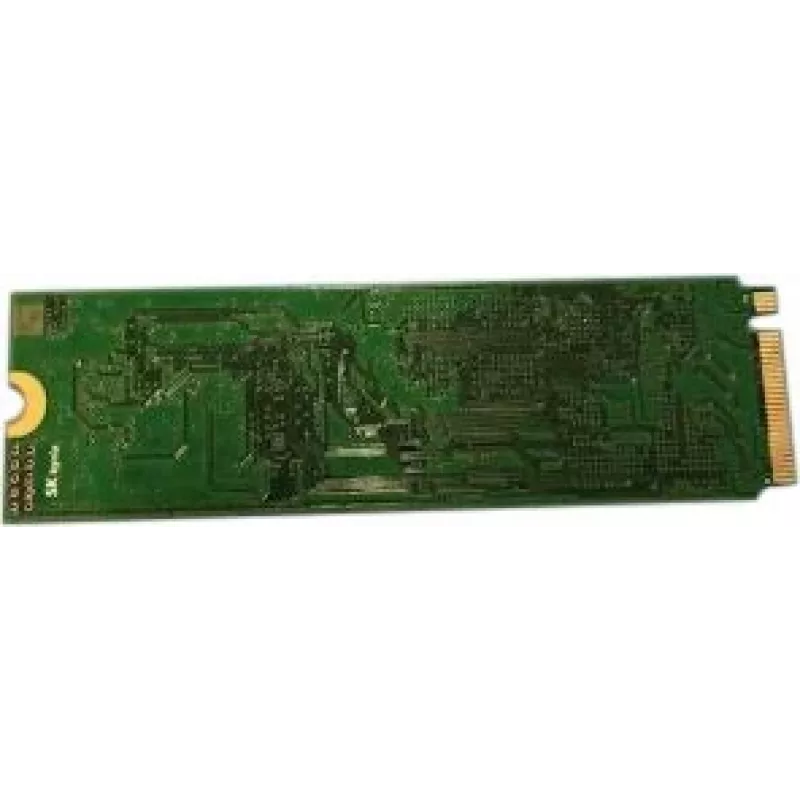
Solid State Drive Dell 1TB PCIe 3.4 M.2 (MXTT3)

Solid State Drive Dell 1TB PCIe 3.4 M.2 (MXTT3)
R12,576
Dell 1TB PCIe 3.4 M.2 (MXTT3) is an internal NVMe solid state drive in M.2 form factor with 1TB capacity, intended for laptops and desktops that support M.2 PCIe connections. The drive uses a PCIe 3.4 interface to deliver faster boot times, quicker application launches and accelerated file transfers... Read More
Stock 2 Code 1522161 Brand DELL Model MXTT3 Warranty 2 Years

Shipping & Returns

Estimated delivery Tuesday, October 6
You will be kept updated through our detailed tracking system
Payment options
EFTPayFastBank CardSnapScanZapperGoogle PayApple PayMobicredMoreTymePay on Arrival

Dell 1TB PCIe 3.4 M.2 (MXTT3) is an internal NVMe solid state drive in M.2 form factor with 1TB capacity, intended for laptops and desktops that support M.2 PCIe connections. The drive uses a PCIe 3.4 interface to deliver faster boot times, quicker application launches and accelerated file transfers compared with conventional SATA drives. It is designed for OS installation, storage expansion and general performance upgrades in systems with NVMe-compatible slots.

Advantages

This M.2 SSD provides a balance of capacity and performance suitable for everyday computing and productivity tasks. The PCIe 3.4 interface offers improved bandwidth and lower latency compared with older interfaces, enabling more responsive system behavior. Its compact M.2 form factor allows installation in space-constrained laptops and small form factor desktops while delivering significantly faster read/write operations than traditional mechanical drives.

Suitable for

  • Operating system installation and system drive replacement
  • Speeding up application loading and multitasking
  • Storage expansion for laptops and compact PCs with M.2 NVMe slots
  • Everyday productivity, content editing and general file storage

Key specifications

  • Capacity: 1 TB
  • Form factor: M.2
  • Interface: PCIe 3.4 (NVMe)
  • Typical use: internal NVMe SSD for OS and data storage

How to use

Install the drive into an available M.2 PCIe slot on a compatible motherboard or laptop following the device manufacturer’s instructions. Secure the module with the mounting screw and, if required, enable the corresponding PCIe/NVMe slot in the system BIOS or UEFI. After physical installation, initialize and format the drive in the operating system, then proceed to install an operating system or migrate existing data using cloning software if replacing another drive.

Recommendations

Ensure your system supports M.2 NVMe drives and PCIe 3.x specifications before purchase. Use proper ESD precautions during installation and keep firmware up to date through the manufacturer’s support resources to maintain compatibility and performance.

Key Highlights
  • Operating system installation and system drive replacement
  • Speeding up application loading and multitasking
  • Storage expansion for laptops and compact PCs with M.2 NVMe slots
  • Everyday productivity, content editing and general file storage
  • Capacity: 1 TB
  • Form factor: M.2
  • Interface: PCIe 3.4 (NVMe)
  • Typical use: internal NVMe SSD for OS and data storage
Price history over the last 6 months
Solid State Drive Dell 1TB PCIe 3.4 M.2 (MXTT3)
Current
R12,576
Lowest
R12,548
Highest
R12,592
Change 24H
-R17   0%
Week
—   
Month
—   

Popular products in this category

WhatsApp
Hi, I’m DistriNode’s AI assistant. I can help you find products, compare options, create quote PDFs, or open support requests.