Account Contact
Your Cart
Pay the courier with no extra fees.
Need help? DistriNode AI can handle any task on our site.

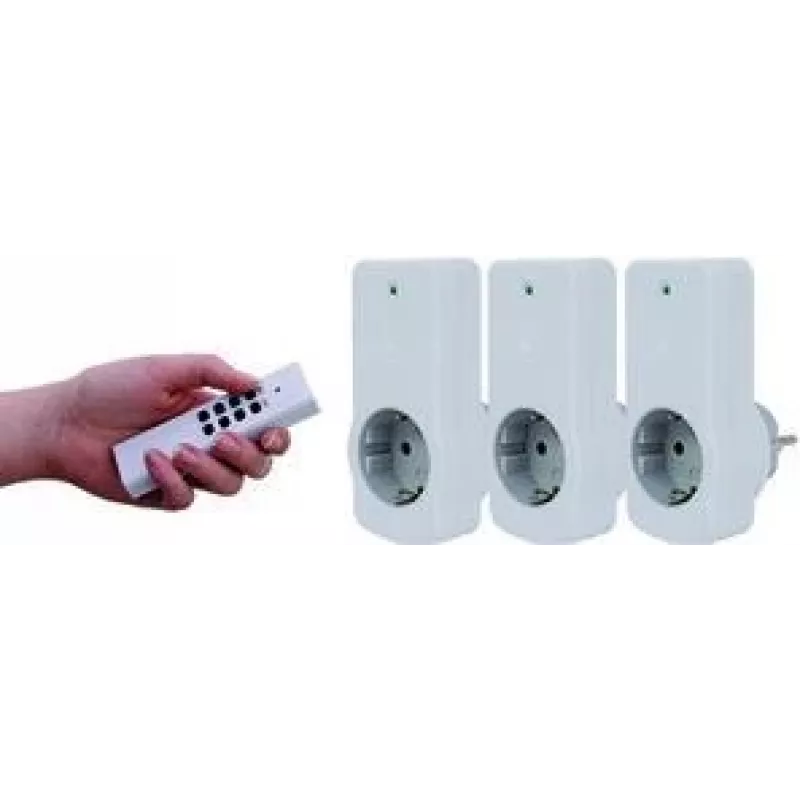
Smart Plug REV 00834514 White

Smart Plug REV 00834514 White
R557
The REV 00834514 Smart Plug in White is a compact indoor smart socket designed for remote control of electrical devices. It supports an AC input voltage of 230 V and is intended for use within a typical indoor wireless range of up to 30 m. With dimensions of 62 mm (width) x 35 mm (depth) x 116 mm (h... Read More
Stock 10 Code 1411374 Brand REV Model 00834514 Warranty 2 Years

Shipping & Returns

Estimated delivery Tuesday, October 6
You will be kept updated through our detailed tracking system
Payment options
EFTPayFastBank CardSnapScanZapperGoogle PayApple PayMobicredMoreTymePay on Arrival

The REV 00834514 Smart Plug in White is a compact indoor smart socket designed for remote control of electrical devices. It supports an AC input voltage of 230 V and is intended for use within a typical indoor wireless range of up to 30 m. With dimensions of 62 mm (width) x 35 mm (depth) x 116 mm (height) and a neutral white finish, this smart plug fits into standard home power outlets and enables scheduled switching and remote power management for lamps, small appliances and other plug-in equipment.

Advantages

This smart plug provides straightforward remote control and basic energy management for home devices. Its compact size reduces obstruction of adjacent sockets, while the 230 V compatibility ensures it integrates with common household electrical systems. The indoor wireless range of up to 30 m allows flexible placement within typical room layouts. The white enclosure offers a neutral look that blends with most interiors.

Suitable for

  • Controlling lamps and lighting fixtures
  • Scheduling small household appliances (fans, coffee makers, electric kettles with suitable power ratings)
  • Remote switching of entertainment devices and chargers
  • Energy monitoring and basic automation scenarios in living rooms, bedrooms, and home offices

Key specifications

  • AC input voltage: 230 V
  • Recommended maximum indoor wireless range: up to 30 m
  • Colour: White
  • Dimensions (W × D × H): 62 mm × 35 mm × 116 mm
  • Designed for indoor use

How to use

Plug the smart plug into a compatible indoor wall outlet and connect the electrical device you wish to control. Set up the device according to the manufacturer's app or pairing instructions (ensure the controlling hub or smartphone is within the recommended wireless range). Use the app or integrated home automation platform to switch the outlet on and off, create schedules, and check basic usage status. Ensure connected appliances comply with the plug's power handling limits and follow safety guidelines for indoor electrical devices.

Recommendations

Place the REV smart plug where it will have reliable wireless signal strength—avoid locations behind large metal objects or thick walls that can reduce the effective range. Verify the power requirements of connected appliances before prolonged use and do not expose the device to moisture or outdoor conditions.

Key Highlights
  • Controlling lamps and lighting fixtures
  • Scheduling small household appliances (fans, coffee makers, electric kettles with suitable power ratings)
  • Remote switching of entertainment devices and chargers
  • Energy monitoring and basic automation scenarios in living rooms, bedrooms, and home offices
  • AC input voltage: 230 V
  • Recommended maximum indoor wireless range: up to 30 m
  • Colour: White
  • Dimensions (W × D × H): 62 mm × 35 mm × 116 mm
  • Designed for indoor use
Specifications
AC input voltage
230
Depth
35 mm
Height
116 mm
Maximum indoor range
30 m
Product colour
White
Remotely operated
Yes
Width
62 mm
Price history over the last 6 months
Smart Plug REV 00834514 White
Current
R557
Lowest
R532
Highest
R870
Change 24H
+R17   +3%
Week
+R21   +4%
Month
+R21   +4%

Popular products in this category

WhatsApp
Hi, I’m DistriNode’s AI assistant. I can help you find products, compare options, create quote PDFs, or open support requests.