Account Contact
Your Cart
Pay the courier with no extra fees.
Need help? DistriNode AI can handle any task on our site.

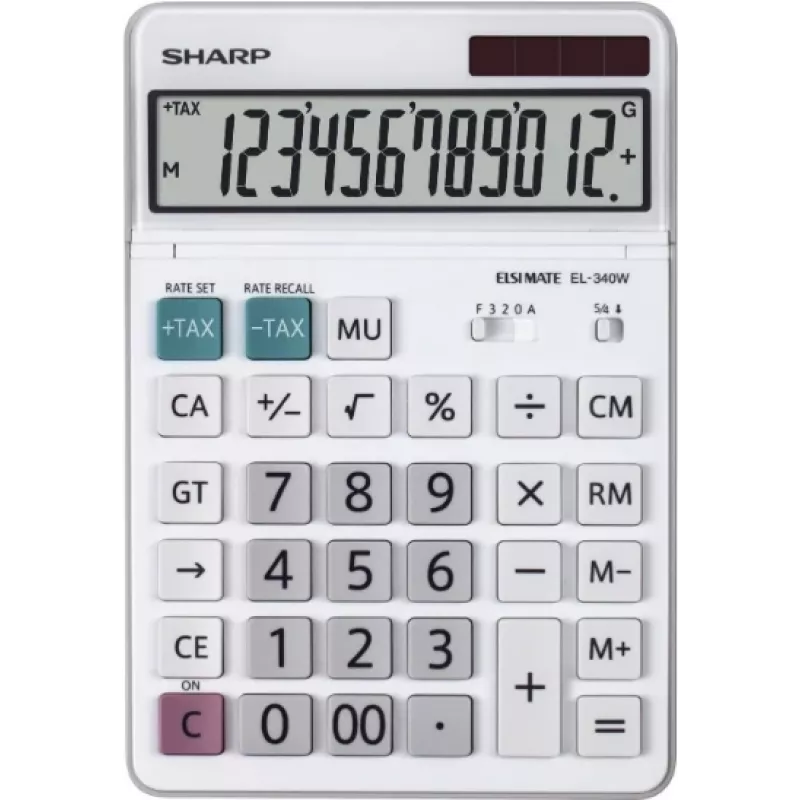
Sharp EL-340W calculator Desktop Display White

Sharp EL-340W calculator Desktop Display White
R682
The Sharp EL-340W is a compact desktop calculator with a tilting display designed for clear viewing from variable angles. Featuring a white housing and a straightforward keypad layout, this battery-powered calculator provides basic arithmetic functions along with dedicated tax calculation keys to si... Read More
Stock 35 Code 1485189 Brand SHARP Model EL-340W Warranty 2 Years

Shipping & Returns

Estimated delivery Tuesday, October 6
You will be kept updated through our detailed tracking system
Payment options
EFTPayFastBank CardSnapScanZapperGoogle PayApple PayMobicredMoreTymePay on Arrival

The Sharp EL-340W is a compact desktop calculator with a tilting display designed for clear viewing from variable angles. Featuring a white housing and a straightforward keypad layout, this battery-powered calculator provides basic arithmetic functions along with dedicated tax calculation keys to simplify percentage and tax-inclusive/exclusive computations. Its size and power source make it suitable for workspaces where portability and a clean appearance are required.

Advantages

The tilting display improves readability and reduces neck strain when checking entries. Dedicated tax calculation keys allow quick switching between tax-inclusive and tax-exclusive values without manual percentage conversions. Battery power ensures the device remains operational away from mains outlets, while the compact footprint preserves desktop space. The clearly labeled keys and simple function set reduce the chance of input errors during routine calculations.

Suitable for

Key specifications

How to use

Place the Sharp EL-340W on a flat surface and adjust the display to a comfortable viewing angle. Insert the required battery according to the device markings. Use the numeric keypad to enter values and the arithmetic function keys for addition, subtraction, multiplication and division. To calculate tax, enter the base amount and use the tax calculation key to apply the preset tax rate or switch between tax-inclusive and tax-exclusive displays as required. Clear the current entry with the clear key before starting a new calculation.

Recommendations

For consistent results, verify the preset tax rate before performing multiple calculations and replace the battery when the display dims or entries fail to register. Keep the keypad clean and avoid exposure to liquids or excessive heat to prolong device life.

Key Highlights
  • Everyday office arithmetic and bookkeeping tasks
  • Small business tax calculations and price adjustments
  • Point-of-sale support for manual entry situations
  • Home budgeting and personal finance tracking
  • Display: tilting LCD for adjustable viewing angle
  • Power supply: battery-powered for portable use
  • Functions: basic arithmetic, percentage, dedicated tax calculation keys
  • Color and design: compact white desktop housing
  • Keypad: clearly labeled numeric and function keys for rapid entry
Specifications
Backlight display
No
Control type
Buttons
Cover
No
Depth
127 mm
Display tilting
Yes
Display type
Dot-matrix
Form factor
Desktop
Height
17 mm
Power source
Battery
Product colour
White
Tax calculation
Yes
Type
Display
Width
185 mm

Leaflet

Open Leaflet
Price history over the last 6 months
Sharp EL-340W calculator Desktop Display White
Current
R682
Lowest
R657
Highest
R682
Change 24H
+R22   +3%
Week
—   
Month
—   

Popular products in this category

WhatsApp
Hi, I’m DistriNode’s AI assistant. I can help you find products, compare options, create quote PDFs, or open support requests.