Account Contact
Your Cart
Pay on delivery – no extra fees
Need help? Ask our AI

RS-232 Switch and Splitter DeLOCK 87756

RS-232 Switch and Splitter DeLOCK 87756
R1,211
The DeLOCK RS-232 Switch and Splitter 87756 connects a single serial DB9 device (for example a printer or measuring instrument) to two USB 2.0 Type-B ports. The compact black device supports bidirectional RS-232 communication and offers two operating modes — splitter mode, where the RS-232 signals a... Read More
Stock Out Of StockNo Stock Code 2200394 Brand DELOCK Model 87756 Warranty 2 Years

Shipping & Returns

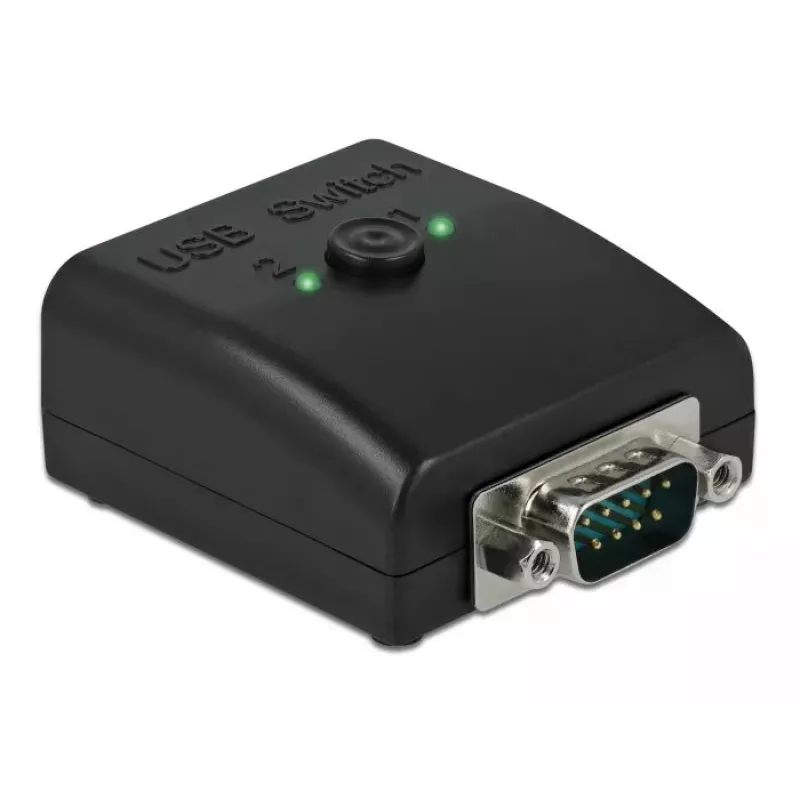
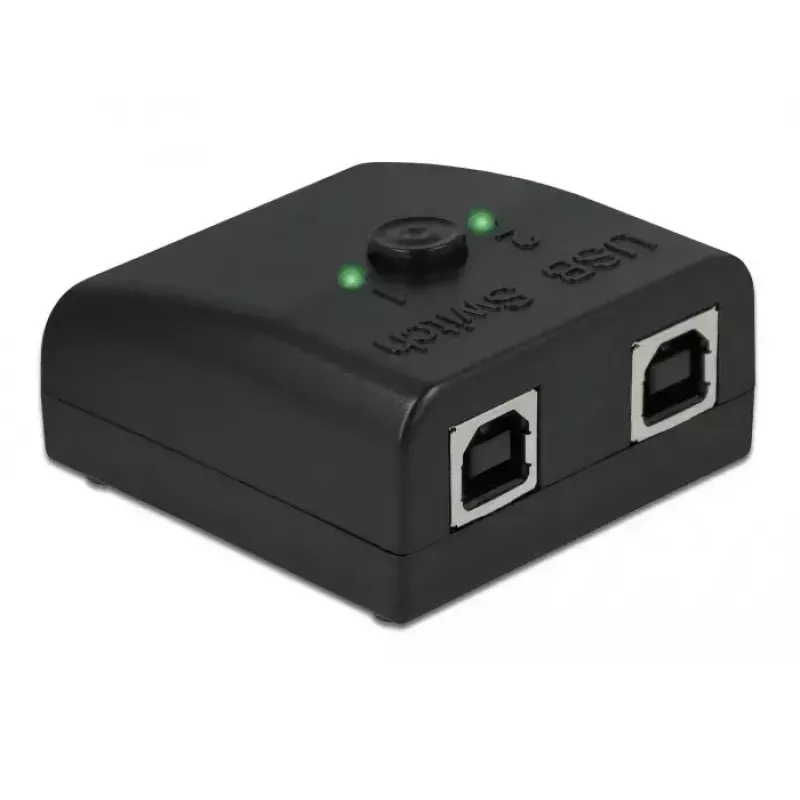
The DeLOCK RS-232 Switch and Splitter 87756 connects a single serial DB9 device (for example a printer or measuring instrument) to two USB 2.0 Type-B ports. The compact black device supports bidirectional RS-232 communication and offers two operating modes — splitter mode, where the RS-232 signals are available simultaneously on both USB ports, and switch mode, where only one USB port is actively connected to the serial device at a time. Two LEDs indicate the current mode and active port.

Advantages

The unit provides flexible sharing of one RS-232 device between two USB-enabled computers or applications without complex configuration. The hardware button lets you select USB port 1, USB port 2 or both ports for simultaneous access. The bidirectional design preserves full serial communication and the status LEDs clearly show whether the device is acting as a splitter or which port is selected in switch mode.

Suitable for

  • Connecting one DB9 serial device to two USB 2.0 Type-B hosts
  • Sharing RS-232 data between two programs or systems simultaneously
  • Switching a serial device between two computers for bidirectional communication

Key specifications

  • Brand: DELOCK
  • Model / MPN: 87756
  • EAN: 4043619877560
  • Connectors: USB 2.0 Type-B to DB9 (RS-232)
  • Function: Bidirectional RS-232 switch and splitter
  • Housing colour: Black

How to use

Connect the DB9 serial device to the RS-232 port and plug the two USB Type-B cables into the corresponding USB hosts. Use the button on the unit to choose USB port 1, USB port 2, or both ports. The LEDs indicate whether both ports are active (splitter mode) or which single port is selected (switch mode). No additional software configuration is required for basic switching; ensure each host recognises the connected serial device and installs appropriate drivers if needed.

Recommendations

Place the device on a stable surface close to the serial device and USB hosts. When using splitter mode, be aware that simultaneous access by multiple applications may require compatible software handling to avoid data conflicts. Verify that each computer has the correct RS-232 driver or virtual COM port settings for reliable communication.
Key Highlights
  • Connecting one DB9 serial device to two USB 2.0 Type-B hosts
  • Sharing RS-232 data between two programs or systems simultaneously
  • Switching a serial device between two computers for bidirectional communication
  • Brand: DELOCK
  • Model / MPN: 87756
  • EAN: 4043619877560
  • Connectors: USB 2.0 Type-B to DB9 (RS-232)
  • Function: Bidirectional RS-232 switch and splitter
  • Housing colour: Black
Specifications
Chipset
FTDI FT231XS
Compatible operating systems
Windows 8.1/10
Connector 1
USB 2.0 Type-B
Connector 1 form factor
Straight
Connector 1 gender
Female
Connector 2
DB9
Connector 2 form factor
Straight
Connector 2 gender
Male
Country of origin
Taiwan
Depth
60 mm
FIFO (First In, First Out)
512
Height
25 mm
Housing material
Acrylonitrile Butadiene Styrene (ABS)
LED indicators
Y
Manual
Yes
Package type
Box
Product colour
Black
Quantity per pack
1 pc(s)
Width
50 mm

Leaflet

Open Leaflet

Document

Open Document
Price history is not available yet
We are still collecting enough daily price data for this product.

Popular products in this category

WhatsApp
Hi, I’m DistriNode’s AI assistant. I can help you find products, compare options, create quote PDFs, or open support requests.