Account Contact
Your Cart
Pay the courier with no extra fees.
Need help? DistriNode AI can handle any task on our site.

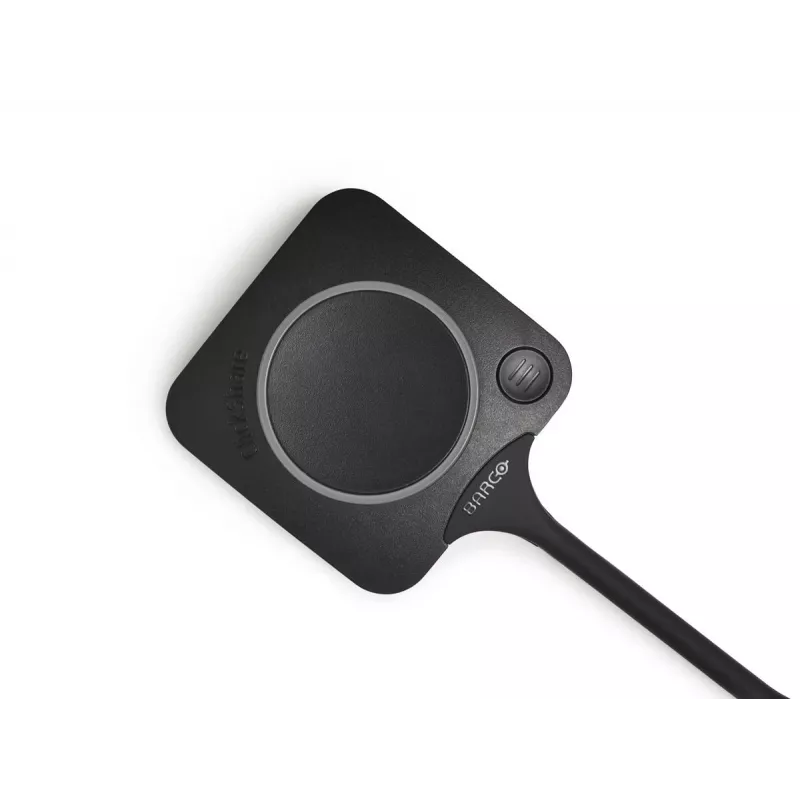
Remote control Barco ClickShare R9861600D01C

Remote control Barco ClickShare R9861600D01C
R4,861
The ClickShare Conferencing Button provides instant access to wireless conferencing for a more immersive, interactive and guest-friendly meeting experience. Plug the USB-C Button into your laptop, click, and within seconds you are connected automatically to room cameras, microphones, soundbars and o... Read More
Stock 66 Code 131614 Brand BARCO Model R9861600D01C Warranty 2 Years

Shipping & Returns

Estimated delivery Thursday, October 1
You will be kept updated through our detailed tracking system
Payment options
EFTPayFastBank CardSnapScanZapperGoogle PayApple PayMobicredMoreTymePay on Arrival

The ClickShare Conferencing Button provides instant access to wireless conferencing for a more immersive, interactive and guest-friendly meeting experience. Plug the USB-C Button into your laptop, click, and within seconds you are connected automatically to room cameras, microphones, soundbars and other AV peripherals, enabling richer audio, wider room views and the option to include video in your meeting setup.

Advantages

The Button offers a fast, single-click connection to conferencing peripherals and supports seamless integration with your preferred UC solution. An additional Quick Button enables a local view on your device and activates advanced controls such as ideation, moderation, snapshots and AV equipment control. Use together with the ClickShare Collaboration App for pause, window selection, extended desktop and other collaboration features to combine hardware and software for flexible meeting workflows.

Key specifications

  • Connection: USB-C Button for plug-and-click wireless conferencing
  • Compatibility: Integrates with common UC solutions and meeting room AV peripherals
  • Functionality: Automatic connection to cameras, microphones and soundbars; supports video and enhanced audio
  • Quick Button: Local view on laptop and advanced power functions (ideation, moderation, snapshots, AV control)
  • Software: ClickShare Collaboration App available for content sharing and extended collaboration features (pause, window selection, extended desktop)

How to use

Plug the ClickShare Conferencing Button into your laptop’s USB-C port, start your preferred UC application and press the Button; within seconds the Button connects your laptop to room cameras, microphones and audio devices. Use the Quick Button to return the room display to your device (local view) and access advanced controls. Alternatively, install the ClickShare Collaboration App to share content and use features such as pause, window selection and extended desktop; combining Button and App provides a full set of collaboration options.

Recommendations

For best results, ensure your meeting room base unit and ClickShare software are up to date and test the Button with your UC solution before important meetings. Use the Quick Button together with the Collaboration App to maximize control over video, audio and content sharing.
Key Highlights
  • Iconic ClickShare component
  • USB-C device to start wireless conferencing and content sharing
  • Additional Quick Button with collaboration features
  • Ultra-fast setup
  • Remote control Black
  • Wired & Wireless USB-C
  • Power source type: USB
Specifications
Connectivity technology
Wired & Wireless
DC input voltage
5 V
Depth
161.4 mm
Device interface
USB-C
Harmonized System (HS) code
85299097
Height
14.6 mm
Power source type
USB
Product colour
Black
Product type
Remote control
Quantity
1
Weight
60 g
Wi-Fi
Yes
Wi-Fi band
Dual-band (2.4 GHz / 5 GHz)
Width
59.3 mm

Leaflet

Open Leaflet
Price history over the last 6 months
Remote control Barco ClickShare R9861600D01C
Current
R4,861
Lowest
R4,808
Highest
R5,057
Change 24H
+R2   +0%
Week
+R53   +1%
Month
+R35   +1%

Popular products in this category

WhatsApp
Hi, I’m DistriNode’s AI assistant. I can help you find products, compare options, create quote PDFs, or open support requests.