Account Contact
Your Cart
Pay the courier with no extra fees.
Need help? DistriNode AI can handle any task on our site.

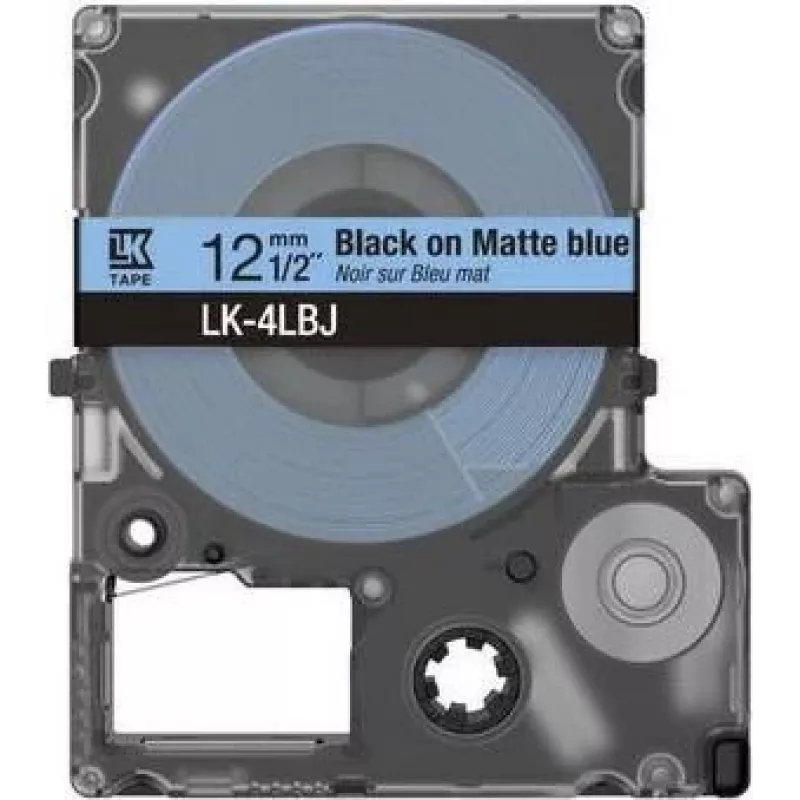
Printer label Epson C53S672079 Black Green 2.4 cm

Printer label Epson C53S672079 Black Green 2.4 cm
R573
The Epson C53S672079 printer label is designed for reliable, high-contrast labeling in a compact 2.4 cm width. Produced for compatibility with select Epson label and ticket printers, this roll combines black and green print areas to support color-coded identification, inventory tags, and short-forma... Read More
Stock 7 Code 1507375 Brand EPSON Model C53S672079 Warranty 2 Years

Shipping & Returns

Estimated delivery Tuesday, October 6
You will be kept updated through our detailed tracking system
Payment options
EFTPayFastBank CardSnapScanZapperGoogle PayApple PayMobicredMoreTymePay on Arrival

The Epson C53S672079 printer label is designed for reliable, high-contrast labeling in a compact 2.4 cm width. Produced for compatibility with select Epson label and ticket printers, this roll combines black and green print areas to support color-coded identification, inventory tags, and short-format labels. The material and print formulation are intended to deliver clear text and simple graphics on small labels used in retail, logistics, asset tracking, and office organization.

Advantages

This Epson printer label offers precise printing on a narrow 2.4 cm substrate that helps conserve space on shelves and packages. The dual-color option—black and green—enables immediate visual differentiation between label types or statuses without altering printer settings. The roll format provides straightforward loading and continuous printing for medium-volume tasks, while the label surface is optimized to produce readable barcodes and alphanumeric characters.

Suitable for

  • Shelf edge and price labeling in retail environments
  • Short barcode and SKU tags for inventory control
  • Color-coded status labels in logistics and warehousing
  • Small asset identification and office organization

Key specifications

  • Label width: 2.4 cm
  • Colors: Black and Green printing
  • Format: Continuous roll for thermal/label printers (refer to printer compatibility)
  • Printable area: narrow-width, suitable for short text, codes and simple graphics

How to use

Install the Epson C53S672079 roll into a compatible Epson label printer according to the printer’s loading instructions. Set the printer settings for narrow-width labels and confirm the media type to optimize print density and contrast. Design labels to fit the 2.4 cm width—use concise text, appropriately sized barcodes and minimal graphics. After printing, allow a brief moment for ink or thermal transfer to set if required by the printer model before handling.

Recommendations

Store unused labels in a cool, dry place away from direct sunlight to preserve color contrast and adhesion. For reliable barcode scanning and long-term legibility, test print a sample and adjust print density or contrast in the printer driver. Verify compatibility with your Epson printer model before purchase and consult the printer manual for supported media types and loading procedures.

Key Highlights
  • Shelf edge and price labeling in retail environments
  • Short barcode and SKU tags for inventory control
  • Color-coded status labels in logistics and warehousing
  • Small asset identification and office organization
  • Label width: 2.4 cm
  • Colors: Black and Green printing
  • Format: Continuous roll for thermal/label printers (refer to printer compatibility)
  • Printable area: narrow-width, suitable for short text, codes and simple graphics
Specifications
Label width
2.4 cm
Product colour
Black, Green

Leaflet

Open Leaflet
Price history over the last 6 months
Printer label Epson C53S672079 Black Green 2.4 cm
Current
R573
Lowest
R554
Highest
R846
Change 24H
+R17   +3%
Week
-R259   -31%
Month
-R262   -31%

Popular products in this category

WhatsApp
Hi, I’m DistriNode’s AI assistant. I can help you find products, compare options, create quote PDFs, or open support requests.