Account Contact
Your Cart
Pay on delivery – no extra fees
Need help? Ask our AI

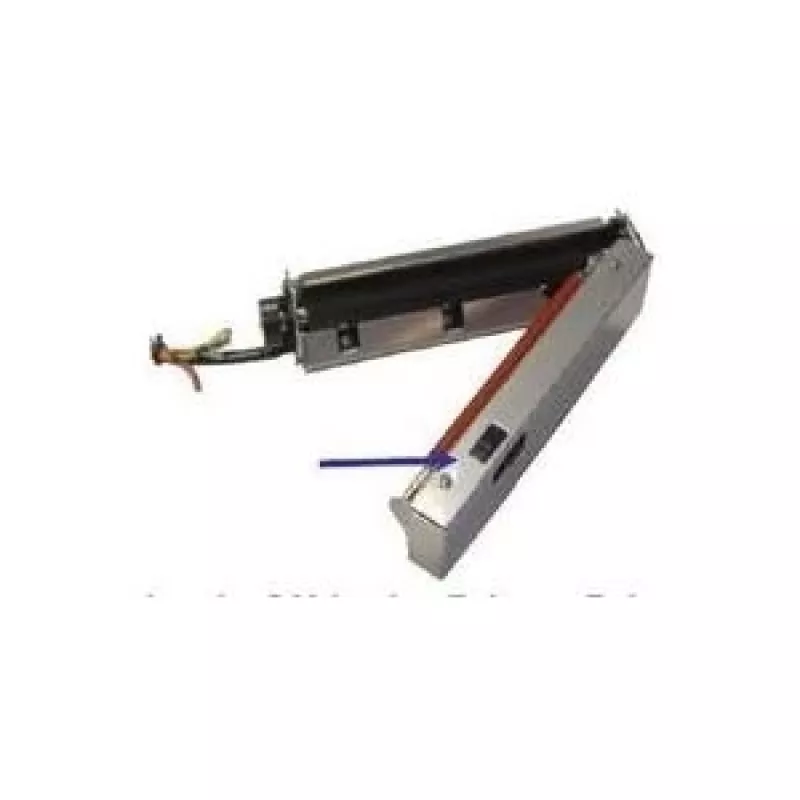
Printer Kit Citizen 2000411

Printer Kit Citizen 2000411
R3,525
PDF
PDF
Stock 1 Code 2194683 Model 2000411 Warranty 2 Years

Shipping & Returns

Estimated delivery Tuesday, November 17
You will be kept updated through our detailed tracking system
Payment options
EFTPayFastBank CardSnapScanZapperGoogle PayApple PayMobicredMoreTymePay on Arrival

Description

The Printer Kit Citizen 2000411 is a peeler option designed for compatibility with Citizen CLS521, CLS621, and CLS631 models. It provides a new-generation peeler mechanism with a label-taken sensor and improved silicone rollers to reduce clogging caused by adhesive, ensuring consistent label dispensing without modifying the printer's main chassis.

Advantages

The peeler features a label-taken sensor for reliable detection of removed labels and silicone rollers that improve resistance to glue build-up. Installation requires only a crosspoint screwdriver and does not involve opening the printer main case, which simplifies fitting and reduces downtime. The printer recognizes the peeler automatically after installation, enabling immediate use.

Suitable for

  • Label dispensing and peeling tasks in retail and logistics
  • Environments where adhesive residue can cause roller clogging
  • Users of Citizen CLS521, CLS621, and CLS631 printers seeking an add-on peeler

Key specifications

  • Manufacturer part number (MPN): 2000411
  • Compatible models: Citizen CLS521, CLS621, CLS631
  • Feature: New-generation peeler with label-taken sensor
  • Roller material: Silicone (improved anti-clogging against glue)
  • Installation: Side cover access, connector; requires crosspoint screwdriver
  • Auto-configuration: Printer auto-detects and enables the peeler

How to use

Power off the printer, remove the side cover, and connect the peeler kit to the appropriate connector. Secure the unit using a crosspoint screwdriver. Replace the side cover and power on the printer. After startup, the printer will detect the peeler and enable peeling functionality automatically. Feed labels as usual and check that the label-taken sensor registers removed labels correctly.

Recommendations

The peeler should be cleaned periodically to remove adhesive build-up; use a lint-free cloth and isopropyl alcohol sparingly on the silicone rollers. Verify compatibility with Citizen CLS521, CLS621, and CLS631 before installation and follow the printer manufacturer's safety instructions when performing the upgrade.
Key Highlights
  • Label dispensing and peeling tasks in retail and logistics
  • Environments where adhesive residue can cause roller clogging
  • Users of Citizen CLS521, CLS621, and CLS631 printers seeking an add-on peeler
  • Manufacturer part number (MPN): 2000411
  • Compatible models: Citizen CLS521, CLS621, CLS631
  • Feature: New-generation peeler with label-taken sensor
  • Roller material: Silicone (improved anti-clogging against glue)
  • Installation: Side cover access, connector; requires crosspoint screwdriver
  • Auto-configuration: Printer auto-detects and enables the peeler

Specifications

Specifications
Brand compatibility
Citizen
Compatibility
CLS521/621/631
Harmonized System (HS) code
84439990
Price history over the last 6 months
Printer Kit Citizen 2000411
Current
R3,525
Lowest
R3,477
Highest
R3,971
Change 24H
R0   0%
Week
+R13   +0%
Month
-R389   -10%

Write a review

Rating *
Your name will be shown publicly – you can use a nickname. We invite buyers to write reviews; we check reviews before publishing and publish critical ones too.

Popular products in this category

6
WhatsApp
Messenger
Hi, I’m DistriNode’s AI assistant. I can help you find products, compare options, create quote PDFs, or open support requests.
All categories