Account Contact
Your Cart
Pay the courier with no extra fees.
Need help? DistriNode AI can handle any task on our site.

Networking Cable Tecline 3m Cat.6 Red

Networking Cable Tecline 3m Cat.6 Red
R287
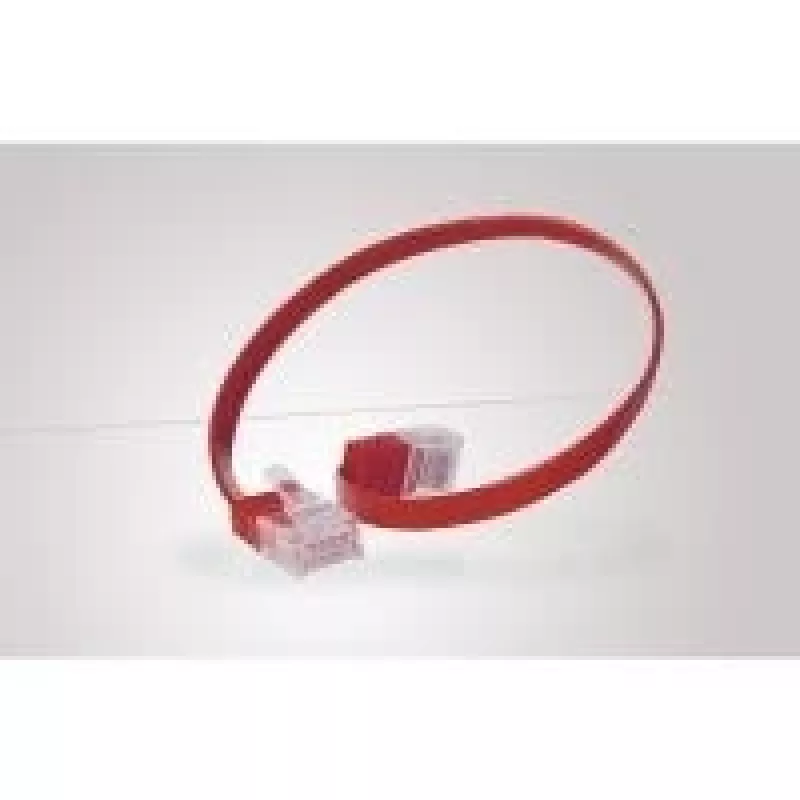
The Tecline 3m Cat.6 networking cable is a 3-meter Ethernet lead built to Cat.6 performance with U/UTP construction and RJ-45 connectors at both ends. The cable’s red jacket provides easy visual identification within a patching environment, while the Cat.6 specification supports higher bandwidth and... Read More
Stock 225 Code 2351144 Brand TECLINE Model 77803r Warranty 2 Years

Shipping & Returns

Estimated delivery Tuesday, October 6
You will be kept updated through our detailed tracking system
Payment options
EFTPayFastBank CardSnapScanZapperGoogle PayApple PayMobicredMoreTymePay on Arrival

The Tecline 3m Cat.6 networking cable is a 3-meter Ethernet lead built to Cat.6 performance with U/UTP construction and RJ-45 connectors at both ends. The cable’s red jacket provides easy visual identification within a patching environment, while the Cat.6 specification supports higher bandwidth and reduced crosstalk compared with lower category cables. This cable is intended for standard network connections in home and office installations where a reliable, shielded unpaired twisted pair connection is required.

Advantages

The Tecline Cat.6 cable combines a 3 m length with U/UTP shielding to offer a balance of flexibility and interference protection for short to medium cable runs. RJ-45 terminations on both ends ensure plug-and-play compatibility with switches, routers, network interface cards and patch panels. The red outer sheath simplifies cable identification and organization in crowded racks or desktop setups. The Cat.6 rating enables support for higher data rates and improved signal integrity compared to Cat.5e cabling.

Suitable for

  • Connecting desktop PCs, laptops or printers to a router or switch
  • Patch panel to switch connections in small office racks
  • Temporary or permanent home networking runs
  • Situations requiring color-coded cable management

Key specifications

  • Length: 3 meters
  • Cable category: Cat.6
  • Shielding: U/UTP (overall unshielded with twisted pairs)
  • Connectors: RJ-45 on both ends
  • Color: Red outer jacket
  • Typical use: Ethernet data networking

How to use

Connect one RJ-45 plug to the network port of a modem, router, switch or wall outlet and the other RJ-45 plug to the network device such as a computer or printer. Ensure connectors are fully inserted until the latch clicks to establish a secure connection. Route the cable to avoid sharp bends, heavy compression or sources of strong electromagnetic interference for optimal performance. For patch panel installations, select the appropriate punch-down or patch port and label the cable for identification.

Recommendations

For consistent performance, avoid tightly coiling or kinking the cable and maintain bend radii greater than the cable diameter. Keep the cable separated from high-voltage power cables where possible. Use color-coded runs to simplify maintenance in multi-cable environments.

Key Highlights
  • Connecting desktop PCs, laptops or printers to a router or switch
  • Patch panel to switch connections in small office racks
  • Temporary or permanent home networking runs
  • Situations requiring color-coded cable management
  • Length: 3 meters
  • Cable category: Cat.6
  • Shielding: U/UTP (overall unshielded with twisted pairs)
  • Connectors: RJ-45 on both ends
  • Color: Red outer jacket
  • Typical use: Ethernet data networking
Specifications
Cable length
3 m
Cable shielding
U/UTP (UTP)
Cable standard
Cat6
Connector 1
RJ-45
Connector 1 gender
Male
Connector 2
RJ-45
Connector 2 gender
Male
Product colour
Red
Price history over the last 6 months
Networking Cable Tecline 3m Cat.6 Red
Current
R287
Lowest
R275
Highest
R287
Change 24H
+R11   +4%
Week
—   
Month
—   

Popular products in this category

WhatsApp
Hi, I’m DistriNode’s AI assistant. I can help you find products, compare options, create quote PDFs, or open support requests.