Account Contact
Your Cart
Pay the courier with no extra fees.
Need help? DistriNode AI can handle any task on our site.

Networking Cable ShiverPeaks BS75512-O-SET5

Networking Cable ShiverPeaks BS75512-O-SET5
R532
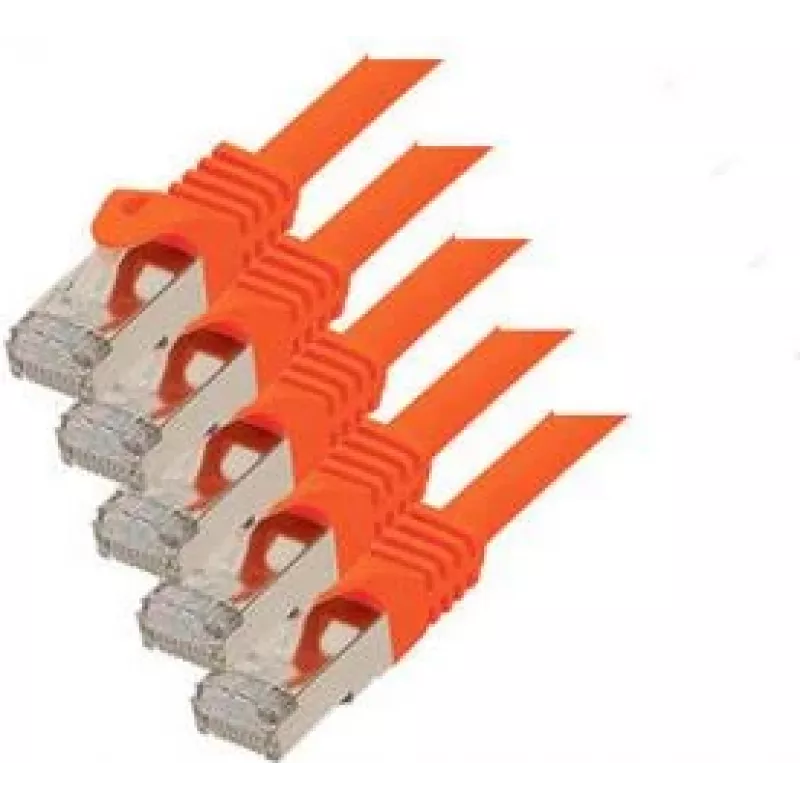
The ShiverPeaks BS75512-O-SET5 is a 2 m Cat7 networking cable designed for high-performance wired connections. It features S/FTP shielding and RJ-45 connectors with gold plating to provide stable data transmission and improved resistance to external interference. The cable's orange jacket offers eas... Read More
Stock 8 Code 1508460 Brand SHIVERPEAKS Model 75512-O-SET5 Warranty 2 Years

Shipping & Returns

Estimated delivery Tuesday, October 6
You will be kept updated through our detailed tracking system
Payment options
EFTPayFastBank CardSnapScanZapperGoogle PayApple PayMobicredMoreTymePay on Arrival

The ShiverPeaks BS75512-O-SET5 is a 2 m Cat7 networking cable designed for high-performance wired connections. It features S/FTP shielding and RJ-45 connectors with gold plating to provide stable data transmission and improved resistance to external interference. The cable's orange jacket offers easy identification in patch panels and home or office installations while supporting high-speed internet and local network transfers.

Advantages

This Cat7 cable uses S/FTP shielding to reduce electromagnetic and radio-frequency interference, maintaining signal integrity over short to medium distances. Gold-plated RJ-45 connectors ensure reliable contact and low contact resistance for consistent throughput. At 2 m length the cable is suitable for desktop, rack, and wall outlet connections, offering a balance between flexibility and minimal signal attenuation.

Suitable for

  • Desktop PCs, laptops and workstations requiring wired connections
  • Network switches, routers and patch panels in home or small office setups
  • High-speed internet access, streaming and online gaming
  • LAN file transfers, backups and NAS connections

Key specifications

  • Cable category: Cat7
  • Length: 2 m
  • Shielding: S/FTP (overall braid + individually shielded pairs)
  • Connector type: RJ-45
  • Connector plating: Gold-plated contacts
  • Outer jacket color: Orange

How to use

Connect one RJ-45 end to your network device (router, switch or wall outlet) and the other end to the target device such as a PC or NAS. Ensure connectors are inserted until they click to confirm a secure mechanical and electrical connection. Route the cable to avoid sharp bends and excessive tension; maintain gentle curves and avoid pinching to preserve shielding and conductor integrity.

Recommendations

For best performance, use this Cat7 cable for connections within the recommended distance to avoid unnecessary attenuation. Keep the cable away from strong sources of electromagnetic interference (large transformers, loudspeakers, or unshielded power lines) and avoid running parallel to power cables where possible.

Key Highlights
  • Desktop PCs, laptops and workstations requiring wired connections
  • Network switches, routers and patch panels in home or small office setups
  • High-speed internet access, streaming and online gaming
  • LAN file transfers, backups and NAS connections
  • Cable category: Cat7
  • Length: 2 m
  • Shielding: S/FTP (overall braid + individually shielded pairs)
  • Connector type: RJ-45
  • Connector plating: Gold-plated contacts
  • Outer jacket color: Orange
Specifications
AWG wire size
26/7
Cable length
2 m
Cable shape
Round
Cable shielding
S/FTP (S-STP)
Cable standard
Cat7
Connector 1
RJ-45
Connector 1 gender
Male
Connector 2
RJ-45
Connector 2 gender
Male
Connector contacts plating
Gold
Frequency
600 MHz
Jacket material
Low smoke zero halogen (LSZH)
Product colour
Orange
Quantity per pack
5 pc(s)
Price history over the last 6 months
Networking Cable ShiverPeaks BS75512-O-SET5
Current
R532
Lowest
R521
Highest
R719
Change 24H
+R9   +2%
Week
-R30   -5%
Month
-R32   -6%

Popular products in this category

WhatsApp
Hi, I’m DistriNode’s AI assistant. I can help you find products, compare options, create quote PDFs, or open support requests.