Account Contact
Your Cart
Pay the courier with no extra fees.
Need help? DistriNode AI can handle any task on our site.

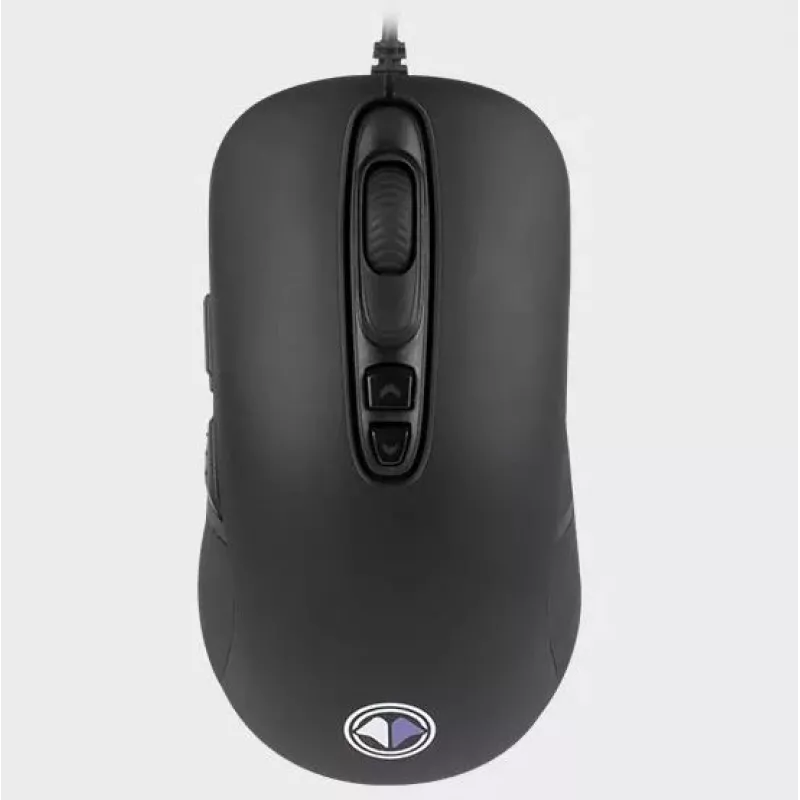
Mouse Millenium MO1 USB

Mouse Millenium MO1 USB
R619
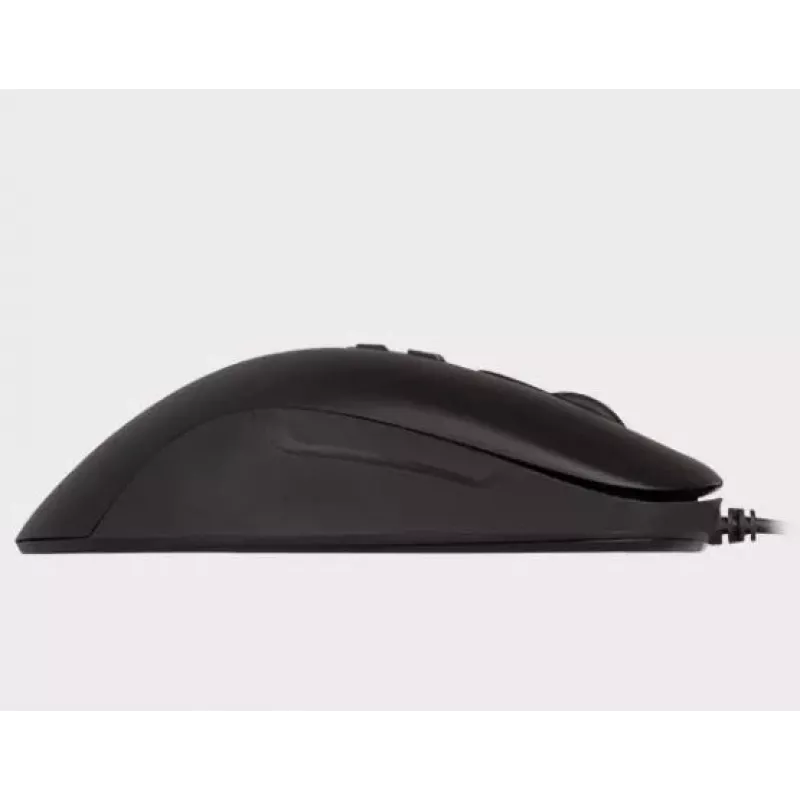
The Millenium MO1 USB is a black USB mouse designed for comfortable use and precise tracking. It features an ergonomic shape, an optical sensor with up to 4000 DPI resolution and a 1000 Hz polling rate, offering responsive cursor movement for gaming and everyday tasks. The mouse is lightweight and a... Read More
Stock 1 Code 1192149 Brand MILLENIUM Model MO1 Warranty 2 Years

Shipping & Returns

Estimated delivery Tuesday, September 29
You will be kept updated through our detailed tracking system
Payment options
EFTPayFastBank CardSnapScanZapperGoogle PayApple PayMobicredMoreTymePay on Arrival

The Millenium MO1 USB is a black USB mouse designed for comfortable use and precise tracking. It features an ergonomic shape, an optical sensor with up to 4000 DPI resolution and a 1000 Hz polling rate, offering responsive cursor movement for gaming and everyday tasks. The mouse is lightweight and allows DPI customization via Millenium software to adapt sensitivity to different play styles or work needs.

Advantages

The MO1 combines a high-precision optical sensor and a 1000 Hz sending frequency for low-latency performance and accurate movement detection. Customizable DPI settings let you switch sensitivity quickly to match different games or applications. Its lightweight, ergonomic design is intended to reduce fatigue during extended use while maintaining precise control.

Suitable for

  • Competitive and casual gaming that requires fast, precise tracking
  • Everyday office and productivity tasks needing reliable cursor control
  • Users who prefer adjustable sensitivity for different applications

Key specifications

  • Brand: Millenium
  • Model: MO1 USB
  • Movement detection: Optical
  • Maximum resolution: 4000 DPI
  • Buttons: 7
  • Polling rate: 1000 Hz
  • Colour: Black
  • Connection: USB

How to use

Connect the mouse to a free USB port on your computer. Install the Millenium software if you need to customize DPI levels and button assignments. Use the software to set preferred DPI stages and save profiles if supported. During use, switch between DPI stages (if a dedicated button is available) to adjust sensitivity according to the task or game.

Recommendations

For best tracking and comfort, use the MO1 on a flat, low-friction mouse pad; adjust DPI settings in the software to match your hand motion and the game or application requirements.
Key Highlights
  • Competitive and casual gaming that requires fast, precise tracking
  • Everyday office and productivity tasks needing reliable cursor control
  • Users who prefer adjustable sensitivity for different applications
  • Brand: Millenium
  • Model: MO1 USB
  • Movement detection: Optical
  • Maximum resolution: 4000 DPI
  • Buttons: 7
  • Polling rate: 1000 Hz
  • Colour: Black
  • Connection: USB
Specifications
Buttons quantity
7
Movement detection technology
Optical
Movement resolution
4000 DPI
Product colour
Black
Price history over the last 6 months
Mouse Millenium MO1 USB
Current
R619
Lowest
R603
Highest
R635
Change 24H
+R9   +1%
Week
+R15   +3%
Month
+R13   +2%

Popular products in this category

WhatsApp
Hi, I’m DistriNode’s AI assistant. I can help you find products, compare options, create quote PDFs, or open support requests.