Account Contact
Your Cart
Pay the courier with no extra fees.
Need help? DistriNode AI can handle any task on our site.

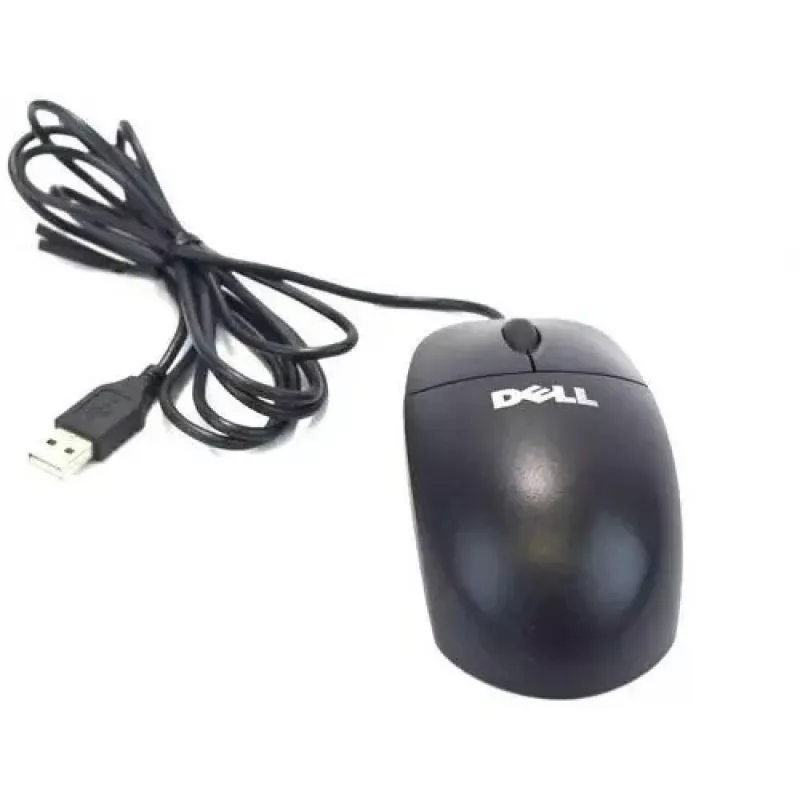
Mouse Dell YH933 Mechanical USB

Mouse Dell YH933 Mechanical USB
R390
The Dell YH933 Mechanical USB is a wired computer mouse engineered for accurate cursor control and extended comfort. Its mechanical switch design provides tactile feedback and consistent click response, while the ergonomic shape supports prolonged use. The USB connection ensures straightforward plug... Read More
Stock 102 Code 2574092 Brand DELL Model YH933 Warranty 2 Years

Shipping & Returns

Estimated delivery Tuesday, October 6
You will be kept updated through our detailed tracking system
Payment options
EFTPayFastBank CardSnapScanZapperGoogle PayApple PayMobicredMoreTymePay on Arrival

The Dell YH933 Mechanical USB is a wired computer mouse engineered for accurate cursor control and extended comfort. Its mechanical switch design provides tactile feedback and consistent click response, while the ergonomic shape supports prolonged use. The USB connection ensures straightforward plug-and-play setup without additional drivers, making the mouse suitable for both gaming scenarios that require precision and daily office workflows.

Advantages

The mechanical switches deliver clear tactile feedback and a durable click lifespan, improving input reliability. A contoured body and textured surfaces reduce hand fatigue during long sessions. The wired USB connection offers stable, low-latency input and removes the need for batteries or wireless pairing. Robust construction and quality materials contribute to long-term durability.

Suitable for

  • PC gaming that benefits from responsive mechanical clicks
  • Office work and productivity tasks requiring precise pointer control
  • Content creation workflows such as photo editing and layout work
  • Long computer sessions where ergonomic comfort is important

Key specifications

  • Connection type: Wired USB for stable, low-latency input
  • Switch type: Mechanical switches with tactile feedback
  • Ergonomics: Contoured housing designed for prolonged use
  • Buttons: Multiple responsive buttons including primary click and scroll wheel
  • Finish: Textured surface for enhanced grip
  • Compatibility: Standard USB-compatible systems (plug-and-play)

How to use

Connect the mouse to an available USB port on your computer. The system should recognize the device automatically and enable basic functionality without installing drivers. Adjust pointer speed and button settings through the operating system’s mouse settings if desired. Use the contoured grip and proper hand placement to maintain comfort during extended use.

Recommendations

For stable performance, use on a flat, clean surface or a quality mouse pad. Keep the USB connector and cable free from excessive bending to prolong lifespan. If advanced button remapping or sensitivity adjustments are required, check the operating system settings or compatible software options provided by your system.

Key Highlights
  • PC gaming that benefits from responsive mechanical clicks
  • Office work and productivity tasks requiring precise pointer control
  • Content creation workflows such as photo editing and layout work
  • Long computer sessions where ergonomic comfort is important
  • Connection type: Wired USB for stable, low-latency input
  • Switch type: Mechanical switches with tactile feedback
  • Ergonomics: Contoured housing designed for prolonged use
  • Buttons: Multiple responsive buttons including primary click and scroll wheel
  • Finish: Textured surface for enhanced grip
  • Compatibility: Standard USB-compatible systems (plug-and-play)
Price history over the last 6 months
Mouse Dell YH933 Mechanical USB
Current
R390
Lowest
R356
Highest
R404
Change 24H
-R7   -2%
Week
-R1   0%
Month
-R2   -1%

Popular products in this category

WhatsApp
Hi, I’m DistriNode’s AI assistant. I can help you find products, compare options, create quote PDFs, or open support requests.