Account Contact
Your Cart
Pay the courier with no extra fees.
Need help? DistriNode AI can handle any task on our site.

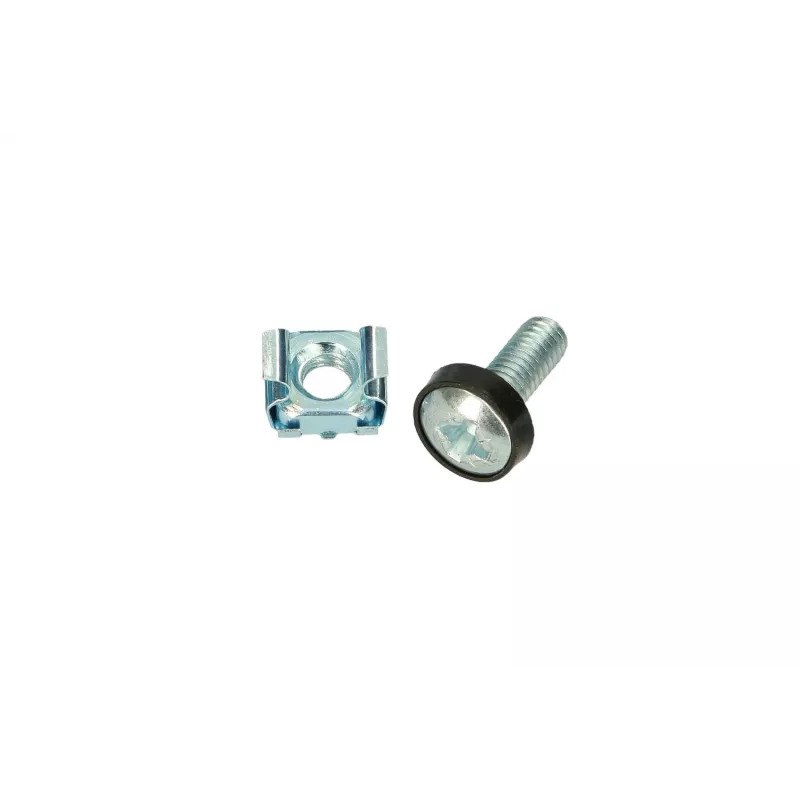
Mounting kit Extralink M6 Rack mounting kit Silver

Mounting kit Extralink M6 Rack mounting kit Silver
R1,668
The Extralink M6 Rack mounting kit Silver is a set of metal mounting components designed to secure networking and IT equipment in standard 19-inch racks using M6 fastening points. The kit provides a simple and reliable solution for installing patch panels, switches, small servers and other rack-moun... Read More
Stock 90 Code 1155144 Brand EXTRALINK Model EX.11342 Warranty 2 Years

Shipping & Returns

Estimated delivery Tuesday, October 6
You will be kept updated through our detailed tracking system
Payment options
EFTPayFastBank CardSnapScanZapperGoogle PayApple PayMobicredMoreTymePay on Arrival

The Extralink M6 Rack mounting kit Silver is a set of metal mounting components designed to secure networking and IT equipment in standard 19-inch racks using M6 fastening points. The kit provides a simple and reliable solution for installing patch panels, switches, small servers and other rack-mountable devices that require M6 bolts. Finished in a durable silver coating, the components resist corrosion and offer consistent alignment for repeatable installations.

Advantages

The kit offers a standardized M6 interface that matches common rack hole patterns, reducing installation time and compatibility checks. Its sturdy metal construction and silver protective finish improve longevity in server rooms and telecom cabinets. Components are sized for stable support and easy tightening, which helps maintain equipment position and prevents loosening from vibration.

Suitable for

  • Mounting patch panels, switches and routers in 19-inch racks
  • Securing small servers, power distribution units (PDUs) and network appliances
  • Temporary or permanent installations in server rooms and telecom cabinets
  • Retrofits or upgrades where M6 fasteners are specified

Key specifications

  • Fastening standard: M6-compatible mounting hardware
  • Finish: silver protective coating
  • Material: metal construction for mechanical strength
  • Application: designed for 19-inch rack installations
  • Compatibility: suitable for devices with M6 rack mounting points

How to use

Align the device mounting holes with the rack rails, insert M6 fasteners through the kit components and into the rack threaded points or cage nuts, then tighten using an appropriate wrench or screwdriver. Ensure the device is supported while fastening opposite corners to maintain alignment and avoid stress on the equipment. Verify that all fasteners are secure but not over-torqued to prevent damage to threads or mounting hardware.

Recommendations

Use compatible M6 bolts and, where applicable, matching cage nuts to ensure secure attachment. For heavier equipment, consider using additional mounting points or shelf support to distribute load. Periodically inspect fasteners for tightness in environments with vibration and replace any corroded components to maintain mounting integrity.

Key Highlights
  • Mounting patch panels, switches and routers in 19-inch racks
  • Securing small servers, power distribution units (PDUs) and network appliances
  • Temporary or permanent installations in server rooms and telecom cabinets
  • Retrofits or upgrades where M6 fasteners are specified
  • Fastening standard: M6-compatible mounting hardware
  • Finish: silver protective coating
  • Material: metal construction for mechanical strength
  • Application: designed for 19-inch rack installations
  • Compatibility: suitable for devices with M6 rack mounting points
Specifications
Product colour
Silver
Type
Mounting kit
Price history over the last 6 months
Mounting kit Extralink M6 Rack mounting kit Silver
Current
R1,668
Lowest
R12
Highest
R1,668
Change 24H
+R14   +1%
Week
—   
Month
—   

Popular products in this category

WhatsApp
Hi, I’m DistriNode’s AI assistant. I can help you find products, compare options, create quote PDFs, or open support requests.