Account Contact
Your Cart
Pay on delivery – no extra fees
Need help? Ask our AI

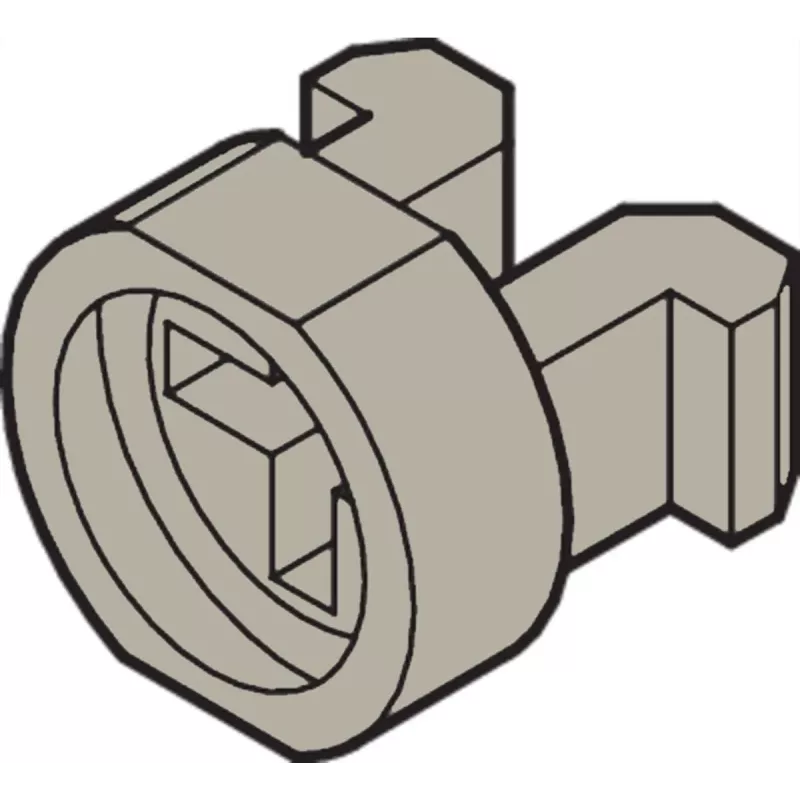
Mounting bracket SCHROFF multipacPRO 21100-464 polyamide gray, 1 pcs

Mounting bracket SCHROFF multipacPRO 21100-464 polyamide gray, 1 pcs
R634
PDF
PDF
Stock 45 Code 2217936 Model 21100-464 Warranty 2 Years

Shipping & Returns

Estimated delivery Tuesday, November 24
You will be kept updated through our detailed tracking system
Payment options
EFTPayFastBank CardSnapScanZapperGoogle PayApple PayMobicredMoreTymePay on Arrival

Description

The SCHROFF multipacPRO 21100-464 mounting bracket is a single-piece polyamide bracket in gray designed for mounting and securing equipment within multipacPRO systems and compatible enclosures. This original SCHROFF component offers a lightweight and corrosion-resistant fastening solution intended for use in rack and cabinet installations where reliable support and easy replacement are required.

Advantages

The polyamide construction provides resistance to corrosion and many common environmental factors while keeping weight low for simplified handling and reduced load on support structures. The bracket is dimensioned for compatibility with multipacPRO mounting points and similar profiles, enabling straightforward integration. Being supplied as a single piece makes inventory management easier and allows fast replacement without specialized tools.

Suitable for

  • Mounting electronic modules and subassemblies inside multipacPRO enclosures
  • Securing panels, rails or accessories within 19" racks and cabinet systems compatible with multipacPRO
  • Field replacement and maintenance tasks where lightweight, non-metallic fasteners are preferred

Key specifications

  • Material: polyamide (engineering plastic)
  • Color: gray
  • Quantity: supplied as 1 piece
  • Application: designed for multipacPRO system mounting points and similar enclosures
  • Properties: lightweight, corrosion-resistant, non-conductive

How to use

Install the mounting bracket by aligning it with the designated mounting points inside the multipacPRO or compatible enclosure and secure it according to the enclosure's assembly instructions. Ensure that the bracket seats fully in the receiving slots or holes and that any mating hardware engages correctly. Check load limits for the mounted equipment and distribute weight across multiple brackets when required. For replacement, remove the existing bracket by disengaging the retaining features and insert the new bracket in the same orientation.

Recommendations

Use the bracket in indoor environments or protected enclosures to avoid prolonged exposure to UV light or extreme temperatures. Confirm compatibility with the specific multipacPRO profile and the weight of mounted components. When installing electronic equipment, ensure proper grounding and follow the enclosure manufacturer's assembly guidelines to maintain system safety and performance.

Key Highlights
  • Mounting electronic modules and subassemblies inside multipacPRO enclosures
  • Securing panels, rails or accessories within 19" racks and cabinet systems compatible with multipacPRO
  • Field replacement and maintenance tasks where lightweight, non-metallic fasteners are preferred
  • Material: polyamide (engineering plastic)
  • Color: gray
  • Quantity: supplied as 1 piece
  • Application: designed for multipacPRO system mounting points and similar enclosures
  • Properties: lightweight, corrosion-resistant, non-conductive
Price history over the last 6 months
Mounting bracket SCHROFF multipacPRO 21100-464 polyamide gray, 1 pcs
Current
R634
Lowest
R625
Highest
R638
Change 24H
R0   0%
Week
+R2   +0%
Month
+R1   +0%

Write a review

Rating *
Your name will be shown publicly – you can use a nickname. We invite buyers to write reviews; we check reviews before publishing and publish critical ones too.

More SCHROFF products in this category

Popular products in this category

WhatsApp
Messenger
Hi, I’m DistriNode’s AI assistant. I can help you find products, compare options, create quote PDFs, or open support requests.
All categories