Account Contact
Your Cart
Pay on delivery – no extra fees
Need help? Ask our AI

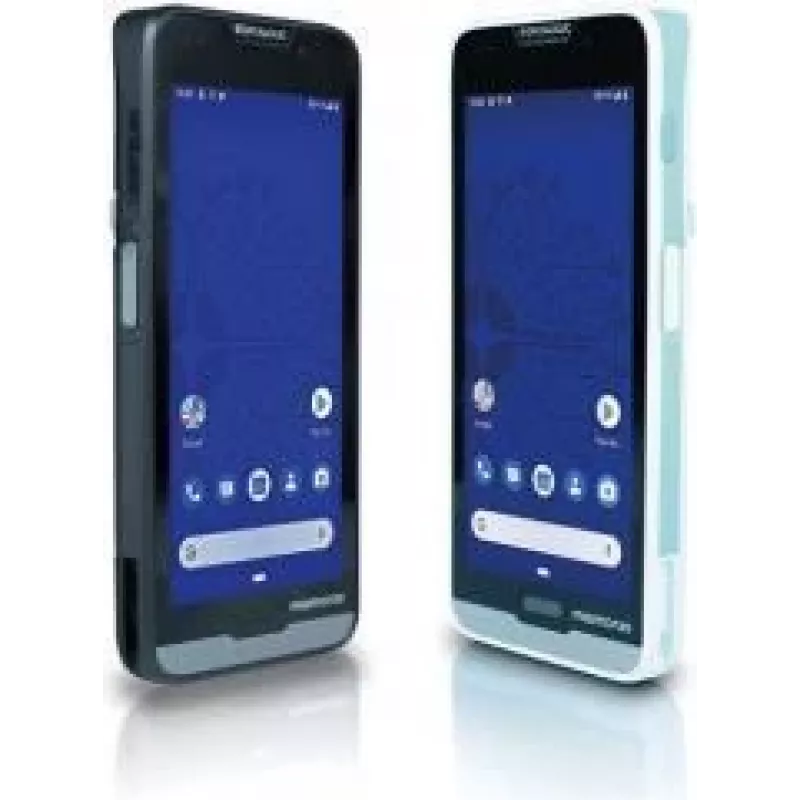
Mobile Device Dock Station Datalogic Memor 20 Black

Mobile Device Dock Station Datalogic Memor 20 Black
R3,668
The Datalogic Memor 20 Mobile Device Dock Station in black provides a dedicated docking solution for the Memor 20 PDA. It offers a stable base for charging and wired data transfer, enabling secure placement of the handheld device during stationary use. The dock is designed to integrate into retail a... Read More
Stock 72 Code 1468963 Brand DATALOGIC Model 94A150099 Warranty 2 Years

Shipping & Returns

Estimated delivery Monday, November 2
You will be kept updated through our detailed tracking system
Payment options
EFTPayFastBank CardSnapScanZapperGoogle PayApple PayMobicredMoreTymePay on Arrival

The Datalogic Memor 20 Mobile Device Dock Station in black provides a dedicated docking solution for the Memor 20 PDA. It offers a stable base for charging and wired data transfer, enabling secure placement of the handheld device during stationary use. The dock is designed to integrate into retail and warehouse workflows where orderly device management and quick access to a charged unit are required.

Advantages

The dock station ensures a reliable physical connection for charging and data synchronization while occupying minimal space on a counter or workstation. Its form factor and black finish provide a discreet, professional appearance. By keeping the Memor 20 in a fixed location, the dock reduces device handling time and supports centralized management of the PDA fleet.

Suitable for

  • Retail point-of-sale counters for quick access to the Memor 20
  • Warehouse and inventory stations for device charging and data upload
  • Service desks and reception areas where a fixed charging point is needed
  • Office workstations that require a stable base for the Memor 20 during data synchronization

Key specifications

  • Compatibility: designed for Datalogic Memor 20 handheld PDA
  • Colour: black
  • Primary functions: charging and wired data transfer
  • Form factor: single-device dock intended for desktop or counter placement

How to use

Place the dock on a flat, stable surface and connect the dock to a suitable power source and host system using the appropriate cables supplied or specified by your IT administrator. Align the Memor 20 with the docking connector and insert the device until it seats securely. Confirm charging and data connection via the device indicators or host software. To remove the device, release it from the dock and lift straight up to avoid damaging the connector.

Recommendations

Position the dock in an area with adequate ventilation and away from liquids or extreme temperatures. Use cables and power adapters that meet Datalogic specifications. Regularly check the dock connector and device contacts for dust or debris and clean as recommended by the device manufacturer to maintain reliable charging and data transfer.

Key Highlights
  • Retail point-of-sale counters for quick access to the Memor 20
  • Warehouse and inventory stations for device charging and data upload
  • Service desks and reception areas where a fixed charging point is needed
  • Office workstations that require a stable base for the Memor 20 during data synchronization
  • Compatibility: designed for Datalogic Memor 20 handheld PDA
  • Colour: black
  • Primary functions: charging and wired data transfer
  • Form factor: single-device dock intended for desktop or counter placement
Specifications
Audio output
No
Basic device type
PDA
Bluetooth
No
Brand compatibility
Datalogic
Cables included
USB
Compatibility
Memor 20
Harmonized System (HS) code
84719000
HDMI
No
Product colour
Black
Quantity
1
Price history over the last 6 months
Mobile Device Dock Station Datalogic Memor 20 Black
Current
R3,668
Lowest
R3,667
Highest
R4,047
Change 24H
-R13   0%
Week
-R19   -1%
Month
-R213   -5%

Popular products in this category

WhatsApp
Hi, I’m DistriNode’s AI assistant. I can help you find products, compare options, create quote PDFs, or open support requests.