Account Contact
Your Cart
Pay the courier with no extra fees.
Need help? DistriNode AI can handle any task on our site.

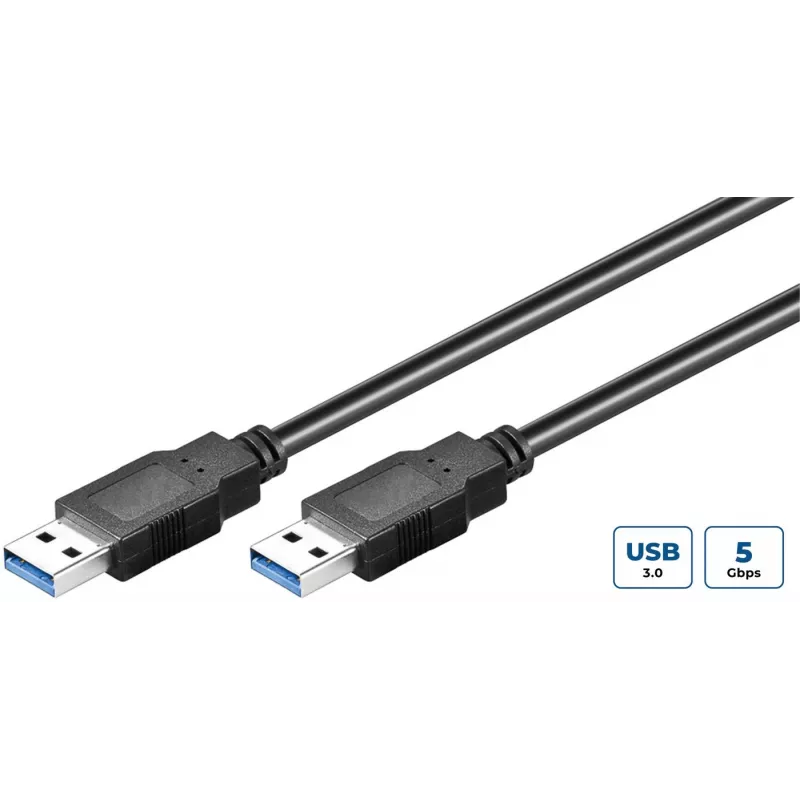
Microconnect USB3.0AA3B USB cable USB 3.2 Gen 1 (3.1 Gen 1) 3 m USB A Black

Microconnect USB3.0AA3B USB cable USB 3.2 Gen 1 (3.1 Gen 1) 3 m USB A Black
R636
The MicroConnect USB3.0AA3B is a 3-meter USB A to USB A cable that supports SuperSpeed data transfer via USB 3.2 Gen 1 (also referred to as USB 3.1 Gen 1). Designed for connecting USB hubs and other USB A devices to a computer or host, the cable provides a maximum data transmission rate of 5 Gbit/s ... Read More
Stock 391 Code 1188655 Brand MICROCONNECT Model USB3.0AA3B Warranty 2 Years

Shipping & Returns

Estimated delivery Tuesday, October 6
You will be kept updated through our detailed tracking system
Payment options
EFTPayFastBank CardSnapScanZapperGoogle PayApple PayMobicredMoreTymePay on Arrival

The MicroConnect USB3.0AA3B is a 3-meter USB A to USB A cable that supports SuperSpeed data transfer via USB 3.2 Gen 1 (also referred to as USB 3.1 Gen 1). Designed for connecting USB hubs and other USB A devices to a computer or host, the cable provides a maximum data transmission rate of 5 Gbit/s and features nickel-plated contacts for improved durability and signal quality.

Advantages

This USB 3.2 Gen 1 cable delivers up to 5 Gbit/s transfer speeds, offers a reliable male-to-male USB A connection, and comes in a 3 m length to accommodate distant devices. Nickel-plated contacts reduce corrosion and help maintain consistent signal performance. The black finish provides a neutral appearance that fits typical workstation setups.

Suitable for

  • Connecting a USB hub to a computer
  • Linking external devices with USB A ports (e.g., docking stations, controllers)
  • Data transfer between computers and peripherals that support USB A connections

Key specifications

  • Connector 1: USB A
  • Connector 2: USB A
  • USB version: USB 3.2 Gen 1 (3.1 Gen 1)
  • Cable length: 3 m
  • Maximum data rate: 5 Gbit/s
  • Product colour: Black
  • Weight: 0.018 kg

How to use

Plug one male USB A connector into the host computer's USB A port and the other male USB A connector into the USB hub or peripheral. Ensure both devices are powered if required. The operating system should recognise connected devices automatically and negotiate SuperSpeed mode when both ends support USB 3.2 Gen 1.

Recommendations

For best performance, use the cable with USB 3.2 Gen 1–capable devices and avoid excessive bending or kinking. Keep nickel-plated contacts clean and insert connectors fully to maintain a stable connection.
Key Highlights
  • Connecting a USB hub to a computer
  • Linking external devices with USB A ports (e.g., docking stations, controllers)
  • Data transfer between computers and peripherals that support USB A connections
  • Connector 1: USB A
  • Connector 2: USB A
  • USB version: USB 3.2 Gen 1 (3.1 Gen 1)
  • Cable length: 3 m
  • Maximum data rate: 5 Gbit/s
  • Product colour: Black
  • Weight: 0.018 kg
Specifications
Cable jacket material
Polyvinyl chloride (PVC)
Cable length
3 m
Compliance certificates
RoHS
Conductor material
Copper
Connector 1
USB A
Connector 1 form factor
Straight
Connector 1 gender
Male
Connector 2
USB A
Connector 2 form factor
Straight
Connector 2 gender
Male
Connector contacts plating
Nickel
Connector gender
Male/Male
Country of origin
China
Harmonized System (HS) code
84733080
Maximum data transfer rate
5 Gbit/s
Package depth
174 mm
Package height
55 mm
Package weight
118 g
Package width
193 mm
Plug and Play
Yes
Product colour
Black
Quantity per pack
1 pc(s)
USB version
USB 3.2 Gen 1 (3.1 Gen 1)
Weight
18 g

Leaflet

Open Leaflet
Price history over the last 6 months
Microconnect USB3.0AA3B USB cable USB 3.2 Gen 1 (3.1 Gen 1) 3 m USB A Black
Current
R636
Lowest
R174
Highest
R636
Change 24H
+R72   +13%
Week
+R457   +255%
Month
+R457   +255%

Popular products in this category

WhatsApp
Hi, I’m DistriNode’s AI assistant. I can help you find products, compare options, create quote PDFs, or open support requests.