Account Contact
Your Cart
Pay the courier with no extra fees.
Need help? DistriNode AI can handle any task on our site.

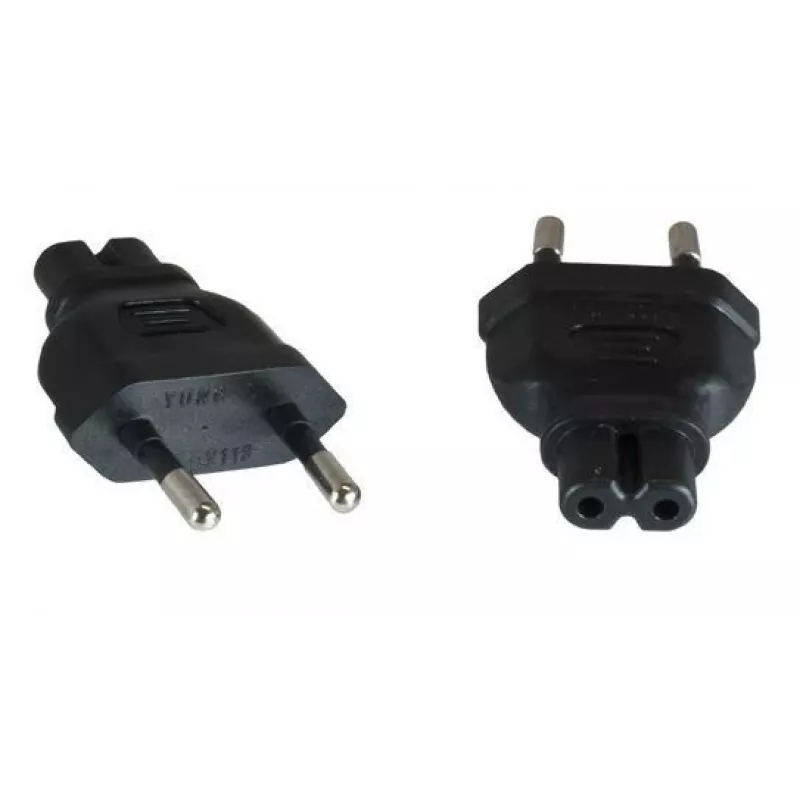
Microconnect PEEUC7AD power plug adapter Type M C7 Black

Microconnect PEEUC7AD power plug adapter Type M C7 Black
R606
The MicroConnect PEEUC7AD Power Plug Adapter Type M is a compact adapter designed to connect devices with a C7 (figure-8) socket to a Type M mains plug. It accepts an AC input voltage of 230 V and has a lightweight construction of approximately 20 g, making it suitable for travel, office, and home u... Read More
Stock 3 Code 1185385 Brand MICROCONNECT Model PEEUC7AD Warranty 2 Years

Shipping & Returns

Estimated delivery Tuesday, October 6
You will be kept updated through our detailed tracking system
Payment options
EFTPayFastBank CardSnapScanZapperGoogle PayApple PayMobicredMoreTymePay on Arrival

The MicroConnect PEEUC7AD Power Plug Adapter Type M is a compact adapter designed to connect devices with a C7 (figure-8) socket to a Type M mains plug. It accepts an AC input voltage of 230 V and has a lightweight construction of approximately 20 g, making it suitable for travel, office, and home use. The adapter is finished in black and comes in a slim package with dimensions 157 mm × 120 mm × 21 mm for convenient storage and transport.

Advantages

This Type M power plug adapter provides a simple and reliable solution for powering devices with C7 sockets where a Type M mains connection is required. Its compact size and low weight reduce luggage bulk and make it easy to carry. The adapter’s straightforward design supports safe and direct connection to 230 V AC supply, and the black finish integrates unobtrusively with most electronic equipment.

Suitable for

  • Connecting small electronics with C7 (figure-8) sockets to Type M mains outlets
  • Travel and mobile use where a compact power adapter is needed
  • Home or office setups that require a Type M plug for powering compatible devices

Key specifications

  • Compatible socket type: C7 (figure-8)
  • Plug type: Type M
  • Input voltage: 230 V AC
  • Weight: 0.02 kg
  • Colour: Black
  • Package dimensions (W × D × H): 157 mm × 120 mm × 21 mm

How to use

Insert the adapter into a Type M mains outlet and then connect the C7 plug of your device to the adapter. Ensure the mains supply matches the adapter’s rated input voltage of 230 V before use. Make sure connections are fully inserted and the device is switched off when plugging or unplugging to avoid electrical arcing. Use the adapter on dry, stable surfaces and avoid excessive bending or pulling on the connected cable.

Recommendations

Use this adapter only with devices that accept a C7 connector and are rated for 230 V AC. Avoid using the adapter with damaged plugs or sockets and inspect periodically for wear. For continuous high-current appliances, verify suitability with the device manufacturer; for typical small electronics such as chargers, radios, and some laptops, this adapter is appropriate.

Key Highlights
  • Connecting small electronics with C7 (figure-8) sockets to Type M mains outlets
  • Travel and mobile use where a compact power adapter is needed
  • Home or office setups that require a Type M plug for powering compatible devices
  • Compatible socket type: C7 (figure-8)
  • Plug type: Type M
  • Input voltage: 230 V AC
  • Weight: 0.02 kg
  • Colour: Black
  • Package dimensions (W × D × H): 157 mm × 120 mm × 21 mm
Specifications
AC input voltage
230 V
Connector gender
Female/Female
Package depth
120 mm
Package height
21 mm
Package weight
22 g
Package width
157 mm
Plug connector type
Type M
Product colour
Black
Quantity
1
Socket connector type
C7
Sockets quantity
1
Weight
20 g

Leaflet

Open Leaflet
Price history over the last 6 months
Microconnect PEEUC7AD power plug adapter Type M C7 Black
Current
R606
Lowest
R136
Highest
R606
Change 24H
+R462   +322%
Week
+R463   +323%
Month
+R462   +322%

Popular products in this category

WhatsApp
Hi, I’m DistriNode’s AI assistant. I can help you find products, compare options, create quote PDFs, or open support requests.