Account Contact
Your Cart
Pay on delivery – no extra fees
Need help? Ask our AI

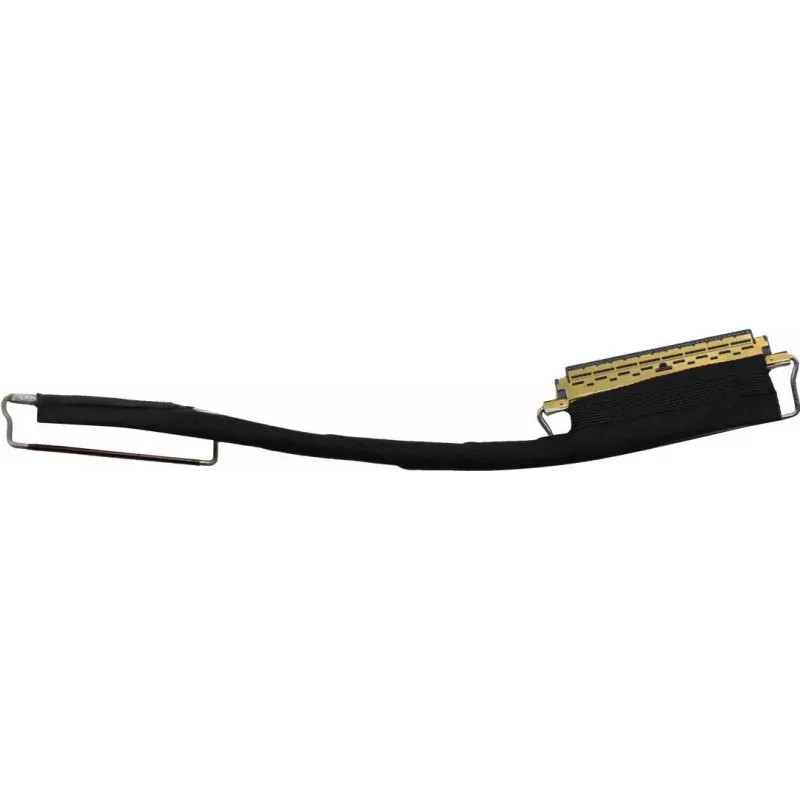
M.2 SSD connection cable Lenovo FRU00UR496 for internal M.2 drives

M.2 SSD connection cable Lenovo FRU00UR496 for internal M.2 drives
R598
Lenovo FRU00UR496 is an M.2 SSD connection cable designed to connect internal M.2 solid-state drives to compatible Lenovo systems. The cable provides a factory-compatible interface that allows technicians and end users to replace, install or migrate M.2 storage with minimal disassembly. Its purpose ... Read More
Stock Out Of StockNo Stock Code 1523804 Brand LENOVO Model FRU00UR496 Warranty 2 Years

Shipping & Returns

Lenovo FRU00UR496 is an M.2 SSD connection cable designed to connect internal M.2 solid-state drives to compatible Lenovo systems. The cable provides a factory-compatible interface that allows technicians and end users to replace, install or migrate M.2 storage with minimal disassembly. Its purpose is to maintain a reliable internal connection between the M.2 module and the system board for upgrades and repairs.

Advantages

The connection cable replicates the original factory wiring and pinout for a consistent, stable link between the M.2 SSD and the host system. Its compact form factor fits within laptop and desktop chassis where space is limited, and the cable reduces the need to handle the M.2 board directly during installation. Designed for internal use, it supports straightforward replacement and data migration workflows while preserving system compatibility.

Suitable for

  • Upgrading or replacing internal M.2 SSDs in compatible Lenovo notebooks and desktops
  • System maintenance and field repairs where a direct M.2 connection is required
  • Data migration from one M.2 module to another during service operations
  • OEM or service-center installs requiring factory-compatible internal cabling

Key specifications

  • Interface: M.2 internal connection compatible with designated Lenovo systems
  • Form factor: flexible internal cable designed for compact chassis routing
  • Compatibility: intended for use with Lenovo systems that accept factory replacement M.2 cabling
  • Application: supports NVMe or SATA-based M.2 modules depending on host system support
  • Purpose: internal connection for SSD installation, replacement and data migration

How to use

Power down the system and disconnect external power before opening the chassis. Locate the M.2 slot and route the cable according to the system service manual or maintenance guide to avoid interference with cooling components. Attach the cable connectors securely to the M.2 module and the system board, then fasten any retention screws or clips required by the chassis. Reassemble the system and reconnect power, then verify drive detection in firmware or the operating system before proceeding with any data transfer or installation.

Recommendations

Use only in supported Lenovo systems and follow the device-specific service documentation. Handle the M.2 module and cable by their edges to avoid ESD damage, and ensure connectors are aligned before insertion. If the host supports both NVMe and SATA M.2 modules, confirm the correct module type and firmware settings for proper operation.

Key Highlights
  • Upgrading or replacing internal M.2 SSDs in compatible Lenovo notebooks and desktops
  • System maintenance and field repairs where a direct M.2 connection is required
  • Data migration from one M.2 module to another during service operations
  • OEM or service-center installs requiring factory-compatible internal cabling
  • Interface: M.2 internal connection compatible with designated Lenovo systems
  • Form factor: flexible internal cable designed for compact chassis routing
  • Compatibility: intended for use with Lenovo systems that accept factory replacement M.2 cabling
  • Application: supports NVMe or SATA-based M.2 modules depending on host system support
  • Purpose: internal connection for SSD installation, replacement and data migration
Price history is not available yet
We are still collecting enough daily price data for this product.

Popular products in this category

WhatsApp
Hi, I’m DistriNode’s AI assistant. I can help you find products, compare options, create quote PDFs, or open support requests.