Account Contact
Your Cart
Pay on delivery – no extra fees
Need help? Ask our AI

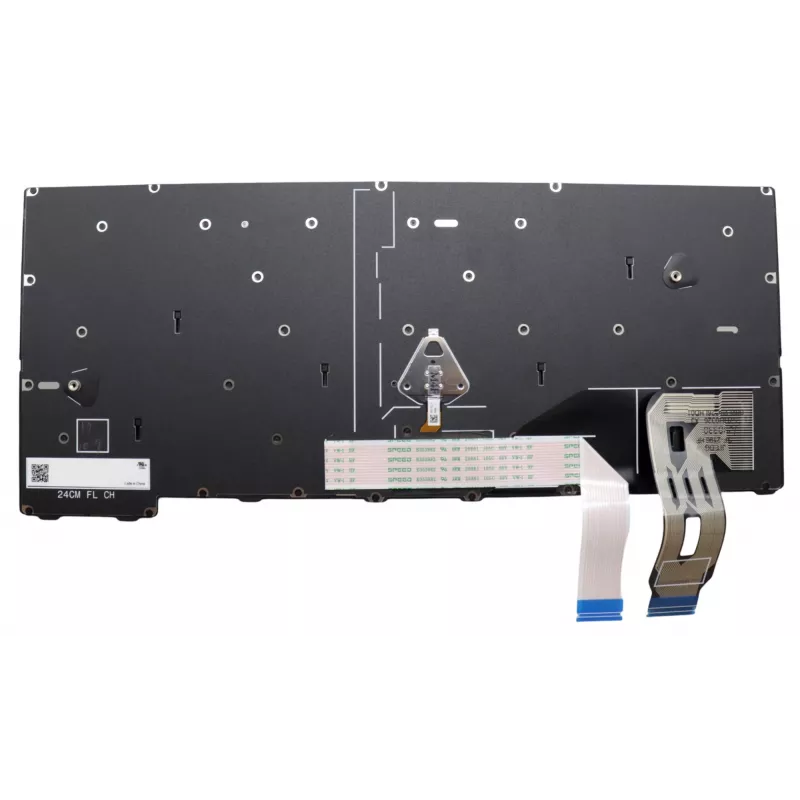
Laptop keyboard Lenovo 5N21M38142 for ThinkPad T14 Gen 5 — backlit

Laptop keyboard Lenovo 5N21M38142 for ThinkPad T14 Gen 5 — backlit
R2,359
Replacement laptop keyboard Lenovo 5N21M38142 for ThinkPad T14 Gen 5 is a backlit OEM spare part designed to restore full keyboard functionality. It provides illuminated keys for low-light typing and is compatible with the Lenovo models indicated by the manufacturer. The keyboard is intended for rep... Read More
Stock Out Of StockNo Stock Code 2528473 Brand LENOVO Model 5N21M38142 Warranty 2 Years
CategoryLaptop Replacement Keyboards

Shipping & Returns

Replacement laptop keyboard Lenovo 5N21M38142 for ThinkPad T14 Gen 5 is a backlit OEM spare part designed to restore full keyboard functionality. It provides illuminated keys for low-light typing and is compatible with the Lenovo models indicated by the manufacturer. The keyboard is intended for repair or upgrade of a damaged or worn unit and fits the original layout and connector specifications.

Advantages

The Lenovo 5N21M38142 backlit keyboard offers factory-compatible fit and key layout, integrated backlighting for improved visibility in dim environments, and construction that meets OEM quality standards for durability and reliable daily use. It enables a direct replacement without altering the laptop’s original appearance or functionality.

Suitable for

  • Repairing a broken or non-responsive keyboard on ThinkPad T14 Gen 5
  • Replacing a worn or damaged keyboard to restore tactile feedback
  • Upgrading to a backlit keyboard for better visibility in low light
  • Servicing laptops used for travel, office work, or remote work

Key specifications

  • Manufacturer: Lenovo
  • Model / MPN: 5N21M38142
  • Compatible series: ThinkPad T14 Gen 5
  • Feature: Backlit keyboard
  • Type: OEM replacement keyboard

How to use

Shut down the laptop and disconnect any power sources and external devices before beginning. Remove the bottom cover of the ThinkPad T14 Gen 5 following Lenovo service instructions, disconnect the old keyboard ribbon cable and mounting screws, then install the Lenovo 5N21M38142 backlit keyboard by reconnecting the ribbon cable and securing the fasteners. Reassemble the laptop, reconnect power, and verify keyboard operation and backlight functionality in the operating system.

Recommendations

Use an anti-static wrist strap or take other ESD precautions during installation. If unsure about disassembly, seek professional repair service to avoid damage to the laptop. Verify compatibility with your exact submodel and BIOS configuration before purchase.
Key Highlights
  • Repairing a broken or non-responsive keyboard on ThinkPad T14 Gen 5
  • Replacing a worn or damaged keyboard to restore tactile feedback
  • Upgrading to a backlit keyboard for better visibility in low light
  • Servicing laptops used for travel, office work, or remote work
  • Manufacturer: Lenovo
  • Model / MPN: 5N21M38142
  • Compatible series: ThinkPad T14 Gen 5
  • Feature: Backlit keyboard
  • Type: OEM replacement keyboard
Specifications
Brand compatibility
Lenovo
Compatibility
ThinkPad T14 Gen 5
Connector location
Bottom right
Keyboard backlit
Yes
Numeric keypad
No
Product colour
Black, Multicolour
Type
Keyboard
Windows operating systems supported
Yes

Leaflet

Open Leaflet
Price history is not available yet
We are still collecting enough daily price data for this product.

Write a review

Rating *
Your name will be shown publicly – you can use a nickname. We invite buyers to write reviews; we check reviews before publishing and publish critical ones too.

More LENOVO products in this category

Popular products in this category

WhatsApp
Messenger
Hi, I’m DistriNode’s AI assistant. I can help you find products, compare options, create quote PDFs, or open support requests.
All categories