Account Contact
Your Cart
Pay the courier with no extra fees.
Need help? DistriNode AI can handle any task on our site.

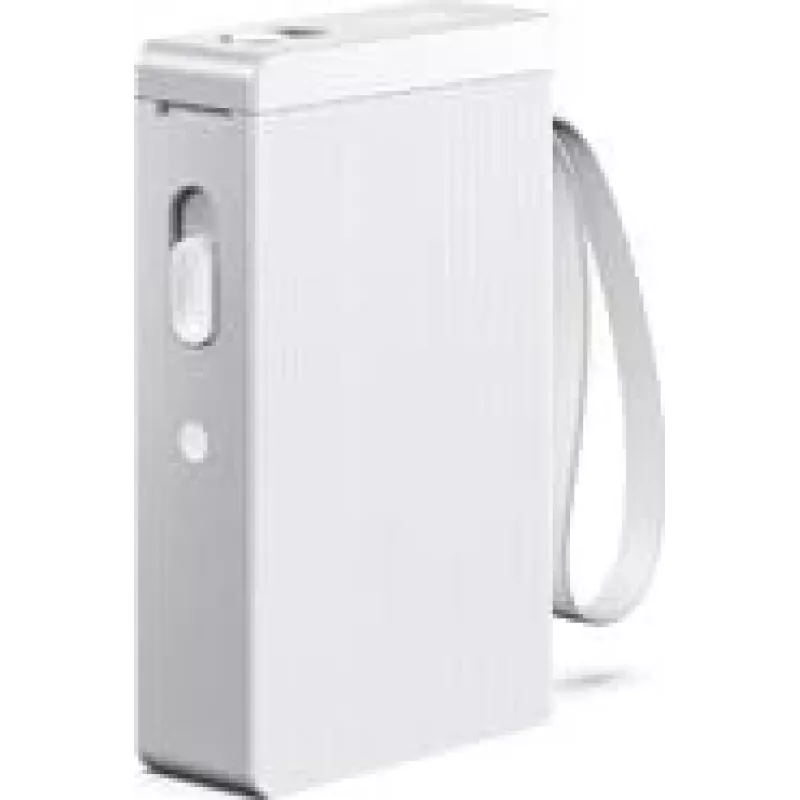
Label printer Olympia P 22 white model 6301

Label printer Olympia P 22 white model 6301
R819
The Olympia P 22 white model 6301 is a compact label printer intended for retail, inventory management, office organization and small business tasks. The unit prints adhesive labels such as price tags, barcode labels and organizational tags. Its small footprint and straightforward controls make it s... Read More
Stock 22 Code 1412073 Brand OLYMPIA Model 6301 Warranty 2 Years

Shipping & Returns

Estimated delivery Tuesday, October 6
You will be kept updated through our detailed tracking system
Payment options
EFTPayFastBank CardSnapScanZapperGoogle PayApple PayMobicredMoreTymePay on Arrival

The Olympia P 22 white model 6301 is a compact label printer intended for retail, inventory management, office organization and small business tasks. The unit prints adhesive labels such as price tags, barcode labels and organizational tags. Its small footprint and straightforward controls make it suitable for placement on counters or workstations where simple, on-demand label production is required.

Advantages

The printer combines compact design with easy operation, offering quick setup and minimal desk space usage. It supports common label sizes used in point-of-sale and inventory workflows and produces durable adhesive labels appropriate for short- to medium-term applications. Simple controls and a clear feed path reduce user errors and speed up routine labeling tasks.

Suitable for

  • Printing price labels at retail checkouts and sales counters
  • Creating barcode labels for inventory tracking and stock management
  • Generating tags for office filing, shelving and asset identification
  • Small business labeling for product listing, promotions and organization

Key specifications

  • Compact desktop form factor for limited workspace
  • White enclosure designed for unobtrusive placement
  • Prints adhesive labels such as price tags, barcode labels and organization tags
  • Simple manual controls and visible paper path for easy media loading
  • Suitable for short- to medium-term label durability requirements

How to use

Place the Olympia P 22 on a stable surface and load the label roll according to the visible feed path. Connect the device to a compatible power source and, if applicable, to a host system or label-design software following the software instructions. Select the correct label size and format in your label application, enter the text or barcode data, then send the job to the printer. Monitor label alignment and feed during the first prints and adjust margins or label settings in software if necessary.

Recommendations

Use label rolls that match the printer’s supported width and adhesive type to ensure reliable feeding and adhesion. Store spare labels in a dry, room-temperature environment to preserve adhesive performance. For best results with barcode scanning, keep printed barcodes clear of smudges and verify scanability after printing.

Key Highlights
  • Printing price labels at retail checkouts and sales counters
  • Creating barcode labels for inventory tracking and stock management
  • Generating tags for office filing, shelving and asset identification
  • Small business labeling for product listing, promotions and organization
  • Compact desktop form factor for limited workspace
  • White enclosure designed for unobtrusive placement
  • Prints adhesive labels such as price tags, barcode labels and organization tags
  • Simple manual controls and visible paper path for easy media loading
  • Suitable for short- to medium-term label durability requirements
Price history over the last 6 months
Label printer Olympia P 22 white model 6301
Current
R819
Lowest
R515
Highest
R819
Change 24H
+R9   +1%
Week
+R304   +59%
Month
+R300   +58%

Popular products in this category

WhatsApp
Hi, I’m DistriNode’s AI assistant. I can help you find products, compare options, create quote PDFs, or open support requests.