Account Contact
Your Cart
Pay on delivery – no extra fees
Need help? Ask our AI

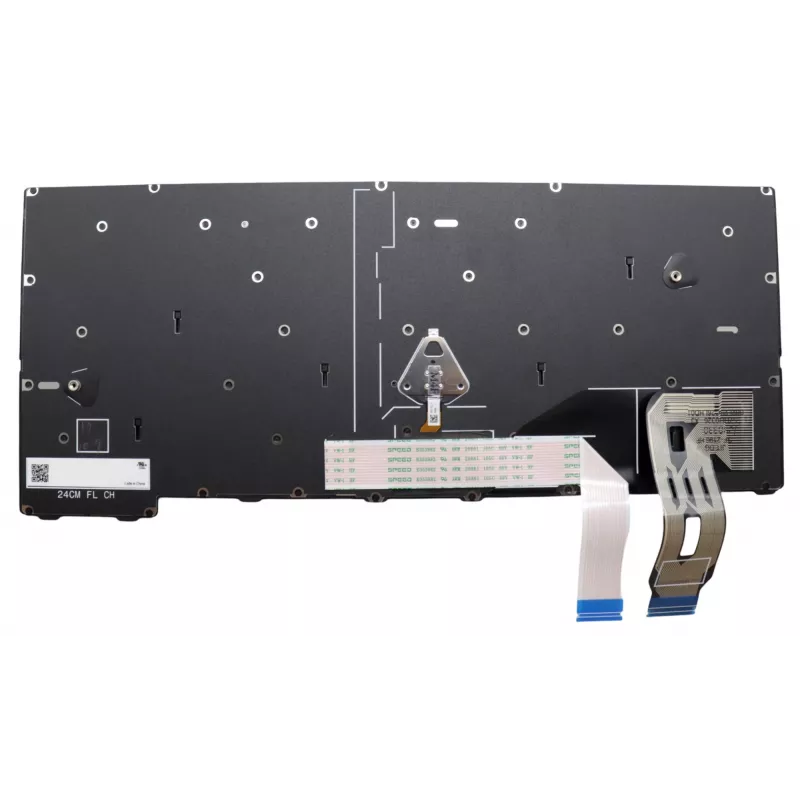
Keyboard Lenovo 5N21M38546 Backlit for ThinkPad T14 Gen 5

Keyboard Lenovo 5N21M38546 Backlit for ThinkPad T14 Gen 5
R2,520
The Lenovo 5N21M38546 is a backlit keyboard designed for the ThinkPad T14 Gen 5. It improves visibility in low-light conditions and provides a comfortable typing surface as a compatible replacement part for the Lenovo ThinkPad T14 Gen 5 laptops. The keyboard comes in black with multicolour backlight... Read More
Stock Out Of StockNo Stock Code 2222601 Brand LENOVO Model 5N21M38546 Warranty 2 Years

Shipping & Returns

The Lenovo 5N21M38546 is a backlit keyboard designed for the ThinkPad T14 Gen 5. It improves visibility in low-light conditions and provides a comfortable typing surface as a compatible replacement part for the Lenovo ThinkPad T14 Gen 5 laptops. The keyboard comes in black with multicolour backlighting and is built for durable everyday use.

Advantages

The backlit keys allow typing in dim environments without external light sources. The keyboard is made to fit the ThinkPad T14 Gen 5 form factor, ensuring straightforward installation and reliable key response. Durable construction contributes to a longer service life compared with standard non-backlit laptop keyboards.

Suitable for

  • Replacing a damaged or worn keyboard on a Lenovo ThinkPad T14 Gen 5
  • Working in low-light or dark environments where backlighting improves visibility
  • Laptop repair shops and technical service centers performing component-level maintenance

Key specifications

  • Compatibility: Lenovo ThinkPad T14 Gen 5
  • Backlight: Multicolour backlit keys
  • Colour: Black bezel and keycaps
  • Design: Laptop internal keyboard, form-factor specific for T14 Gen 5
  • Durability: Designed for long service life

How to use

Power the laptop off and remove the battery if applicable before replacing the keyboard. Follow the manufacturer or service manual instructions to remove the laptop bottom cover, disconnect the old keyboard ribbon cable, and install the replacement keyboard. Reconnect the ribbon cable securely, reassemble the device, and power on the laptop to verify backlight and key operation.

Recommendations

Handle the keyboard and ribbon cable carefully to avoid damage during installation; use ESD protection and follow Lenovo service guidance for disassembly and reassembly to maintain device integrity.
Key Highlights
  • Replacing a damaged or worn keyboard on a Lenovo ThinkPad T14 Gen 5
  • Working in low-light or dark environments where backlighting improves visibility
  • Laptop repair shops and technical service centers performing component-level maintenance
  • Compatibility: Lenovo ThinkPad T14 Gen 5
  • Backlight: Multicolour backlit keys
  • Colour: Black bezel and keycaps
  • Design: Laptop internal keyboard, form-factor specific for T14 Gen 5
  • Durability: Designed for long service life
Specifications
Brand compatibility
Lenovo
Compatibility
ThinkPad T14 Gen 5
Connector location
Bottom right
Keyboard backlit
Yes
Numeric keypad
No
Product colour
Black, Multicolour
Type
Keyboard
Windows operating systems supported
Yes

Leaflet

Open Leaflet
Price history is not available yet
We are still collecting enough daily price data for this product.

Popular products in this category

WhatsApp
Hi, I’m DistriNode’s AI assistant. I can help you find products, compare options, create quote PDFs, or open support requests.