Account Contact
Your Cart
Pay on delivery – no extra fees
Need help? Ask our AI

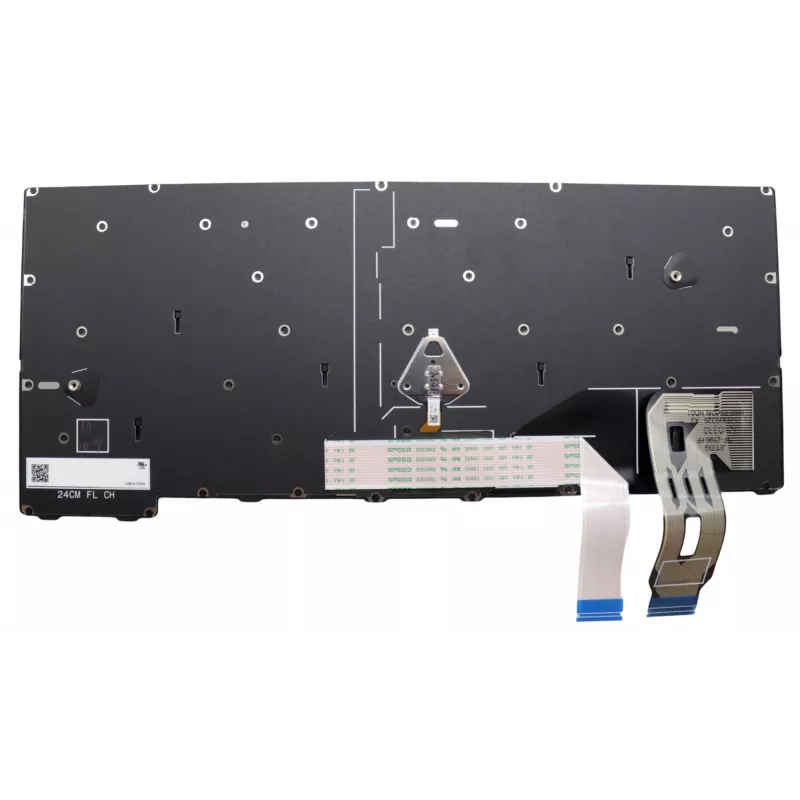
Keyboard Lenovo 5N21M38185 Backlit for ThinkPad T14 Gen 5

Keyboard Lenovo 5N21M38185 Backlit for ThinkPad T14 Gen 5
R2,361
The Lenovo 5N21M38185 Backlit keyboard is designed for the ThinkPad T14 Gen 5 and provides improved key visibility in low-light environments. It serves as a reliable replacement keyboard for compatible Lenovo laptops, maintaining original layout and backlight functionality to support comfortable typ... Read More
Stock Out Of StockNo Stock Code 1498703 Brand LENOVO Model 5N21M38185 Warranty 2 Years

Shipping & Returns

The Lenovo 5N21M38185 Backlit keyboard is designed for the ThinkPad T14 Gen 5 and provides improved key visibility in low-light environments. It serves as a reliable replacement keyboard for compatible Lenovo laptops, maintaining original layout and backlight functionality to support comfortable typing and day-to-day use.

Advantages

This backlit keyboard offers consistent illumination for working in dim conditions, a layout matching the ThinkPad T14 Gen 5 for seamless fit and usability, and construction intended to deliver long service life. It is a direct replacement option that helps preserve the laptop's original typing experience and functionality.

Suitable for

  • Replacing a damaged or non-functioning keyboard on a ThinkPad T14 Gen 5
  • Upgrading a worn keyboard to restore backlight functionality
  • Repairs performed by technicians or authorized service centers

Key specifications

  • Brand: Lenovo
  • Model / MPN: 5N21M38185
  • Compatibility: ThinkPad T14 Gen 5
  • Feature: Backlit keyboard

How to use

Install the keyboard following the ThinkPad T14 Gen 5 service manual or instructions provided by a qualified technician. Power off the laptop and disconnect the battery before starting the replacement. Carefully remove the laptop bezel and old keyboard, disconnect ribbon cables, connect the replacement keyboard's cable, and reassemble components in reverse order. After installation, power on the laptop and verify backlight operation and key functionality.

Recommendations

Use electrostatic discharge (ESD) protection during installation, avoid forcing connectors, and test the keyboard before final reassembly. If unsure about the replacement procedure, seek professional service to prevent damage to the laptop.
Key Highlights
  • Replacing a damaged or non-functioning keyboard on a ThinkPad T14 Gen 5
  • Upgrading a worn keyboard to restore backlight functionality
  • Repairs performed by technicians or authorized service centers
  • Brand: Lenovo
  • Model / MPN: 5N21M38185
  • Compatibility: ThinkPad T14 Gen 5
  • Feature: Backlit keyboard
Specifications
Brand compatibility
Lenovo
Compatibility
ThinkPad T14 Gen 5
Connector location
Bottom right
Keyboard backlit
Yes
Numeric keypad
No
Product colour
Black, Multicolour
Type
Keyboard
Windows operating systems supported
Yes

Leaflet

Open Leaflet
Price history is not available yet
We are still collecting enough daily price data for this product.

Popular products in this category

WhatsApp
Hi, I’m DistriNode’s AI assistant. I can help you find products, compare options, create quote PDFs, or open support requests.