Account Contact
Your Cart
Pay the courier with no extra fees.
Need help? DistriNode AI can handle any task on our site.

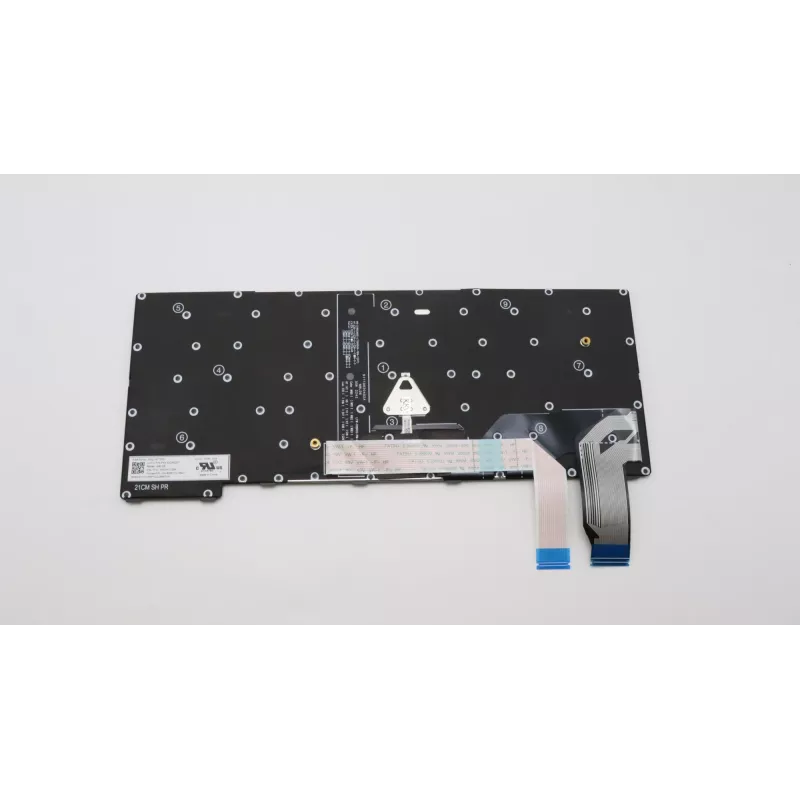
Keyboard Lenovo 5N21H76850 English Backlit for ThinkPad X13 Gen 3

Keyboard Lenovo 5N21H76850 English Backlit for ThinkPad X13 Gen 3
R2,438
The Lenovo 5N21H76850 is an English backlit keyboard designed specifically for the ThinkPad X13 Gen 3. It provides responsive keys and a familiar layout for ThinkPad users, with backlighting to support typing in low-light conditions. The keyboard is black and intended as a compatible replacement or ... Read More
Stock 5 Code 1492070 Brand LENOVO Model 5N21H76850 Warranty 2 Years

Shipping & Returns

Estimated delivery Wednesday, October 7
You will be kept updated through our detailed tracking system
Payment options
EFTPayFastBank CardSnapScanZapperGoogle PayApple PayMobicredMoreTymePay on Arrival

The Lenovo 5N21H76850 is an English backlit keyboard designed specifically for the ThinkPad X13 Gen 3. It provides responsive keys and a familiar layout for ThinkPad users, with backlighting to support typing in low-light conditions. The keyboard is black and intended as a compatible replacement or upgrade for the Lenovo ThinkPad X13 Gen 3 series.

Advantages

The backlit layout improves visibility in dim environments while maintaining a compact, laptop-compatible form factor. Keys are engineered for consistent responsiveness and comfortable travel, and the keyboard integrates with ThinkPad hardware and drivers for full functionality.

Suitable for

  • Users of Lenovo ThinkPad X13 Gen 3 needing a replacement keyboard
  • People who frequently work in low-light or variable lighting conditions
  • IT technicians performing repairs or refurbishments of ThinkPad X13 Gen 3 laptops

Key specifications

  • Manufacturer: Lenovo
  • MPN: 5N21H76850
  • EAN: 5715063020609
  • Layout: English
  • Feature: Backlit keys
  • Colour: Black
  • Compatible model: ThinkPad X13 Gen 3

How to use

Install the keyboard according to Lenovo service instructions for the ThinkPad X13 Gen 3 or follow a professional repair guide. Power down the laptop, remove the battery or disconnect power, and replace the keyboard connector carefully. After installation, power on the device and verify backlight and key functionality in the operating system.

Recommendations

Handle the keyboard with care during installation to avoid damage to the ribbon cable and connectors. Use the original manufacturer service manual or an authorized technician for best results.
Key Highlights
  • Users of Lenovo ThinkPad X13 Gen 3 needing a replacement keyboard
  • People who frequently work in low-light or variable lighting conditions
  • IT technicians performing repairs or refurbishments of ThinkPad X13 Gen 3 laptops
  • Manufacturer: Lenovo
  • MPN: 5N21H76850
  • EAN: 5715063020609
  • Layout: English
  • Feature: Backlit keys
  • Colour: Black
  • Compatible model: ThinkPad X13 Gen 3
Specifications
Brand compatibility
Lenovo
Compatibility
ThinkPad X13 Gen 3
Connector location
Bottom right
Keyboard backlit
Yes
Keyboard language
English
Numeric keypad
No
Product colour
Black
Type
Keyboard
Windows operating systems supported
Yes

Leaflet

Open Leaflet
Price history over the last 6 months
Keyboard Lenovo 5N21H76850 English Backlit for ThinkPad X13 Gen 3
Current
R2,438
Lowest
R2,399
Highest
R2,915
Change 24H
+R16   +1%
Week
+R39   +2%
Month
+R5   +0%

Popular products in this category

WhatsApp
Hi, I’m DistriNode’s AI assistant. I can help you find products, compare options, create quote PDFs, or open support requests.