Account Contact
Your Cart
Pay on delivery – no extra fees
Need help? Ask our AI

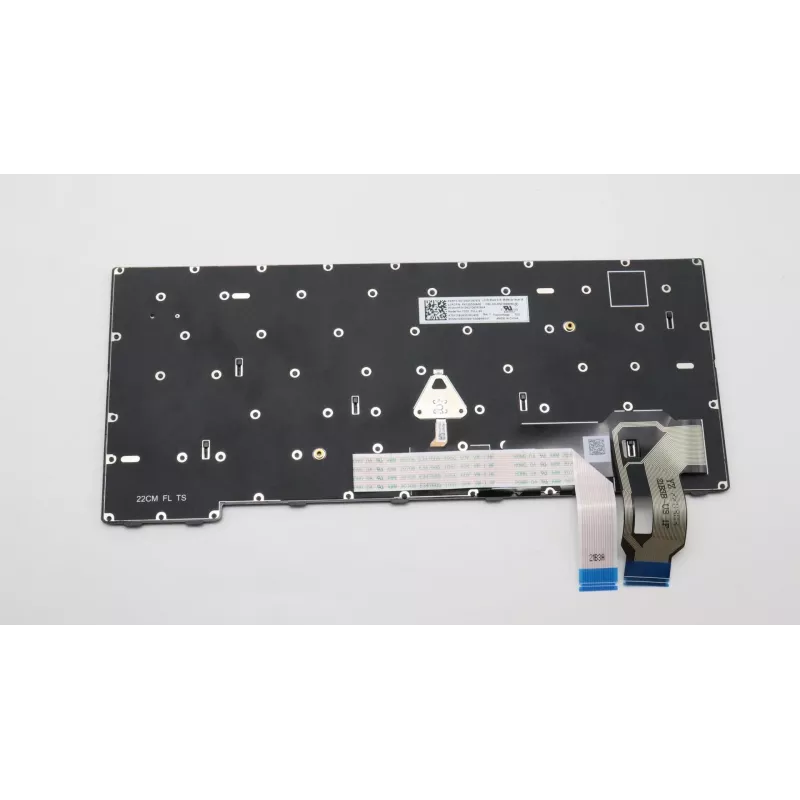
Keyboard Lenovo 5N21D68096 Backlit for ThinkPad T14 Gen 3

Keyboard Lenovo 5N21D68096 Backlit for ThinkPad T14 Gen 3
R2,125
The Lenovo 5N21D68096 is a backlit keyboard designed specifically for the ThinkPad T14 Gen 3. This replacement keyboard restores typing functionality and improves visibility in low-light conditions while matching the device's original layout and appearance.AdvantagesThis keyboard features backlighti... Read More
Stock Out Of StockNo Stock Code 2526069 Brand LENOVO Model 5N21D68096 Warranty 2 Years

Shipping & Returns

The Lenovo 5N21D68096 is a backlit keyboard designed specifically for the ThinkPad T14 Gen 3. This replacement keyboard restores typing functionality and improves visibility in low-light conditions while matching the device's original layout and appearance.

Advantages

This keyboard features backlighting for comfortable typing in dim environments and is manufactured to fit the ThinkPad T14 Gen 3, ensuring compatibility with original key layout and connector. Constructed in black with multicolour key details, it is offered as a durable replacement part that aims to provide long life and reliable operation.

Suitable for

  • Repairing or replacing a damaged or non-functional keyboard on a ThinkPad T14 Gen 3
  • Upgrading to a backlit keyboard for better visibility in low light
  • Maintaining original Lenovo compatibility and layout for business or personal laptops

Key specifications

  • Brand: Lenovo
  • Model / MPN: 5N21D68096
  • Compatible with: ThinkPad T14 Gen 3
  • Feature: Backlit keyboard
  • Colour: Black, Multicolour
  • EAN: 5715063012277

How to use

Power off the laptop and disconnect any external power source. Remove the device's bottom cover according to the ThinkPad T14 Gen 3 service manual, disconnect the old keyboard cable and remove the keyboard assembly. Install the Lenovo 5N21D68096 by aligning it with the chassis, connecting the keyboard ribbon cable securely, and reassembling the laptop. Power on the device and verify that the keyboard and backlight operate correctly.

Recommendations

Handle the keyboard and ribbon cable with care during installation to avoid damage. Use static discharge precautions and follow the laptop manufacturer's service instructions or consult a professional technician if unsure.
Key Highlights
  • Repairing or replacing a damaged or non-functional keyboard on a ThinkPad T14 Gen 3
  • Keyboard
  • Upgrading to a backlit keyboard for better visibility in low light
  • Brand compatibility: Lenovo ThinkPad T14 Gen 3
  • Maintaining original Lenovo compatibility and layout for business or personal laptops
  • Bottom right
  • Brand: Lenovo
  • Black, Multicolour
  • Model / MPN: 5N21D68096
  • Compatible with: ThinkPad T14 Gen 3
  • Feature: Backlit keyboard
  • Colour: Black, Multicolour
  • EAN: 5715063012277
Specifications
Brand compatibility
Lenovo
Compatibility
ThinkPad T14 Gen 3
Connector location
Bottom right
Keyboard backlit
Yes
Numeric keypad
No
Product colour
Black, Multicolour
Type
Keyboard
Windows operating systems supported
Y

Leaflet

Open Leaflet

Leaflet

Open Leaflet
Price history is not available yet
We are still collecting enough daily price data for this product.

Write a review

Rating *
Your name will be shown publicly – you can use a nickname. We invite buyers to write reviews; we check reviews before publishing and publish critical ones too.

Popular products in this category

WhatsApp
Messenger
Hi, I’m DistriNode’s AI assistant. I can help you find products, compare options, create quote PDFs, or open support requests.
All categories