Account Contact
Your Cart
Pay on delivery – no extra fees
Need help? Ask our AI

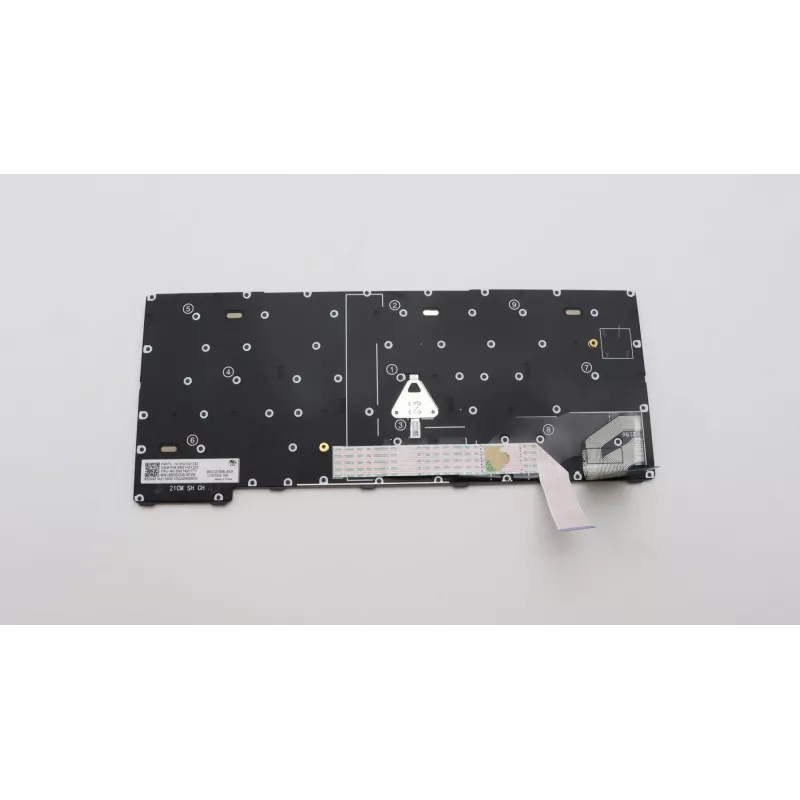
Keyboard Lenovo 5N21A21795 for ThinkPad X13 Gen 2

Keyboard Lenovo 5N21A21795 for ThinkPad X13 Gen 2
R1,748
The Lenovo 5N21A21795 keyboard is a replacement keyboard designed specifically for the ThinkPad X13 Gen 2. It features durable black keycaps and a layout tailored to the laptop’s form factor, providing a reliable typing experience and restoring full keyboard functionality when the original unit is w... Read More
Stock Out Of StockNo Stock Code 2406712 Brand LENOVO Model 5N21A21795 Warranty 2 Years

Shipping & Returns

The Lenovo 5N21A21795 keyboard is a replacement keyboard designed specifically for the ThinkPad X13 Gen 2. It features durable black keycaps and a layout tailored to the laptop’s form factor, providing a reliable typing experience and restoring full keyboard functionality when the original unit is worn or damaged.

Advantages

This keyboard is produced to match the ThinkPad X13 Gen 2 specifications, ensuring correct key spacing, function key mapping and connector compatibility. Its construction uses long-life components intended for extended use, and the black finish integrates seamlessly with the laptop’s chassis.

Suitable for

  • Replacement of a damaged or non-functional keyboard on ThinkPad X13 Gen 2
  • Repair and refurbishment of corporate or personal laptops
  • Maintaining original layout and key mapping for software and shortcuts

Key specifications

  • Brand: Lenovo
  • Model / MPN: 5N21A21795
  • Compatibility: ThinkPad X13 Gen 2
  • Colour: Black

How to use

Power off the laptop and disconnect any external power source. Remove the bottom cover according to the ThinkPad X13 Gen 2 service manual, disconnect the old keyboard ribbon cable and remove retaining screws or clips. Fit the Lenovo 5N21A21795 keyboard into position, secure any fasteners and reconnect the ribbon cable. Reassemble the laptop, reconnect power and perform a brief test of all keys and special functions.

Recommendations

Use proper anti-static precautions during installation and refer to official Lenovo service documentation for step-by-step disassembly and reassembly instructions. If unsure, have the replacement performed by a qualified technician to avoid damage to the laptop.
Key Highlights
  • Replacement of a damaged or non-functional keyboard on ThinkPad X13 Gen 2
  • Repair and refurbishment of corporate or personal laptops
  • Maintaining original layout and key mapping for software and shortcuts
  • Brand: Lenovo
  • Model / MPN: 5N21A21795
  • Compatibility: ThinkPad X13 Gen 2
  • Colour: Black
Specifications
Brand compatibility
Lenovo
Compatibility
ThinkPad X13 Gen 2
Connector location
Bottom right
Keyboard backlit
No
Numeric keypad
No
Product colour
Black
Type
Keyboard
Windows operating systems supported
Yes

Leaflet

Open Leaflet
Price history is not available yet
We are still collecting enough daily price data for this product.

Popular products in this category

WhatsApp
Hi, I’m DistriNode’s AI assistant. I can help you find products, compare options, create quote PDFs, or open support requests.