Account Contact
Your Cart
Pay the courier with no extra fees.
Need help? DistriNode AI can handle any task on our site.

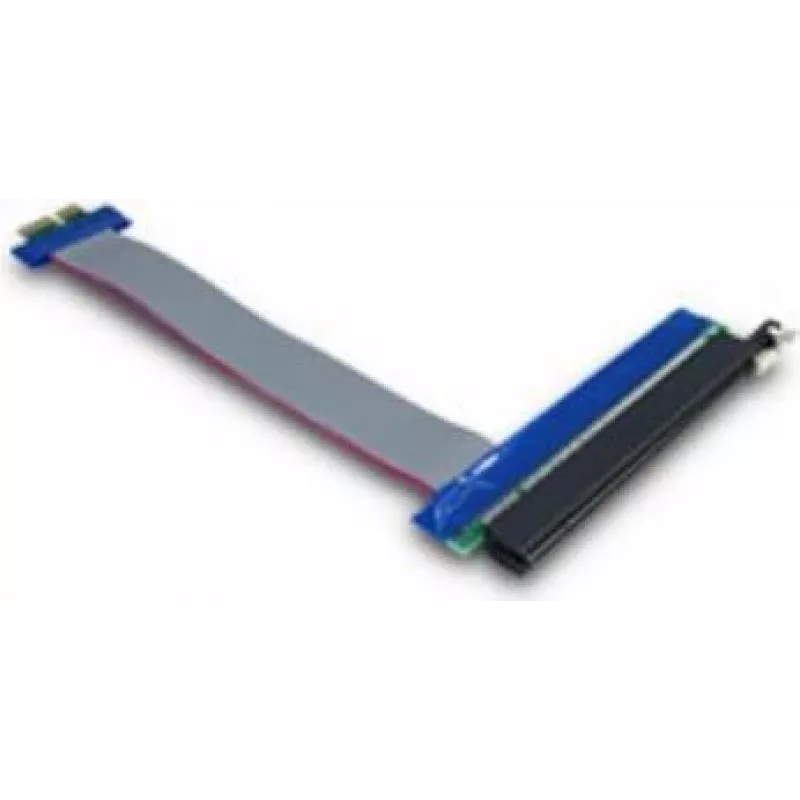
Internal PCIe Interface Card Inter-Tech 88885365 Blue PCIe Host Output

Internal PCIe Interface Card Inter-Tech 88885365 Blue PCIe Host Output
R523
The Inter-Tech 88885365 Blue PCIe Host Output is an internal PCIe interface card that provides PCIe host and PCIe output connectivity for desktop or server systems. Designed for installation on a motherboard PCIe slot, the card facilitates reliable data transfer between system components and attache... Read More
Stock 726 Code 2186999 Brand INTER-TECH Model 88885365 Warranty 2 Years

Shipping & Returns

Estimated delivery Tuesday, October 6
You will be kept updated through our detailed tracking system
Payment options
EFTPayFastBank CardSnapScanZapperGoogle PayApple PayMobicredMoreTymePay on Arrival

The Inter-Tech 88885365 Blue PCIe Host Output is an internal PCIe interface card that provides PCIe host and PCIe output connectivity for desktop or server systems. Designed for installation on a motherboard PCIe slot, the card facilitates reliable data transfer between system components and attached PCIe devices. Its blue PCB and housing distinguish it visually while maintaining standard interface compatibility for typical computing environments.

Advantages

The card supports direct PCIe-to-PCIe connections, enabling low-latency and high-throughput transfers where supported by the host system. As an internal component, it conserves external ports and contributes to a cleaner system layout. The compact design and standard form factor make it compatible with a wide range of cases and motherboards that provide PCIe expansion slots. The blue colour provides easy identification during installation and maintenance.

Suitable for

  • Expanding PCIe connectivity in desktop PCs
  • Adding internal I/O paths in workstations or small servers
  • System upgrades where additional PCIe outputs are required
  • Environments prioritising clean internal cable management and compact expansion

Key specifications

  • Host interface: PCIe
  • Output interface: PCIe
  • Form factor: internal card for PCIe expansion slot
  • Colour: blue

How to use

Power down the computer and disconnect it from the mains before installation. Open the system case according to the chassis manufacturer's instructions, locate an available PCIe expansion slot on the motherboard, and remove the corresponding slot cover. Insert the Inter-Tech PCIe card firmly into the slot until it is seated, secure it to the case with the mounting screw, then reassemble the case. Reconnect power and boot the system. Install any necessary drivers or firmware provided by the system or device vendor to ensure proper operation. Verify the device is detected in the system firmware/OS device manager and test the intended PCIe device connections.

Recommendations

Install the card in a compatible PCIe slot matching the lane width and generation supported by your motherboard for optimal performance. Ensure the system is grounded and powered off during handling to prevent electrostatic damage. Monitor BIOS/UEFI settings if multiple expansion devices are present to avoid resource conflicts.

Key Highlights
  • Expanding PCIe connectivity in desktop PCs
  • Adding internal I/O paths in workstations or small servers
  • System upgrades where additional PCIe outputs are required
  • Environments prioritising clean internal cable management and compact expansion
  • Host interface: PCIe
  • Output interface: PCIe
  • Form factor: internal card for PCIe expansion slot
  • Colour: blue
Specifications
Host interface
PCIe
Internal
Yes
Output interface
PCIe
Product colour
Blue
Price history over the last 6 months
Internal PCIe Interface Card Inter-Tech 88885365 Blue PCIe Host Output
Current
R523
Lowest
R512
Highest
R523
Change 24H
+R9   +2%
Week
—   
Month
—   

Popular products in this category

WhatsApp
Hi, I’m DistriNode’s AI assistant. I can help you find products, compare options, create quote PDFs, or open support requests.