Account Contact
Your Cart
Pay the courier with no extra fees.
Need help? DistriNode AI can handle any task on our site.

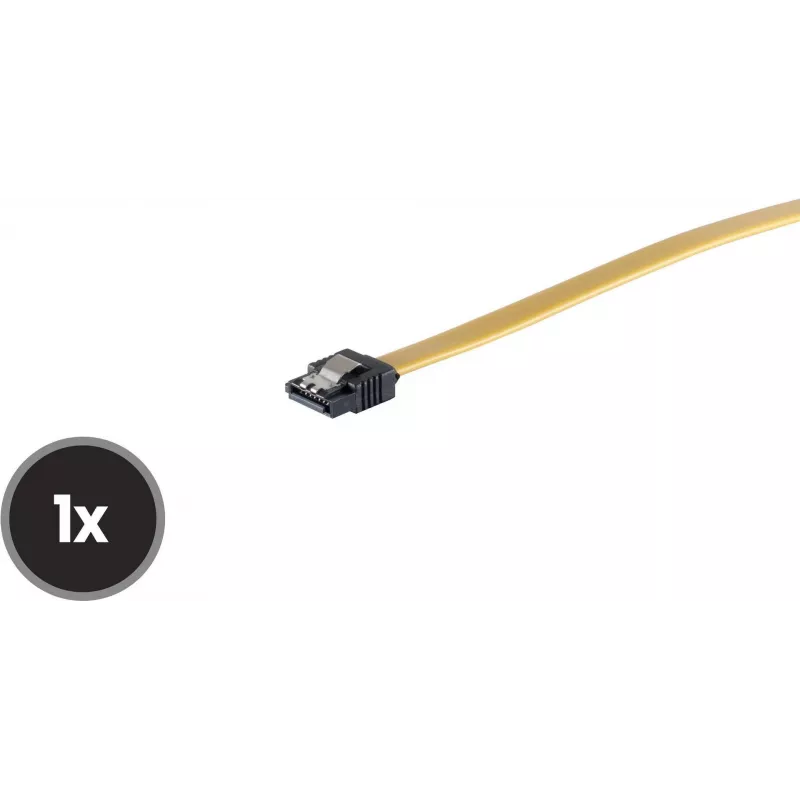
Internal PC cable ShiverPeaks SCO 78246-0.5Y 50 cm straight metal spring

Internal PC cable ShiverPeaks SCO 78246-0.5Y 50 cm straight metal spring
R270
Internal PC cable ShiverPeaks SCO 78246-0.5Y 50 cm straight metal spring is an internal connection cable designed for routing inside computer cases and linking compatible internal headers and modules. The cable offers a straight connector layout with a metal spring forming a reinforced, flexible str... Read More
Stock 455 Code 2350692 Brand SHIVERPEAKS Model 78246-0.5Y Warranty 2 Years

Shipping & Returns

Estimated delivery Tuesday, October 6
You will be kept updated through our detailed tracking system
Payment options
EFTPayFastBank CardSnapScanZapperGoogle PayApple PayMobicredMoreTymePay on Arrival

Internal PC cable ShiverPeaks SCO 78246-0.5Y 50 cm straight metal spring is an internal connection cable designed for routing inside computer cases and linking compatible internal headers and modules. The cable offers a straight connector layout with a metal spring forming a reinforced, flexible strain relief to protect the termination point from bending and mechanical stress. At 50 cm length the cable provides moderate reach for typical internal placements while maintaining a compact profile suitable for tight spaces within chassis.

Advantages

The straight connector and metal spring design combine to reduce stress at the connector end and improve durability under repeated bending or movement. The 50 cm length balances reach and cable management, making it easier to route without excessive slack. Its construction is intended for internal PC environments and provides a stable connection between compatible headers and devices while minimizing interference with other components.

Suitable for

  • Connecting internal headers and modules inside desktop computer cases
  • Routing between motherboard headers and drive or controller boards where a straight connector is required
  • Systems with limited space that benefit from a reinforced straight cable

Key specifications

  • Length: 50 cm
  • Connector orientation: straight
  • Reinforcement: metal spring strain relief at connector
  • Application: internal PC use
  • Cable type: serial data/internal connection cable

How to use

Install the cable by aligning the straight connector with the intended internal header and pushing it firmly until seated. Ensure the metal spring strain relief is not compressed against sharp edges and that the cable is routed to avoid tight bends near the connector. Use existing cable channels or tie points inside the case to secure excess length and prevent movement that could stress the connection. Verify compatibility with the target header type before connecting.

Recommendations

For reliable performance, route the cable away from fans and moving parts, avoid sharp bends near the connector, and secure the cable to chassis tie points to reduce mechanical stress. Inspect the connection after initial installation and after any system transport or maintenance to ensure the strain relief and connector remain properly seated.

Key Highlights
  • Connecting internal headers and modules inside desktop computer cases
  • Routing between motherboard headers and drive or controller boards where a straight connector is required
  • Systems with limited space that benefit from a reinforced straight cable
  • Length: 50 cm
  • Connector orientation: straight
  • Reinforcement: metal spring strain relief at connector
  • Application: internal PC use
  • Cable type: serial data/internal connection cable
Price history over the last 6 months
Internal PC cable ShiverPeaks SCO 78246-0.5Y 50 cm straight metal spring
Current
R270
Lowest
R261
Highest
R270
Change 24H
+R9   +4%
Week
—   
Month
—   

Popular products in this category

WhatsApp
Hi, I’m DistriNode’s AI assistant. I can help you find products, compare options, create quote PDFs, or open support requests.