Account Contact
Your Cart
Pay on delivery – no extra fees
Need help? Ask our AI

iiyama OMK4-3 monitor mount accessory

iiyama OMK4-3 monitor mount accessory
R1,153
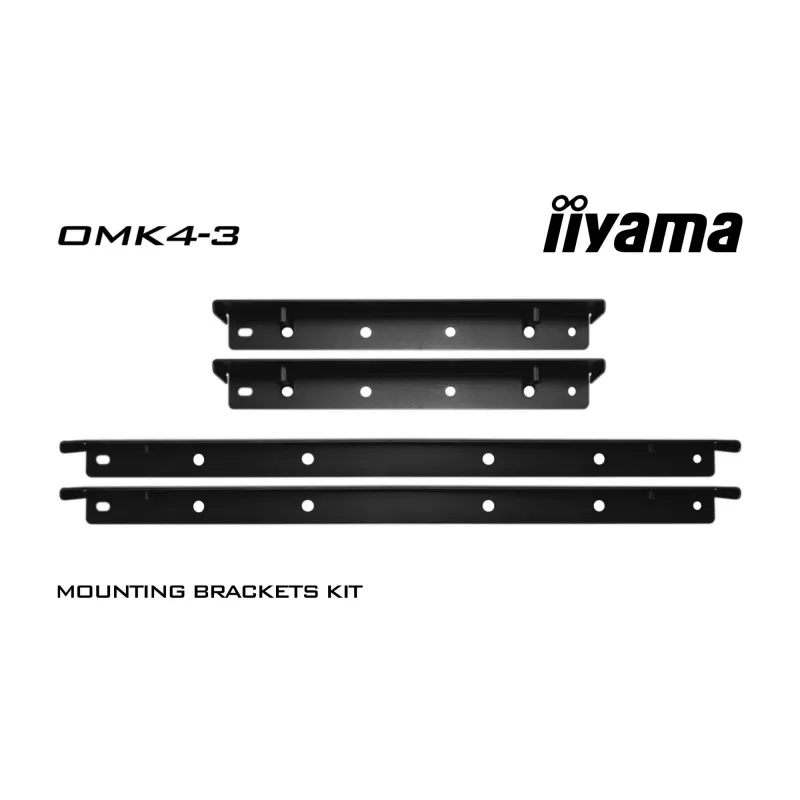
The iiyama OMK4-3 bracket is a black monitor mount accessory engineered to provide stable support and flexible positioning for compatible displays such as TF4339MSC and OMK4-3 models. Designed for mounting solutions in both home and office environments, the bracket improves ergonomics by allowing ad... Read More
Stock 7 Code 1163506 Brand IIYAMA Model OMK4-3 Warranty 2 Years

Shipping & Returns

Estimated delivery Friday, October 23
You will be kept updated through our detailed tracking system
Payment options
EFTPayFastBank CardSnapScanZapperGoogle PayApple PayMobicredMoreTymePay on Arrival

The iiyama OMK4-3 bracket is a black monitor mount accessory engineered to provide stable support and flexible positioning for compatible displays such as TF4339MSC and OMK4-3 models. Designed for mounting solutions in both home and office environments, the bracket improves ergonomics by allowing adjustments to viewing angle and placement while maintaining a compact footprint.

Advantages

This bracket offers a robust metal construction and a discreet black finish that integrates with most monitor designs and office interiors. It enables reliable support for the attached display while permitting straightforward adjustments for tilt and orientation. Installation is simple and requires only standard tools; once mounted, the bracket provides durable hold and reduces desk clutter compared with freestanding setups.

Suitable for

  • Attaching compatible monitors to desks, walls, or mounting arms
  • Improving ergonomic viewing angles in workstations
  • Consolidating multi-screen layouts for productivity or signage
  • Home office and corporate office installations

Key specifications

  • Colour: Black
  • Material: Metal construction for stability and durability
  • Compatibility: Designed for specific iiyama monitor models with compatible mounting points
  • Adjustability: Provides tilt and positional adjustment to optimise viewing angle
  • Mounting type: Bracket-style mount for secure attachment to compatible stands or mounting points

How to use

Position the bracket on the designated mounting points of the compatible monitor, align the screw holes, and fasten using the appropriate screws and tools according to the monitor manufacturer’s guidance. After securing the bracket to the display, attach the assembly to the chosen mounting surface or arm, then adjust tilt and position to achieve the desired viewing angle. Verify that all fasteners are tightened and that the monitor is stable before regular use.

Recommendations

Verify compatibility with your specific monitor model before installation, use recommended screw sizes and torque values from the monitor documentation, and perform periodic checks of mounting hardware to ensure continued stability and safety.
Key Highlights
  • Attaching compatible monitors to desks, walls, or mounting arms
  • Improving ergonomic viewing angles in workstations
  • Consolidating multi-screen layouts for productivity or signage
  • Home office and corporate office installations
  • Colour: Black
  • Material: Metal construction for stability and durability
  • Compatibility: Designed for specific iiyama monitor models with compatible mounting points
  • Adjustability: Provides tilt and positional adjustment to optimise viewing angle
  • Mounting type: Bracket-style mount for secure attachment to compatible stands or mounting points
Specifications
Compatibility
TF4339MSC
Harmonized System (HS) code
85299018
Product colour
Black
Product type
Bracket

Manual

Open Manual

Leaflet

Open Leaflet
Price history over the last 6 months
iiyama OMK4-3 monitor mount accessory
Current
R1,153
Lowest
R874
Highest
R1,233
Change 24H
+R273   +31%
Week
+R274   +31%
Month
+R276   +31%

Popular products in this category

WhatsApp
Hi, I’m DistriNode’s AI assistant. I can help you find products, compare options, create quote PDFs, or open support requests.