Account Contact
Your Cart
Pay on delivery – no extra fees
Need help? Ask our AI

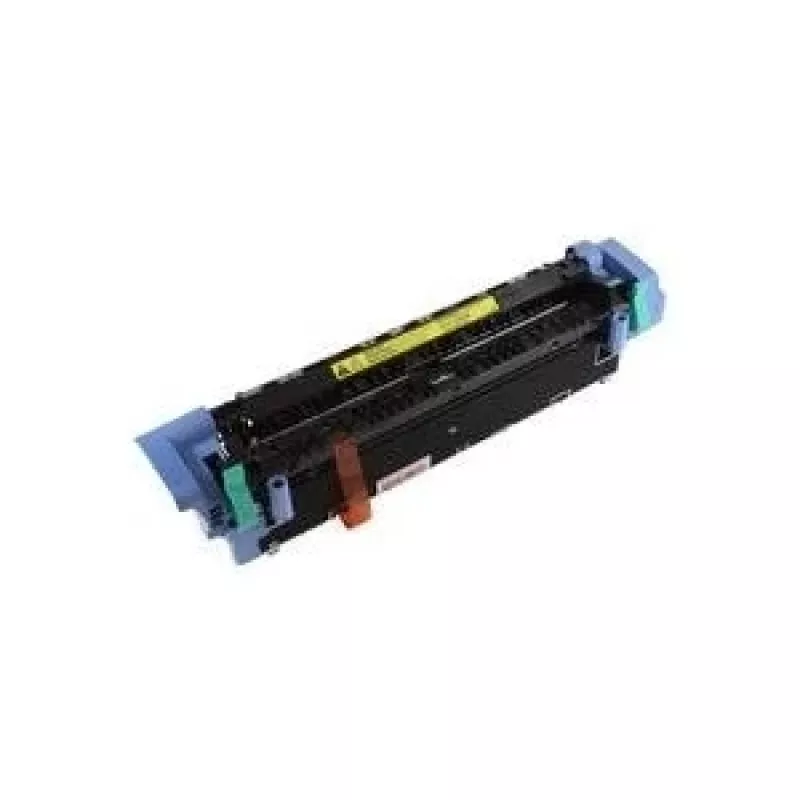
HP Q3985-67902 fuser

HP Q3985-67902 fuser
R10,608
PDF
PDF
Stock 1 Code 2187655 Model Q3985-67902 Warranty 2 Years

Shipping & Returns

Estimated delivery Tuesday, November 24
You will be kept updated through our detailed tracking system
Payment options
EFTPayFastBank CardSnapScanZapperGoogle PayApple PayMobicredMoreTymePay on Arrival

Ask a question – the AI assistant answers instantly.

Description

The HP Q3985-67902 fuser is a replacement fuser unit designed for use with the HP Color LaserJet 5550 printer. It secures toner to paper by applying heat and pressure during the printing process, supporting accurate color reproduction and crisp text. This fuser is intended to restore or maintain the printer’s original print quality and consistent performance across high-volume print jobs.

Advantages

This fuser offers reliable operation with a long service life that reduces the frequency of maintenance interventions. It is engineered to deliver even heat distribution for uniform toner fusion, which helps preserve color fidelity and sharpness across different paper types. The unit is designed for straightforward installation and compatibility with the HP Color LaserJet 5550, providing predictable performance in office or home environments.

Suitable for

  • High-volume color document printing in offices
  • Print jobs requiring consistent color and text quality
  • Maintenance or repair of HP Color LaserJet 5550 printers
  • Environments seeking reduced downtime and fewer consumable changes

Key specifications

  • Compatibility: HP Color LaserJet 5550 series
  • Function: Heat and pressure fusion of toner to media
  • Intended use: Replacement fuser unit for color laser printing
  • Performance focus: Even heat distribution for consistent print quality
  • Physical form: Integrated fuser assembly suitable for in-printer installation

How to use

Power off and unplug the printer before starting the replacement process. Allow the printer to cool if it was recently in use. Open the printer access panels according to the HP service instructions for the Color LaserJet 5550, remove the existing fuser assembly, and install the replacement fuser in the correct orientation until it clicks or seats securely. Reassemble the access panels, reconnect power, and run a test print or a printer calibration if available to confirm proper operation and alignment.

Recommendations

Handle the fuser with care and avoid touching the heating surfaces. Use the fuser in the recommended printer model and follow manufacturer guidelines for installation and safety. Regularly check printer settings and perform scheduled maintenance to extend the life of the fuser and maintain consistent print quality.

Key Highlights
  • High-volume color document printing in offices
  • Print jobs requiring consistent color and text quality
  • Maintenance or repair of HP Color LaserJet 5550 printers
  • Environments seeking reduced downtime and fewer consumable changes
  • Compatibility: HP Color LaserJet 5550 series
  • Function: Heat and pressure fusion of toner to media
  • Intended use: Replacement fuser unit for color laser printing
  • Performance focus: Even heat distribution for consistent print quality
  • Physical form: Integrated fuser assembly suitable for in-printer installation

Specifications

Specifications
AC input voltage
220 V
Brand compatibility
HP
Compatibility
Color LaserJet 5550
Harmonized System (HS) code
84439990

Leaflet

Open Leaflet
Price history over the last 6 months
HP Q3985-67902 fuser
Current
R10,608
Lowest
R10,176
Highest
R11,519
Change 24H
+R11   +0%
Week
+R318   +3%
Month
+R216   +2%

Write a review

Rating *
Your name will be shown publicly – you can use a nickname. We invite buyers to write reviews; we check reviews before publishing and publish critical ones too.

More HP products in this category

12

Popular products in this category

7
WhatsApp
Messenger
Hi, I’m DistriNode’s AI assistant. I can help you find products, compare options, create quote PDFs, or open support requests.
All categories