Account Contact
Your Cart
Pay on delivery – no extra fees
Need help? Ask our AI

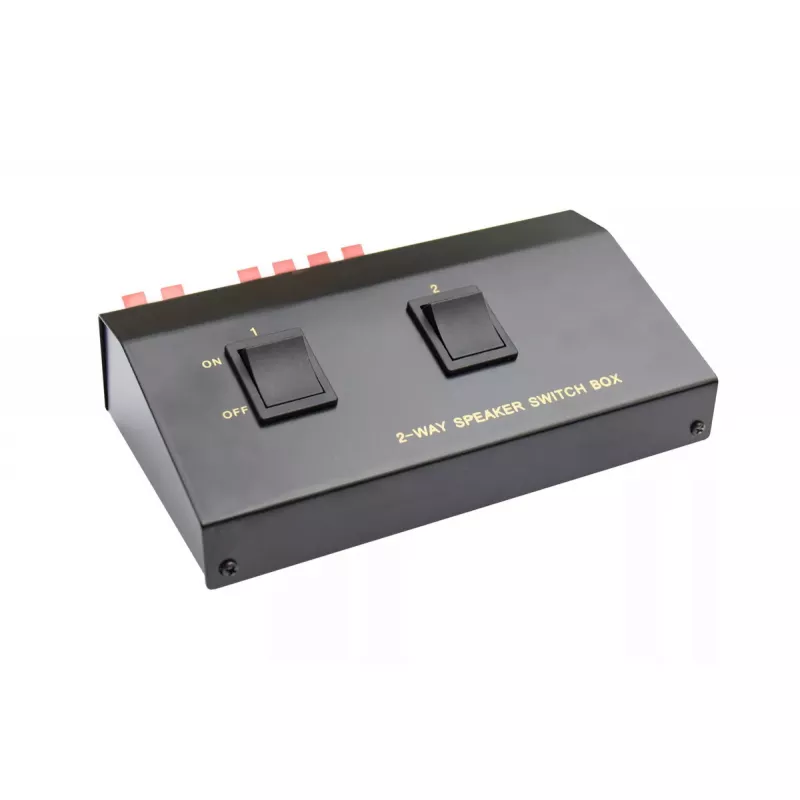
Audio Switch Alcasa 5529-2, 2 Channels

Audio Switch Alcasa 5529-2, 2 Channels
R312
The Good Connections Audio Switch Alcasa 5529-2 is a compact 2-channel audio switch designed to route audio between two inputs and two outputs. With external dimensions of 176 mm wide, 115 mm deep and 51 mm high, the unit fits easily into small installations or home audio setups. The switch provides... Read More
Stock Out Of StockNo Stock Code 2565388 Brand GoodConnections Model 5529-2 Warranty 2 Years

Shipping & Returns

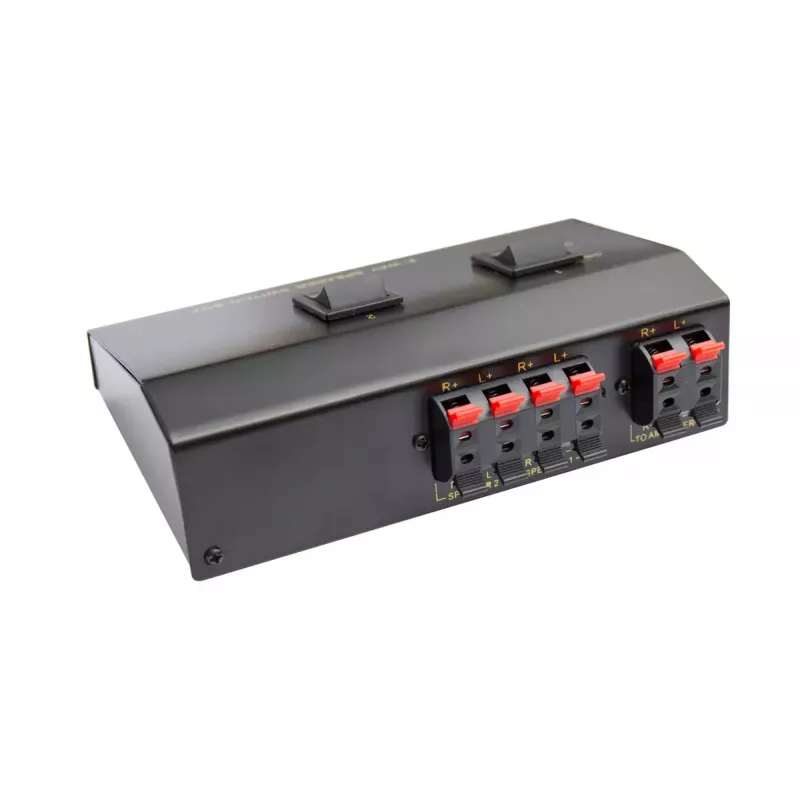
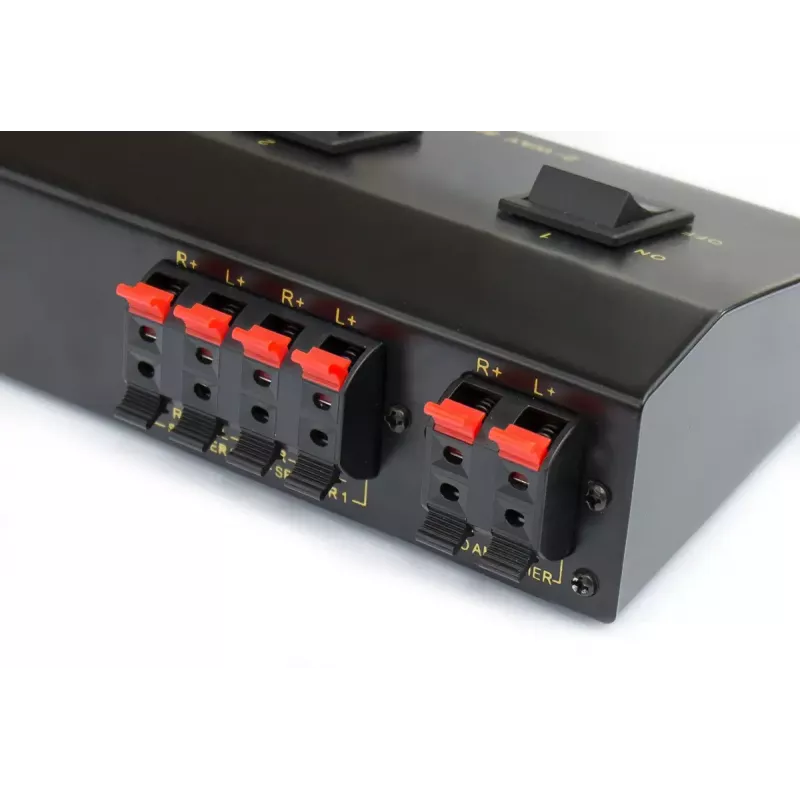
The Good Connections Audio Switch Alcasa 5529-2 is a compact 2-channel audio switch designed to route audio between two inputs and two outputs. With external dimensions of 176 mm wide, 115 mm deep and 51 mm high, the unit fits easily into small installations or home audio setups. The switch provides manual selection of connected sources, allowing quick changeover without replugging cables and maintaining signal integrity through its quality connectors.

Advantages

The Alcasa 5529-2 offers a space-saving footprint and straightforward operation suitable for desktop, shelf or rack-adjacent placement. Its support for two independent input channels and two outputs enables flexible routing of multiple audio sources. Reliable mechanical switching and secure connector contacts reduce the risk of intermittent connections and preserve audio quality during source changes.

Suitable for

  • Home audio systems where several source devices need to be switched
  • Desktop setups with limited space for multiple amplifiers or sources
  • Small studio or rehearsal areas requiring quick source selection

Key specifications

  • Channels: 2 audio input channels, 2 audio output channels
  • Dimensions: 176 mm (W) x 115 mm (D) x 51 mm (H)
  • Connector type: analogue audio connectors with secure mechanical contacts
  • Operation: manual switching between connected sources
  • Mounting: tabletop or shelf placement; compact housing for small installations

How to use

Place the audio switch on a stable surface near your audio devices. Connect source devices to the input jacks and connect receivers or amplifiers to the output jacks using appropriate audio cables. Use the front panel selector or designated switching control to choose the active input channel; the signal will be routed to the selected outputs. Ensure all devices and cables are powered and functioning correctly before switching to avoid pops or transient noises.

Recommendations

For best results, use high-quality shielded audio cables and confirm connector seating to minimise signal loss. Avoid switching while sources are playing at high volume; mute or reduce levels before switching to protect speakers and prevent audible transients. Keep the unit in a dry, dust-free environment and allow sufficient ventilation around the housing.

Key Highlights
  • Home audio systems where several source devices need to be switched
  • Desktop setups with limited space for multiple amplifiers or sources
  • Small studio or rehearsal areas requiring quick source selection
  • Channels: 2 audio input channels, 2 audio output channels
  • Dimensions: 176 mm (W) x 115 mm (D) x 51 mm (H)
  • Connector type: analogue audio connectors with secure mechanical contacts
  • Operation: manual switching between connected sources
  • Mounting: tabletop or shelf placement; compact housing for small installations
Specifications
Audio input channels
2
Audio output channels
2
Control type
Buttons
Depth
115 mm
Height
51 mm
Product colour
Black
Weight
0.338 kg
Width
176 mm
Price history over the last 6 months
Audio Switch Alcasa 5529-2, 2 Channels
Current
R312
Lowest
R267
Highest
R746
Change 24H
+R44   +16%
Week
-R11   -3%
Month
-R398   -56%
WhatsApp
Hi, I’m DistriNode’s AI assistant. I can help you find products, compare options, create quote PDFs, or open support requests.